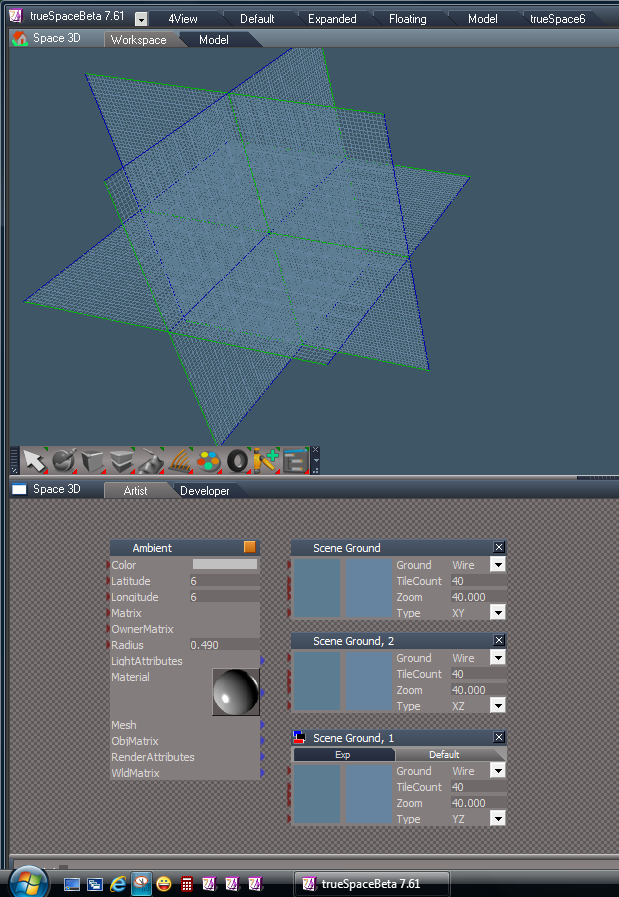
The grid floor in the WS side of trueSpace has frozen to a wireframe. I can't change the size, i can't change the colors, i can't make it solid, I can't change it's orientation.
This sucks. I did a clean in install and this fixed it. But I have saved my state with plugins, layouts and buttons. When i load my state in again, I loose the floor again.
How do I fix the corrupt floor? None of the settings "Ground" controls work!
trueSpace WS grid floor won't change
-
Draise

- Captain
- Posts: 3200
- Joined: 21 Sep 2009, 19:33
- Type the number ten into the box: 0
- Location: Bogota, Colombia
trueSpace WS grid floor won't change
-
trueBlue

- Captain
- Posts: 5548
- Joined: 06 Jul 2009, 22:50
- Type the number ten into the box: 10
Re: trueSpace WS grid floor won't change
Try the Scene Ground.RsObj in the DX -View library. Does that work?
I have noticed in the past that this can be kind of buggy.
Usually I just Reset the Default Context.
I have noticed in the past that this can be kind of buggy.
Usually I just Reset the Default Context.
- Attachments
-