Jeff Roig had asked for a Male Turtle for his Animation Project so I decided to design one.
Since this model is high poly it will need Retopo for animation purposes. No way of knowing if this critter
will fit the movie style but what the heck, it will be a fun time modeling him...
Turtle
-
Steinie

- Captain
- Posts: 2958
- Joined: 21 May 2009, 17:38
- Type the number ten into the box: 10

-
jamesmc
- Captain
- Posts: 1776
- Joined: 08 Jul 2009, 15:35
Re: Turtle
hah!
Love it.
Great character.
Love it.
Great character.
Walk by faith, not by sight.
-
pugman 1
- Captain
- Posts: 1555
- Joined: 21 May 2009, 19:26
- Type the number ten into the box: 0
- Location: Germany
Re: Turtle
Nice start steinie ,hope it makes the grade for jeff
-
Steinie
- Captain
- Posts: 2958
- Joined: 21 May 2009, 17:38
- Type the number ten into the box: 10
Re: Turtle
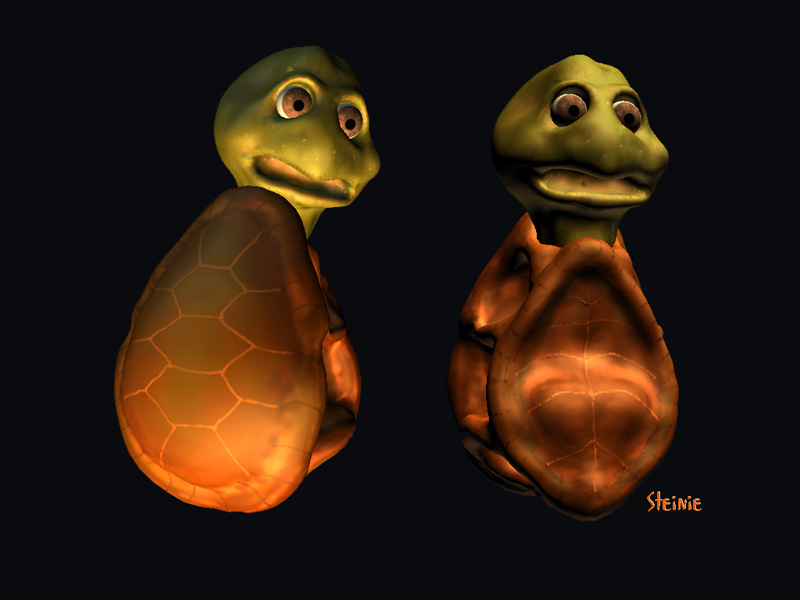
OK I think I have a process down. Here is the Turtle Head Low Poly.
Next the turtle shell.
Next the turtle shell.
- Attachments
-

-
jamesmc
- Captain
- Posts: 1776
- Joined: 08 Jul 2009, 15:35
Re: Turtle
Was checking out MakeHuman again and found it to be a super easy way to make a humanoid model.
Must be some fine UVmapping by the author as this 'fatboy' I made seemed to be already mapped!
Anyways, another option for you, if'n you need a body to drop that head on or a body to sculpt over. You know, the easy way. heh
Oh yeah, I popped it into Zbrush 4.0 to use the UVMapper plug-in
The UV map:

Must be some fine UVmapping by the author as this 'fatboy' I made seemed to be already mapped!
Anyways, another option for you, if'n you need a body to drop that head on or a body to sculpt over. You know, the easy way. heh
Oh yeah, I popped it into Zbrush 4.0 to use the UVMapper plug-in
The UV map:
Walk by faith, not by sight.
-
Steinie
- Captain
- Posts: 2958
- Joined: 21 May 2009, 17:38
- Type the number ten into the box: 10
Re: Turtle
Thanks James I too haven't looked at MakeHuman in awhile. I need to check it out.
Here is the Turtle with his new home.
Next the arms and legs...
Here is the Turtle with his new home.
Next the arms and legs...
- Attachments
-
-
pugman 1
- Captain
- Posts: 1555
- Joined: 21 May 2009, 19:26
- Type the number ten into the box: 0
- Location: Germany
Re: Turtle
Looking cool as always ,glad you sorted your problem out
Ralph
Ralph
-
Steinie
- Captain
- Posts: 2958
- Joined: 21 May 2009, 17:38
- Type the number ten into the box: 10
Re: Turtle
I'm glad you like the progress Ralph.
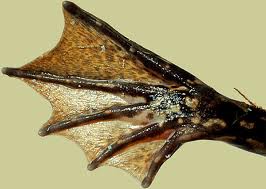
Consider web rear feet for your frog. Get some updates for us because I love to watch other artist working.
(It keeps my lazy butt from working)
My flow is a pain and mucho grande work but worth it in the end I think. So far my poly count is 6399
which is pretty low. I'm debating whether to model a body with arms and legs then put it inside the shell or
arms legs separately.
Signing off,
Walt D.......nahhhh
Signing off,
Steinie (I'm dreaming)
Consider web rear feet for your frog. Get some updates for us because I love to watch other artist working.
(It keeps my lazy butt from working)
My flow is a pain and mucho grande work but worth it in the end I think. So far my poly count is 6399
which is pretty low. I'm debating whether to model a body with arms and legs then put it inside the shell or
arms legs separately.
Signing off,
Walt D.......nahhhh
Signing off,
Steinie (I'm dreaming)
- Attachments
-
- WebFeet.jpg (8.78 KiB) Viewed 5073 times
-
pugman 1
- Captain
- Posts: 1555
- Joined: 21 May 2009, 19:26
- Type the number ten into the box: 0
- Location: Germany
Re: Turtle
Keep dreaming Steinie and also keep working 
good idea with the feet iv been trying and trying to get them right
and im still trying what a pain they are
good idea with the feet iv been trying and trying to get them right
and im still trying
what a pain they are-
jamesmc
- Captain
- Posts: 1776
- Joined: 08 Jul 2009, 15:35
Re: Turtle
Looking good Steinster!
Hmm, you can have it both ways with the shell ya know.
Do the shell separately from the arms and if and when you export it out, it can be exported as a group object or a single mesh where the shell is just part of the body.
Since all the painting will be done, if it were me, I'd make in one piece.
But, not sure how deformation in animation would go with the shell and arm interface.
MIght have to put on my thinking cap for that to create a good edge flow between shell and arm.
Hmm, you can have it both ways with the shell ya know.
Do the shell separately from the arms and if and when you export it out, it can be exported as a group object or a single mesh where the shell is just part of the body.
Since all the painting will be done, if it were me, I'd make in one piece.
But, not sure how deformation in animation would go with the shell and arm interface.
MIght have to put on my thinking cap for that to create a good edge flow between shell and arm.
Walk by faith, not by sight.
-
Steinie
- Captain
- Posts: 2958
- Joined: 21 May 2009, 17:38
- Type the number ten into the box: 10
Re: Turtle
Thanks James.
The good news is if you all don't like this model we can have soup instead.
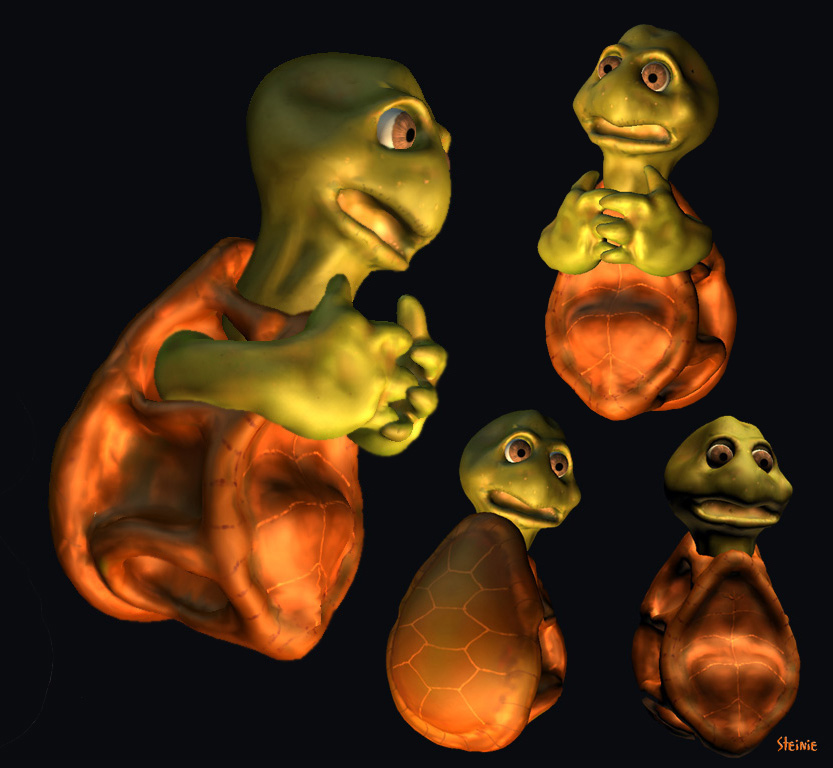
Next on the list.. legs...TWO of them!...
or I could make him a turtle pirate with a peg leg.
The good news is if you all don't like this model we can have soup instead.
Next on the list.. legs...TWO of them!...
or I could make him a turtle pirate with a peg leg.
- Attachments
-
-
clintonman

- Captain
- Posts: 5659
- Joined: 21 May 2009, 21:08
- Type the number ten into the box: 0
- Location: California
-
Steinie
- Captain
- Posts: 2958
- Joined: 21 May 2009, 17:38
- Type the number ten into the box: 10
Re: Turtle
Thanks Clintonman!
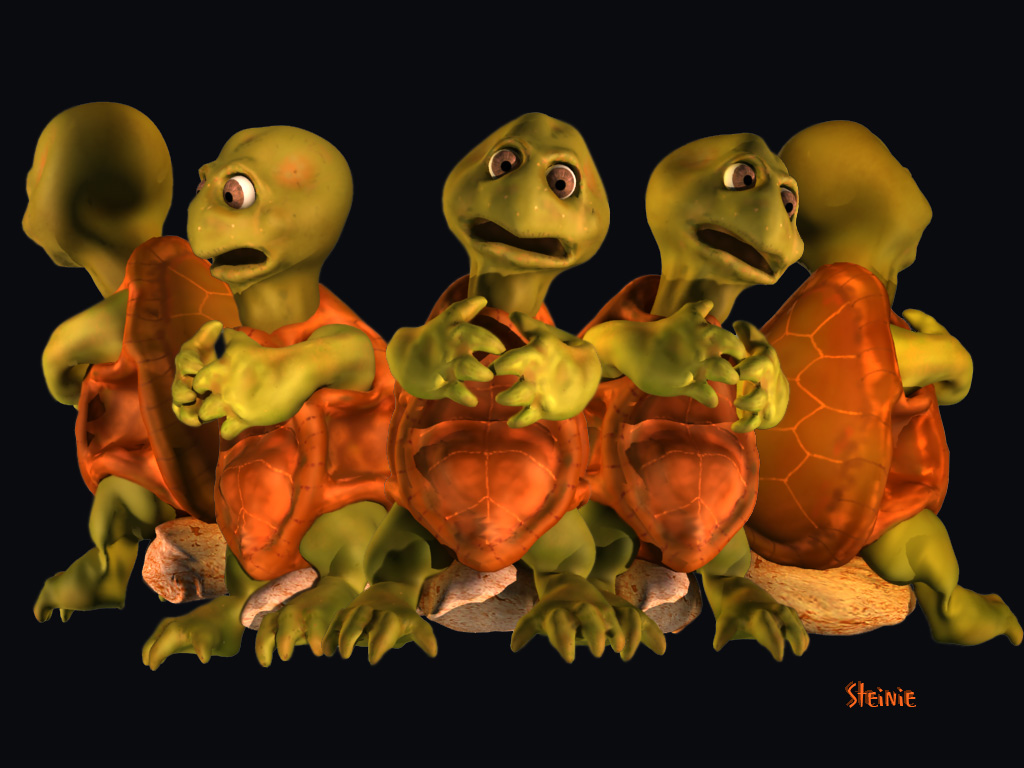
Here is the complete model. I hope you all like him.
Here is the complete model. I hope you all like him.
- Attachments
-
-
pugman 1
- Captain
- Posts: 1555
- Joined: 21 May 2009, 19:26
- Type the number ten into the box: 0
- Location: Germany
Re: Turtle
He is so cool,  nice one steinie
nice one steinie-
trueBlue

- Captain
- Posts: 5548
- Joined: 06 Jul 2009, 22:50
- Type the number ten into the box: 10
Re: Turtle
Then I was like...Whoa, totally COOL dude!
- Attachments
-

- thumbnailCAQLOVAB.jpg (7.82 KiB) Viewed 4642 times
-
RAYMAN

- Captain
- Posts: 2547
- Joined: 21 May 2009, 18:56
Re: Turtle
Get him animated before Disney gets hold of him !Steinie wrote:Thanks Clintonman!
Here is the complete model. I hope you all like him.
Realy nice job Steinie !
Peter
-
jeffroig
- Chief Warrant Officer
- Posts: 662
- Joined: 22 May 2009, 10:49
- Type the number ten into the box: 0
Re: Turtle
Steinie,
I knew you were up for the challenge and you have more than met the model type.
You are thinking along the same lines as I was imagining.
Great work.
Can you put him in a T-Pose?
I knew you were up for the challenge and you have more than met the model type.
You are thinking along the same lines as I was imagining.
Great work.
Can you put him in a T-Pose?
..
-
Steinie
- Captain
- Posts: 2958
- Joined: 21 May 2009, 17:38
- Type the number ten into the box: 10
Re: Turtle
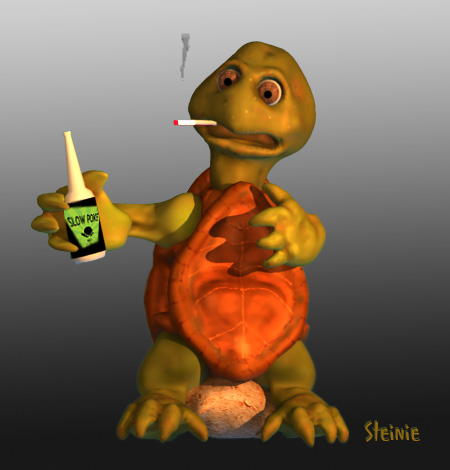
Jeff, The turtle is taking a break before the kiddie show...
Pugman, Jeff, TrueBlue, James, Clintonman Froo and Rayman this ones for you!
Pugman, Jeff, TrueBlue, James, Clintonman Froo and Rayman this ones for you!
- Attachments
-
-

-
jeffroig
- Chief Warrant Officer
- Posts: 662
- Joined: 22 May 2009, 10:49
- Type the number ten into the box: 0
Re: Turtle
Great job in modeling.
What software are you using now?
Can you add some teeth so when he smiles they will show.
What software are you using now?
Can you add some teeth so when he smiles they will show.
..
-
jamesmc
- Captain
- Posts: 1776
- Joined: 08 Jul 2009, 15:35
Re: Turtle
Oh yeah Steinster, that's what I'm talking about!
I saw some teeth in there, pretty sure I did.
I saw some teeth in there, pretty sure I did.
Walk by faith, not by sight.
-
MikomDude

- Captain
- Posts: 1930
- Joined: 04 Oct 2010, 11:12
- Type the number ten into the box: 0
- Location: The Hague, Netherlands
Re: Turtle
Funny Turtle
-
Finis

- Captain
- Posts: 5410
- Joined: 21 May 2009, 18:26
- Type the number ten into the box: 0
- Location: America!
Re: Turtle
Great work! Your characters have always been awesome but now your doing even better work. "Pushing the envelope", "Expanding the frontiers", ... The Sculptris and 3D Coat type of modeling and painting is really good for you.
Sometimes the right medium is what an artist needs. I took some painting classes and the teacher saw what I was trying do with light using acrylics and recommended oils. That set me free to create instead of struggle. I think you have found your oils.
The bad turtle pictures give me the impression of a turtle celebrity. He acts a part but then the paparazzi (hey! I spelled that right!) catch him off guard.
Sometimes the right medium is what an artist needs. I took some painting classes and the teacher saw what I was trying do with light using acrylics and recommended oils. That set me free to create instead of struggle. I think you have found your oils.
The bad turtle pictures give me the impression of a turtle celebrity. He acts a part but then the paparazzi (hey! I spelled that right!) catch him off guard.
I prefer dangerous freedom over peaceful servitude. -- Thomas Jefferson/Jean Jacques Rousseau
-
RAYMAN
- Captain
- Posts: 2547
- Joined: 21 May 2009, 18:56
Re: Turtle
Steinie didnt find his tool but tools like Sculptris and for edgy type models Sketchup are made for roughing inFinis wrote:Great work! Your characters have always been awesome but now your doing even better work. "Pushing the envelope", "Expanding the frontiers", ... The Sculptris and 3D Coat type of modeling and painting is really good for you.
Sometimes the right medium is what an artist needs. I took some painting classes and the teacher saw what I was trying do with light using acrylics and recommended oils. That set me free to create instead of struggle. I think you have found your oils.
The bad turtle pictures give me the impression of a turtle celebrity. He acts a part but then the paparazzi (hey! I spelled that right!) catch him off guard.
shapes and bringing things that are in your head onto paper...another way of doing it can be a piece of paper.....
modelers like any subd modeler take to much time to put things onto canvas in a fast way.....
still you need those other tools to refine your meshes and get your polycount down to a much more workable
level.....
Some people even start with zspheres and then detail the models.......
Bottom line any tool that works for you is the right tool.....
Peter
-
jeffroig
- Chief Warrant Officer
- Posts: 662
- Joined: 22 May 2009, 10:49
- Type the number ten into the box: 0
Re: Turtle
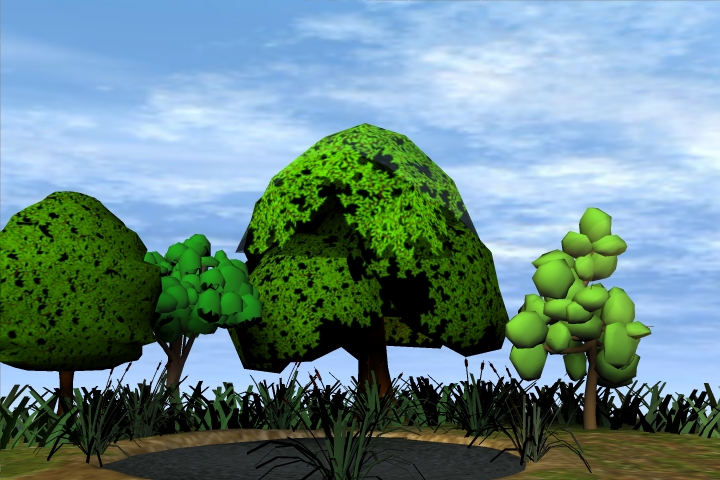
Here is the start of the pond where the turtle will be.
- Attachments
-
..
-
Steinie
- Captain
- Posts: 2958
- Joined: 21 May 2009, 17:38
- Type the number ten into the box: 10
Re: Turtle
Jeff, What actions do you expect from the Turtle? Right now the arms, legs, head and eyes are separate objects. If he is not walking then I'll just combine the legs to the shell. If you want arm movement I'll need to figure out how to combine the arms to the shell so that they can still be animated. If only the head and eyes are animated then the character could be considered done.
Thank you MikomDude and Finis! It is always nice to have someone respond to my work.
Peter, as you always say, there is always an application that can make our job easier. (sometimes better). I have tried ZBrush and cannot get used to it's interface and overload of tools. I really like the simplicity that Sculptris offers the Artist. You only need a pencil to draw. When a program gets too technical I start thinking of the tools rather then the art. Depending on what I want to do Sculptris fits in perfectly for my Character creations. The Paint functions are perfect.
Having an arsenal of programs at my disposal certainly makes the technical aspects less daunting.
That is why for years my Profile list one of my interest ...#2 pencil. Simple and it works.
Thank you MikomDude and Finis! It is always nice to have someone respond to my work.
Peter, as you always say, there is always an application that can make our job easier. (sometimes better). I have tried ZBrush and cannot get used to it's interface and overload of tools. I really like the simplicity that Sculptris offers the Artist. You only need a pencil to draw. When a program gets too technical I start thinking of the tools rather then the art. Depending on what I want to do Sculptris fits in perfectly for my Character creations. The Paint functions are perfect.
Having an arsenal of programs at my disposal certainly makes the technical aspects less daunting.
That is why for years my Profile list one of my interest ...#2 pencil. Simple and it works.
-
jamesmc
- Captain
- Posts: 1776
- Joined: 08 Jul 2009, 15:35
Re: Turtle
Hey! No problems for a stepper like yourself Steinie.I'll need to figure out how to combine the arms to the shell so that they can still be animated.
You just need to match up the points so they can weld nicely (arms, legs, head to body/neck, etc.)
For instance, if the turtle arm as 15 vertices and the body where the are should go has 13 vertices, you'll need to make an adjustment where two more vertices are added to the body (probably in the back unseen.) Or can to the other way around, but the 15 vertices on the hand might be vital to the shape of the hand - dunno.
Same with the other detached objects you want to attach, just match up the vertices count, then it's a matter of just welding them puppies together!
Walk by faith, not by sight.
-
jeffroig
- Chief Warrant Officer
- Posts: 662
- Joined: 22 May 2009, 10:49
- Type the number ten into the box: 0
Re: Turtle
If you will just glue them as siblings and then save it as a TS native file COB and export it out as a OBJ I will take care of the rest.
I have to create groups for the parts so I can use it in Maya.
I have to create groups for the parts so I can use it in Maya.
..
-
Steinie
- Captain
- Posts: 2958
- Joined: 21 May 2009, 17:38
- Type the number ten into the box: 10
Re: Turtle
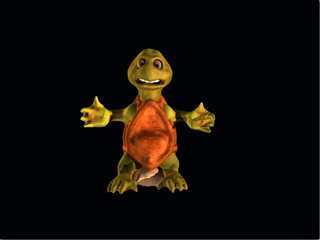
Jeff, can you clarify what you would like? You asked for a cob and then mentioned an obj. file. What will happen to the model and textures when I send it
back to the Modeler side? Won't the textures get clobbered? If I use Froo's Exporter the quads will become tris. Can I 3DEncapsulate the model in workSpace
and send you an obj file using Froo's Exporter?
What is the best way to handle this?
back to the Modeler side? Won't the textures get clobbered? If I use Froo's Exporter the quads will become tris. Can I 3DEncapsulate the model in workSpace
and send you an obj file using Froo's Exporter?
What is the best way to handle this?
- Attachments
-
- Ready4Shipment.jpg (34.96 KiB) Viewed 4837 times
-
froo
- Captain
- Posts: 2554
- Joined: 22 May 2009, 12:13
Re: Turtle
Lookin good Steinie!
It's really cool to see a group of folks here working together on an animation project!
It's really cool to see a group of folks here working together on an animation project!
-
Steinie
- Captain
- Posts: 2958
- Joined: 21 May 2009, 17:38
- Type the number ten into the box: 10
Re: Turtle
Jeff, let me know if you find problems with the Turtle. If you hit it once with the poly reduction tool it brings the poly count down quite a bit with out visual deterioration. That is up to you.
Jason, Yes it is a different type of challenge when many people work on a similar project. I had fun working on it.
Back to the MMCs and SMCs...M&Ms....
Jason, Yes it is a different type of challenge when many people work on a similar project. I had fun working on it.
Back to the MMCs and SMCs...M&Ms....
-
jeffroig
- Chief Warrant Officer
- Posts: 662
- Joined: 22 May 2009, 10:49
- Type the number ten into the box: 0
Re: Turtle
Steinie,
I got the turtle this morning and work on it a little bit before leaving for work.
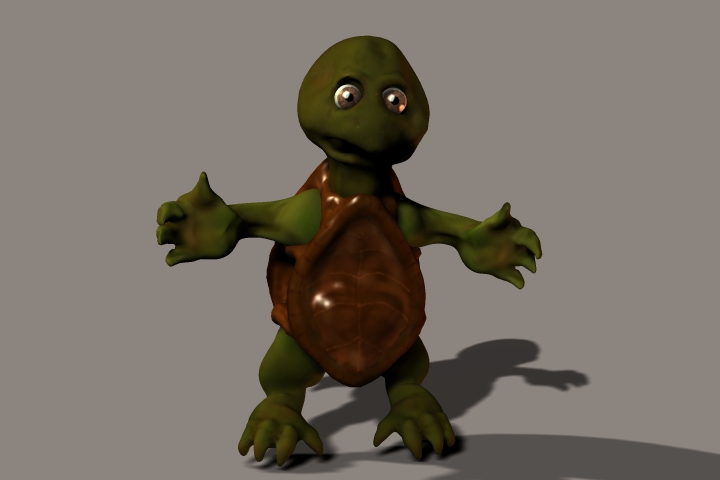
By working on it I mean, I placed the eyes in the head and exported him out as a OBJ in Maya.
I then added some highlight to the eyes and the shell.
You did great on this one.
Here is a image of him from Maya.
I also removed the rock.
I got the turtle this morning and work on it a little bit before leaving for work.
By working on it I mean, I placed the eyes in the head and exported him out as a OBJ in Maya.
I then added some highlight to the eyes and the shell.
You did great on this one.
Here is a image of him from Maya.
I also removed the rock.
- Attachments
-
-

..