Interesting find today
The jScript object is a script and container
Load a jScript object into the Link Editor
In the Link Editor, switch to 1D = script:
// OnComputeOutputs
// Called to compute values of all output connectors
While in 1D, switch to 2D = container
jScript object
-
trueBlue

- Captain
- Posts: 5548
- Joined: 06 Jul 2009, 22:50
- Type the number ten into the box: 10
jScript object
-
stan
- Master Chief Petty Officer
- Posts: 584
- Joined: 21 May 2009, 17:20
Re: jScript object
Thew same can be said about the VBScript object.
I think it might be an oversight as the containers 3d and regular can also go to 1d 3d and 4d but the script engine doesn't work in them even know the toolbar shows up and they have no attributes available.
The function sets can't go into 2d or 3d, not sure why it goes to 4d.
I forget the other issue with the 1 2 3 4d that Steinie found, It led you to a no return dead end.
I think it might be an oversight as the containers 3d and regular can also go to 1d 3d and 4d but the script engine doesn't work in them even know the toolbar shows up and they have no attributes available.
The function sets can't go into 2d or 3d, not sure why it goes to 4d.
I forget the other issue with the 1 2 3 4d that Steinie found, It led you to a no return dead end.
-
trueBlue
- Captain
- Posts: 5548
- Joined: 06 Jul 2009, 22:50
- Type the number ten into the box: 10
Re: jScript object
You can also add Keyframes and Clipsstan wrote: 20 Jan 2022, 15:08 Thew same can be said about the VBScript object.
I think it might be an oversight as the containers 3d and regular can also go to 1d 3d and 4d but the script engine doesn't work in them even know the toolbar shows up and they have no attributes available.
The function sets can't go into 2d or 3d, not sure why it goes to 4d.
I forget the other issue with the 1 2 3 4d that Steinie found, It led you to a no return dead end.
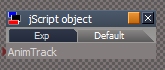
- jScript object AnimTrack.png (3.97 KiB) Viewed 23 times

- jScript object AnimClip.png (9.36 KiB) Viewed 23 times