HEY GUYS!!!
I'm interested in doing some HDRI capture and wanted to get feedback on which route to take.
I've done some stuff before with a chrome ball, multiple exposures, and HDR Shop. Worked out OK, but there's the issue of painting myself out of the pics, keeping the chrome surface clean, etc.
SO... I was wondering about simply taking multiple exposures with a 180-degree fisheye lens.
Thoughts?
P.S. This is for on-set capture, for scenes that I'd be inserting CG elements into later.
HDRI capture... Chrome ball or 180-degree lens?
-
frank
- Senior Chief Petty Officer
- Posts: 161
- Joined: 28 May 2009, 13:25
HDRI capture... Chrome ball or 180-degree lens?
-
RAYMAN

- Captain
- Posts: 2547
- Joined: 21 May 2009, 18:56
Re: HDRI capture... Chrome ball or 180-degree lens?
Ok before I say anything here I did not drink coffee ! 

Here is a link to the 2 ways of making HDRI´s both spherical and panoramic....
http://www.ruffstuffcg.com/journal/maki ... art-1.html"
You dont always have to copy yourself out of the HDR.
You can use a fisheye... those russian ones are good enough for the purpose mostly and you will need a fullframe version
thats around 8mm for the 35mm format (FX)
The comercialy made HDR maps use a specialised and automated camera which is very expensive..
I use a different way of making HDR´s:
I use render engines for that purpose to make the HdR map and make normal pictures as a backdrop.
thats better in most cases because the mapsize of the Hdr doesnt have to be big and the second picture that I use as a backdrop
just has to be about the size of the render or a bit higher.
Both Vue and Thea support making spherical Hdri´s but a few other render engines also support that.....
It has many advantages to make the hdr maps in a software render engine because you have full control over all the lights
and you can even make studio setups that way.....
If you need cityscapes just download some of the models from the various sites and place them accordingly and render out
the image....with the lights or an artficial sun.
Use a normal picture that you want to use as a backdrop...
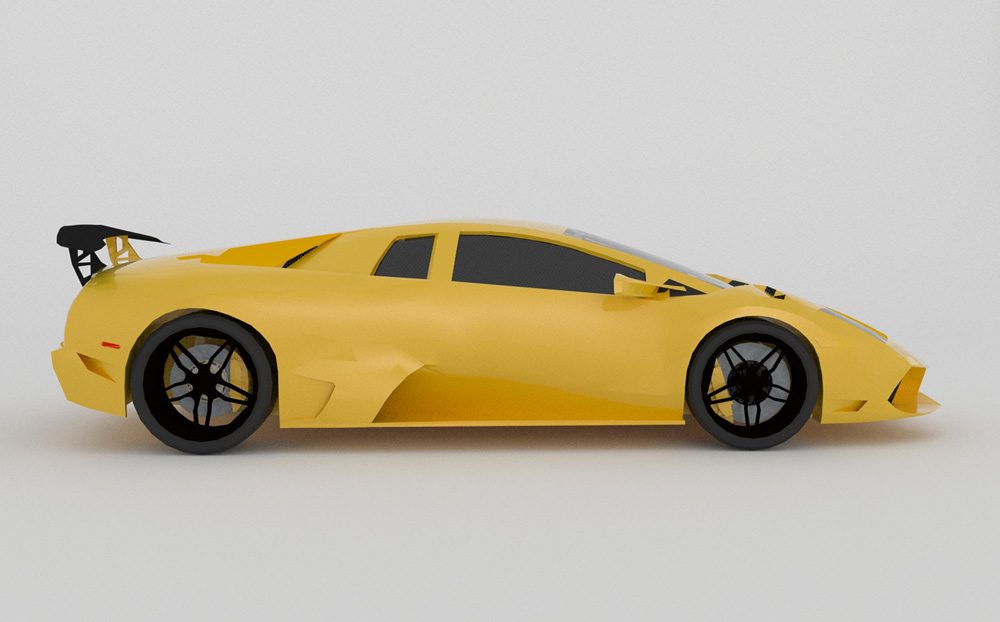
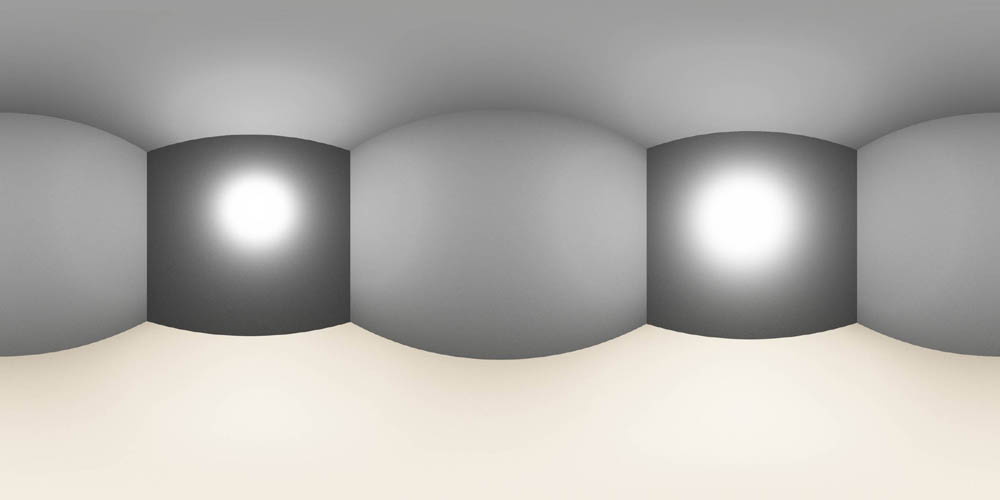
Here is an example of a studio setup that I made in 5 minutes and rendered out for you.
i also upload the Hdr here..
Peter
Here is a link to the 2 ways of making HDRI´s both spherical and panoramic....
http://www.ruffstuffcg.com/journal/maki ... art-1.html"
You dont always have to copy yourself out of the HDR.
You can use a fisheye... those russian ones are good enough for the purpose mostly and you will need a fullframe version
thats around 8mm for the 35mm format (FX)
The comercialy made HDR maps use a specialised and automated camera which is very expensive..
I use a different way of making HDR´s:
I use render engines for that purpose to make the HdR map and make normal pictures as a backdrop.
thats better in most cases because the mapsize of the Hdr doesnt have to be big and the second picture that I use as a backdrop
just has to be about the size of the render or a bit higher.
Both Vue and Thea support making spherical Hdri´s but a few other render engines also support that.....
It has many advantages to make the hdr maps in a software render engine because you have full control over all the lights
and you can even make studio setups that way.....
If you need cityscapes just download some of the models from the various sites and place them accordingly and render out
the image....with the lights or an artficial sun.
Use a normal picture that you want to use as a backdrop...
Here is an example of a studio setup that I made in 5 minutes and rendered out for you.
i also upload the Hdr here..
Peter
- Attachments
-
-
- BOXHDR.zip
- (4.22 MiB) Downloaded 211 times
-
-
frank
- Senior Chief Petty Officer
- Posts: 161
- Joined: 28 May 2009, 13:25
Re: HDRI capture... Chrome ball or 180-degree lens?
THANK YOU, SIR!
I've bookmarked the link, and will check out your attachments there. Really appreciate it!
I'm planning to capture on-site HDR files so that I can take the footage and insert a creature character later, with matching lighting.
Was also wondering about the diffuse/grey spheres (typically styrofoam... painted a light shade of grey (I've read both 18% and 50%)).
From what I understand, it may not be necessary with the HDRI file, but would be useful if I were hand-matching 3D lights by color (and had no need for HDR reflection mapping stuff).
Make sense?
Thanks again!
I've bookmarked the link, and will check out your attachments there. Really appreciate it!
I'm planning to capture on-site HDR files so that I can take the footage and insert a creature character later, with matching lighting.
Was also wondering about the diffuse/grey spheres (typically styrofoam... painted a light shade of grey (I've read both 18% and 50%)).
From what I understand, it may not be necessary with the HDRI file, but would be useful if I were hand-matching 3D lights by color (and had no need for HDR reflection mapping stuff).
Make sense?
Thanks again!
-
bitkar

- Captain
- Posts: 2089
- Joined: 16 Mar 2010, 07:14
- Type the number ten into the box: 0
- Location: Czech Republic
Re: HDRI capture... Chrome ball or 180-degree lens?
fisheye is definatly better what i know. its clean way to do it... but its much more expensive than a chrome ball .D
Michal aka bitkar
tS freak since tS2 (1998) and forever (tS7.61 modeler)
tS freak since tS2 (1998) and forever (tS7.61 modeler)
-
RAYMAN
- Captain
- Posts: 2547
- Joined: 21 May 2009, 18:56
Re: HDRI capture... Chrome ball or 180-degree lens?
I get the fact that you want to insert a creature into realworld scene !frank wrote:THANK YOU, SIR!
I've bookmarked the link, and will check out your attachments there. Really appreciate it!
I'm planning to capture on-site HDR files so that I can take the footage and insert a creature character later, with matching lighting.
Was also wondering about the diffuse/grey spheres (typically styrofoam... painted a light shade of grey (I've read both 18% and 50%)).
From what I understand, it may not be necessary with the HDRI file, but would be useful if I were hand-matching 3D lights by color (and had no need for HDR reflection mapping stuff).
Make sense?
Thanks again!
The problem with the Hdri files like I mentioned is that in order to get higher resolution render you need massivly big Hdr files... the longer your focal length the bigger they must be.
4000x 8000 for a very good quality 1400 px wide render...
If that doesnt match you get low resolution backgrounds and that gives away that you are using HDR...
If you did it the way I showed with a backdrop ( a normal size picture) and the Hdr normal size too you get away with much less computation power
You can add lights that exactly have the same color....something you cant do easily with realworld hdri´s because you have the lights there that have a cetain tint
and come over in the picture differently...
If you could post a scribble of what you want to do I´d be aqble to help you more precisely..
By the way neutral grey is 18 % ... same as all the grey cards and also same as what lightmeters are calibrated to...
Peter