Hello all
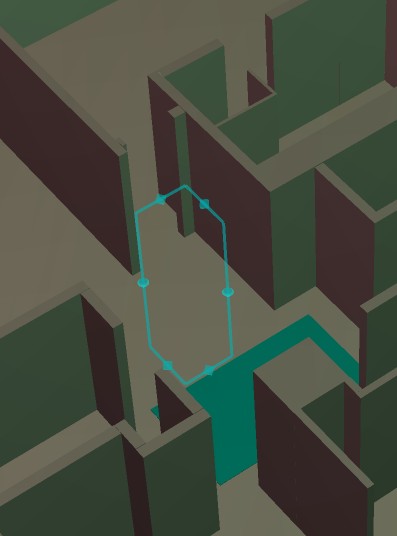
I have a scene built entirely in workSpace with bridge off, very simple cubes describing interior walls of a building.
If i try to bring up object render attributes by clicking the 'show object attribs' for any object, that object dissappears. The bounding box still exists-i use selector cage-scene view still shows the object but the object is permanently invisible. Checking and unchecking the object render properties has no effect.
I must have some scene setting wrong.
Any ideas?
TIA
wS 'show object attribs'
-
Saul
- Senior Chief Petty Officer
- Posts: 308
- Joined: 22 May 2009, 16:50
wS 'show object attribs'
- Attachments
-
-
clintonman

- Captain
- Posts: 5659
- Joined: 21 May 2009, 21:08
- Type the number ten into the box: 0
- Location: California
Re: wS 'show object attribs'
Go to the advanced tab of the object render attributes to expose the Invisible checkbox. I think that should do it.
-
marcel

- Captain
- Posts: 2247
- Joined: 21 May 2009, 19:52
- Type the number ten into the box: 0
- Location: paris - France
Re: wS 'show object attribs'
On model side an object can become invisible when you change the setting of "cast shadow" if you have recorded keys for animation. Maybe it is the same kind of bug on the workspace?
Design - illustration - Animation
http://www.crea-vision.fr
http://www.crea-vision.fr
-
Saul
- Senior Chief Petty Officer
- Posts: 308
- Joined: 22 May 2009, 16:50
Re: wS 'show object attribs'
I have sorted this but i have no idea how it is happening.
This scene was started in Model with an imported .dxf file. I moved to workSpace and turned off the bridge. Some where along the line of further modelling in wS the basic layer on the model side got hidden, this was the cause of the objects dissapearing when 'show object attribs' was clicked!! Un-hiding the basic layer in model, even with the bridge off!!, solves the problem.
FYI
This scene was started in Model with an imported .dxf file. I moved to workSpace and turned off the bridge. Some where along the line of further modelling in wS the basic layer on the model side got hidden, this was the cause of the objects dissapearing when 'show object attribs' was clicked!! Un-hiding the basic layer in model, even with the bridge off!!, solves the problem.
FYI
-
marcel
- Captain
- Posts: 2247
- Joined: 21 May 2009, 19:52
- Type the number ten into the box: 0
- Location: paris - France
Re: wS 'show object attribs'
when you import dxf on the model side TS can add new layer instead to put the object on the current layer. if you use the workspace it is better to move before all the objects on the basic layer. Workspace have no layer but i think there is an add to work with layer on the workspace. not sure if that resolve the problem without moving the object on model side before.
Design - illustration - Animation
http://www.crea-vision.fr
http://www.crea-vision.fr
-
Saul
- Senior Chief Petty Officer
- Posts: 308
- Joined: 22 May 2009, 16:50
Re: wS 'show object attribs'
I think that makes sense, move all to basic layer first.
Thanks Marcel
Thanks Marcel