VRay realistic car rendering

LightWorks, VRay, Dribble, YafaRay and more..
User avatar
Tiles
Master Chief Petty Officer
Posts: 401
Joined: 27 May 2009, 08:34

VRay realistic car rendering

Post by Tiles »

I am a bit lost at the moment. I need a bit help :)

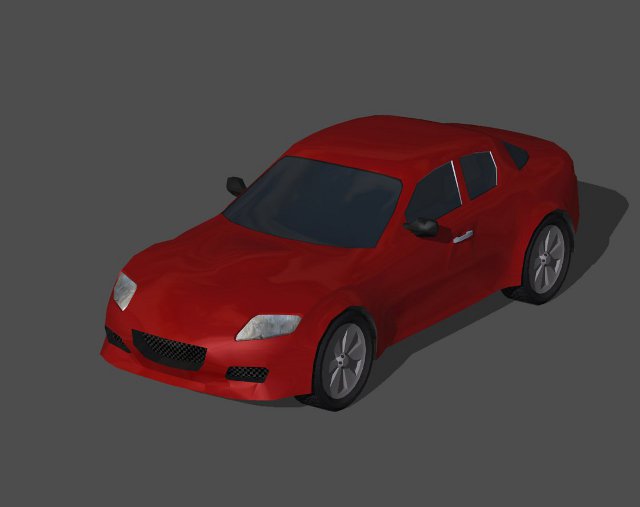
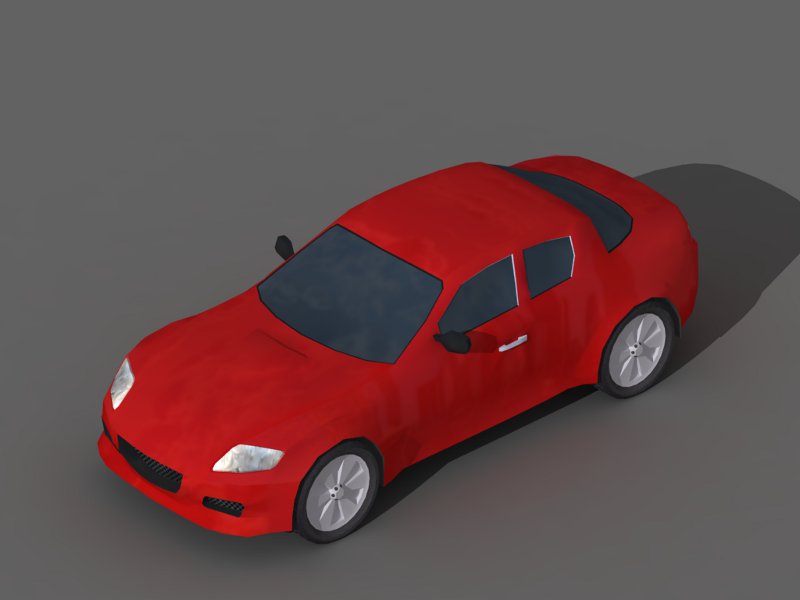
What i want to do is to render a little car. Don`t look too close, it is a low poly mesh. Around 1000 quads. And the wheels around 200 quads. I want to increase the texture quality. Means i need to bake a environment image onto the surface, and add a bit AO.

At the moment i am experimenting with Vray in Workspace. But i cannot get it to render an environment image onto the surface. Something i can do with Lightworks as the image below shows. But here i cannot bake.

What do i need to do that it renders the environment image also with VRay? And second question is, is there even a way to bake textures with VRay? Or do i need to switch to Blender for that anyways?
Attachments
vray.jpg
lightworks.jpg
Free Gamegraphics, Freeware Games http://reinerstilesets.de
User avatar
nigec
Master Chief Petty Officer
Posts: 561
Joined: 21 May 2009, 18:46

Re: VRay realistic car rendering

Post by nigec »

don't know if applies to Vray but with Dribble you didn't get an environment with the default camera, you had to create a new one
User avatar
nigec
Master Chief Petty Officer
Posts: 561
Joined: 21 May 2009, 18:46

Re: VRay realistic car rendering

Post by nigec »

Does Vray for TS not have these options?
Image1.jpg
This is Vray in sketchup, if you use HDRI's from this site, or download there tool, you can split the HDRI into GI/enviroment, image and reflection/refraction, the HDRI's you download are already split,
Anyway SU's Vray has them set this way, the car I just changed some textures to Vray and added the hdri.. I'd be surpised if TS's Vray didn't do something similar
Benji
Senior Chief Petty Officer
Posts: 280
Joined: 22 May 2009, 01:23

Re: VRay realistic car rendering

Post by Benji »

There's no texture baking in TS that I'm aware of.

You could possibly do it in renderman through dribble, but frankly Blender would be easier.
User avatar
Tiles
Master Chief Petty Officer
Posts: 401
Joined: 27 May 2009, 08:34

Re: VRay realistic car rendering

Post by Tiles »

Thanks guys :)

No baking? Okay, then i need to switch to Blender anyways. Would be nevertheless interesting to know how you setup the trueSpace VRay to render reflections. That`s important for all materials with reflection. Like metal and stuff.

I`ve downloaded one of the images. And have inserted them into the VRay panel now wherever i found an image slot. But i am still lost. The tS VRay panel looks completely different from the one in nigec`s shot. I am also unsure if i have the correct material applied, and if the setup is correct. It`s the same material that comes from Modeler. And there it rendered with reflections. So it should be. It still renders without reflections though.

Attached my current settings.
Attachments
currentsettings.jpg
Free Gamegraphics, Freeware Games http://reinerstilesets.de
User avatar
Tiles
Master Chief Petty Officer
Posts: 401
Joined: 27 May 2009, 08:34

Re: VRay realistic car rendering

Post by Tiles »

Got it. I need another VRay material. Mapped Metal worked somehow. Trying Mapped phong at the moment. But honestly that`s a pain in the ass. I touch a value, and tS starts to work and work and work for minutes. And then i also need to render it to see if the result is any good. No way to create a useful setting that way :(

Skipping. On with Blender ...
Free Gamegraphics, Freeware Games http://reinerstilesets.de
User avatar
nigec
Master Chief Petty Officer
Posts: 561
Joined: 21 May 2009, 18:46

Re: VRay realistic car rendering

Post by nigec »

Yeah with SU's Vray you need to add a car paint base material with the texture map, but I'm kinda used to doing that now,
User avatar
Tiles
Master Chief Petty Officer
Posts: 401
Joined: 27 May 2009, 08:34

Re: VRay realistic car rendering

Post by Tiles »

Just to add this, it`s even more complicated in Blender. I´ve skipped the idea to bake an environment image onto the models surface. And made the "baking" by hand now. Some slightly transparent cloud and city textures above the colour areas of the car. Not this accurate than rendered, but good enough for my needs. It doesn`t look this dead anymore :)

The lightwave rendering was the best result though ...
Attachments
byhand.jpg
Free Gamegraphics, Freeware Games http://reinerstilesets.de
User avatar
nigec
Master Chief Petty Officer
Posts: 561
Joined: 21 May 2009, 18:46

Re: VRay realistic car rendering

Post by nigec »

Yeah texture baking in Blender is a bit long winded, considering asigning a material is a simple matter of a few clicks.. well its not that easy I guess there's still all the test renders and adjustments.
I tried hdri's in TS just now and omg its not nice is it?! have you tried Dribble?

Does it "need" to be rendered inside TS?
User avatar
Tiles
Master Chief Petty Officer
Posts: 401
Joined: 27 May 2009, 08:34

Re: VRay realistic car rendering

Post by Tiles »

Yes, hdri is a surprisingly big pain with VRay. And the result sucks.

Well, i want to use the model in a game then. Both 2d, means Prerendered, and that`s where i may need something to render. But it doesn`t need to be trueSpace. And 3d, means Realtime. That`s where i need the baked results. Haven`t decided yet which route to go. But most likely i will finish the 2D idea first, then have a second look if it makes sense to do the same in 3d too as a sequel. :)

Haven`t tried Dribble yet for my car, and don`t want to. I have never rendered a single image with it that didn`t have artifacts. Even without artifacts, Vray looked always nicer :)

I am baking the AO part in Blender at the moment. This one is somehow fast. All you need is to load your model, load a grey texture, bake in Blender, then save the result and union it with the original texture in your 2d software. Voila. But i stumbled across some bugs, as always when i touch 2.5x . So there is bug report time now, yay ... :lol:
Free Gamegraphics, Freeware Games http://reinerstilesets.de
v3rd3
Lieutenant Commander
Posts: 1191
Joined: 21 May 2009, 20:04

Re: VRay realistic car rendering

Post by v3rd3 »

Just a thought but isn't the model side able to do texture baking using "compute textures from illumination"? Would it not accomplish what you are looking for?
User avatar
Tiles
Master Chief Petty Officer
Posts: 401
Joined: 27 May 2009, 08:34

Re: VRay realistic car rendering

Post by Tiles »

Hm. I have no clue. Never used it. And this tool crashes tS. Fatal error in rendering :)
Free Gamegraphics, Freeware Games http://reinerstilesets.de
User avatar
nigec
Master Chief Petty Officer
Posts: 561
Joined: 21 May 2009, 18:46

Re: VRay realistic car rendering

Post by nigec »

How about SMAK? (featured on the front page)

Bare in mind I haven't got a clue what I'm doing with it yet!!
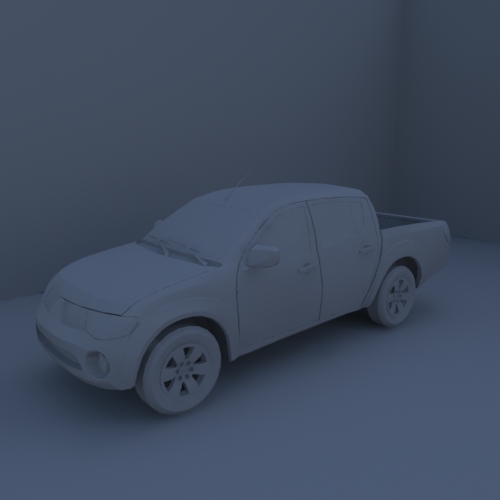
Car with texture and OS.. I made the map to small and had to blur it in PSP hence the overkill around the doors:
car.jpg
no textures:
carclay.jpg
Benji
Senior Chief Petty Officer
Posts: 280
Joined: 22 May 2009, 01:23

Re: VRay realistic car rendering

Post by Benji »

Just a thought but isn't the model side able to do texture baking using "compute textures from illumination"? Would it not accomplish what you are looking for?
This doesn't bake to a UVmap, but splits the object into separate faces and then applies the lighting (i.e. it blows).

I think it was originally meant to allow the radiosity renderer to be seen in the viewports, or something. It only really functions for low-poly objects like walls etc.

And SMAK is quite cool, I recommend it too. :)
User avatar
Tiles
Master Chief Petty Officer
Posts: 401
Joined: 27 May 2009, 08:34

Re: VRay realistic car rendering

Post by Tiles »

Thanks guys. but Blender works fine for baking Ambient Occlusion. And in case Blender fails i still have Giles. Also freeware. No need to buy an extra app :)
Free Gamegraphics, Freeware Games http://reinerstilesets.de
User avatar
Tiles
Master Chief Petty Officer
Posts: 401
Joined: 27 May 2009, 08:34

Re: VRay realistic car rendering

Post by Tiles »

There is still room for improvement here and there. A better reflection image for example. I declare the car nevertheless as finished, it is game ready. And you can at least imagine that it should`ve been a car, hehe. This shot is Realtime :)

Thanks for help everybody :)
Attachments
realtime.png
Free Gamegraphics, Freeware Games http://reinerstilesets.de
User avatar
nigec
Master Chief Petty Officer
Posts: 561
Joined: 21 May 2009, 18:46

Re: VRay realistic car rendering

Post by nigec »

cool :)
What game engine are you using?
User avatar
Tiles
Master Chief Petty Officer
Posts: 401
Joined: 27 May 2009, 08:34

Re: VRay realistic car rendering

Post by Tiles »

For 2D it`s Multimedia Fusion from Clickteam. And for 3D i use Unity. But i haven`t touched it for a while. I wait for Unity 3 to be released before i go on :)
Free Gamegraphics, Freeware Games http://reinerstilesets.de
User avatar
nigec
Master Chief Petty Officer
Posts: 561
Joined: 21 May 2009, 18:46

Re: VRay realistic car rendering

Post by nigec »

just looking at Multimedia Fusion, is it possible to make games like Monkey Island with it? if it is do you know of any tutorials?, I have Visionaire 2D. also use Shepherd which is a Flash engine, Awakening for 3D
User avatar
Tiles
Master Chief Petty Officer
Posts: 401
Joined: 27 May 2009, 08:34

Re: VRay realistic car rendering

Post by Tiles »

Making a 2D adventure like Monkey Island in MMF is very possible. Nearly everything 2d should be possible with it. But even MMF lacks of the make my game button, unfortunately. Making a game stays work :)

MMF can also export to flash since a short while. It is an extra buy though. The flash plugin was released this summer. It is still a bit limited, but it makes good progress. Tutorials, hm. The Clickteam page has some very good ones. And the Clickteam forum is also a good place, filled with helpful souls :)

http://www.clickteam.com/website/usa/tutorials"
Free Gamegraphics, Freeware Games http://reinerstilesets.de
User avatar
nigec
Master Chief Petty Officer
Posts: 561
Joined: 21 May 2009, 18:46

Re: VRay realistic car rendering

Post by nigec »

Thank you for the link Tiles :)
The hidden object tutorial looks very interesting (The Mystery of Paris) and I've grabbed a few others to be getting on with.
User avatar
Tiles
Master Chief Petty Officer
Posts: 401
Joined: 27 May 2009, 08:34

Re: VRay realistic car rendering

Post by Tiles »

Good luck :)

Before i forget, In case you search for a freeware, do you know about Construct? That`s somehow similar to MMF. A bit more limited though. But nevertheless a nice little tool :)

http://www.scirra.com/"
Free Gamegraphics, Freeware Games http://reinerstilesets.de
Vizu
Petty Officer Third Class
Posts: 17
Joined: 30 Jul 2009, 22:22

Re: VRay realistic car rendering

Post by Vizu »

you can render the environment in vray too.

Image

Return to “Rendering”