What Causes this kind of blur to my images and video whenever I render?
Check image attached.
Need Help With Rendering Engine
-
TransKim

- Petty Officer Third Class
- Posts: 17
- Joined: 31 Aug 2009, 07:38
Need Help With Rendering Engine
- Attachments
-
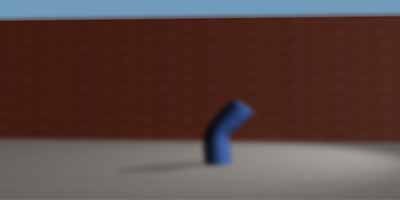
- This is the blurred image of my output
-
Steinie

- Captain
- Posts: 2958
- Joined: 21 May 2009, 17:38
- Type the number ten into the box: 10
Re: Need Help With Rendering Engine
Look at DOF (depth of field) settings for starters. (Post Process Editor)
Which renderer did you use?
Which renderer did you use?
-
TransKim
- Petty Officer Third Class
- Posts: 17
- Joined: 31 Aug 2009, 07:38
Re: Need Help With Rendering Engine
I dont know, am still new to truespace. But I use truespace 7.61B if that can help ? and where is DOF ?
-
Karthogen
- Master Chief Petty Officer
- Posts: 454
- Joined: 03 Jun 2009, 14:12
Re: Need Help With Rendering Engine
Are you rendering with Lightworks or on the Workspace side wiht the realtime render?
Lightworks on model side, I beleive you just have to right click on render button to bring up the options for the render. you should see one labeled DOF, which should be 0.00 if you do not want any blur.
For the real time render on workspace, I can not remember exactly how to get to the reder properties but, I beleive if you right click the button it should do the same thing, Under post process with Bloom and glow settings should be the DOF or motion blur.
Lightworks on model side, I beleive you just have to right click on render button to bring up the options for the render. you should see one labeled DOF, which should be 0.00 if you do not want any blur.
For the real time render on workspace, I can not remember exactly how to get to the reder properties but, I beleive if you right click the button it should do the same thing, Under post process with Bloom and glow settings should be the DOF or motion blur.
-
LeonRegis

- Captain
- Posts: 1946
- Joined: 18 Aug 2009, 17:36
- Type the number ten into the box: 0
- Location: Brazil/Earth/Orion Arm/Milky Way/4th Dimension/This Universe/Multiverse???/Singularity???
Re: Need Help With Rendering Engine
I'll show images to even a baby now how to do... so don't worry.
First... seems that you are at model side (because you post at the tS 6.6 section), second is that I think that you marked the DOF option, so you need to clear this option...
First press RMB on the render button:
Then at the panel you will see all the parameters of the render, so just clear the DOF option.
HTH
First... seems that you are at model side (because you post at the tS 6.6 section), second is that I think that you marked the DOF option, so you need to clear this option...
First press RMB on the render button:

- help1.jpg (23.1 KiB) Viewed 4223 times

- help2.jpg (66.78 KiB) Viewed 4223 times
Be the change you want to see in the world. - Mohandas Gandhi
-
TransKim
- Petty Officer Third Class
- Posts: 17
- Joined: 31 Aug 2009, 07:38
Re: Need Help With Rendering Engine
Thanks a lot guys. It worked out nicely 