Making a window in a cab?

Legacy tS 6.6
compPanda
Senior Chief Petty Officer
Posts: 275
Joined: 21 May 2009, 21:15
Type the number ten into the box: 0

Making a window in a cab?

Post by compPanda »

Ok, I have a problem.

First, could we please keep the topic to truespace and not other software that should have been used instead?

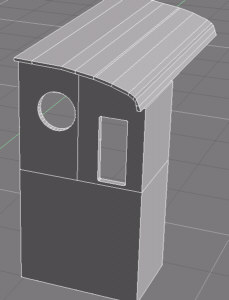
Second, I am making an steam engine. So I have a cab. The cab has some complex shapes.
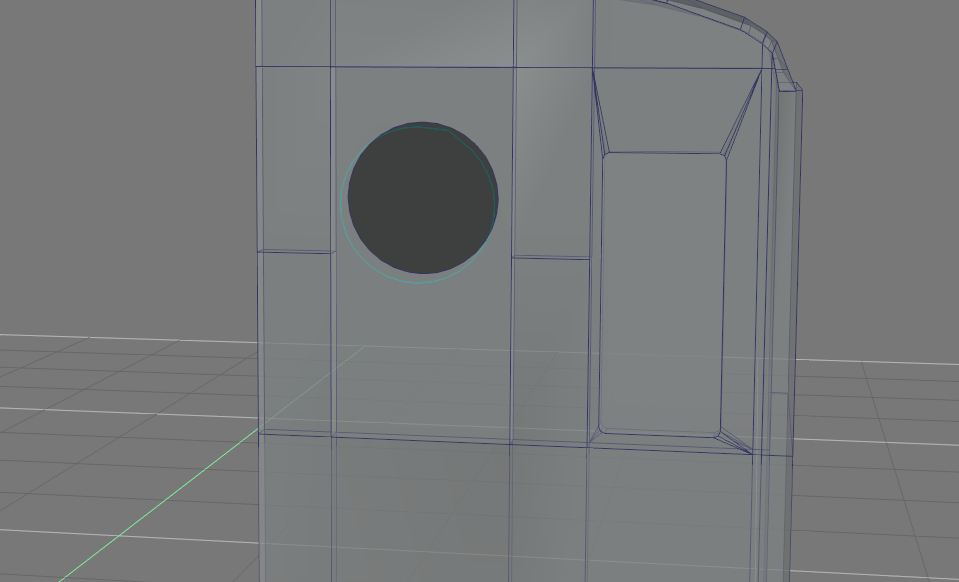
I needed to add two windows. The problem is that one of the windows is round and the other has round edges - so I couldn't use the remove face.
So I tried to boolean subtract them.

Then it looked like this:
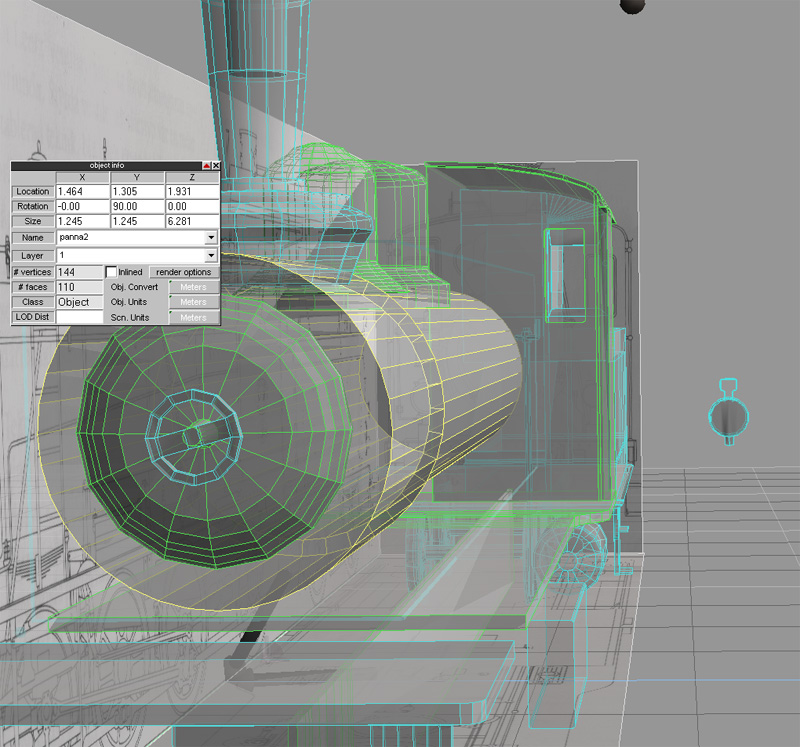
bild5.jpg
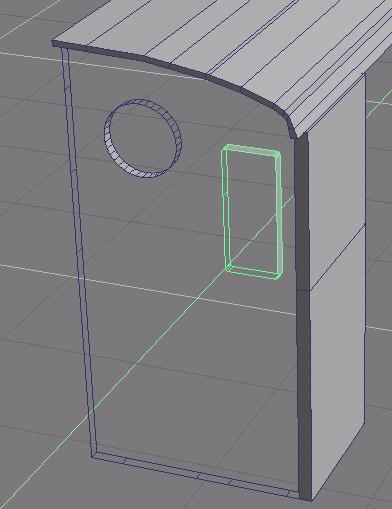
As I have understod, I am not supposed to leave a window unconnected to other part of the object. Also, it removed the lines from the roof. So I started to put lines to connect it.
To my surprise - Ts added a new face and it was very strange formed - like this (for the round window):
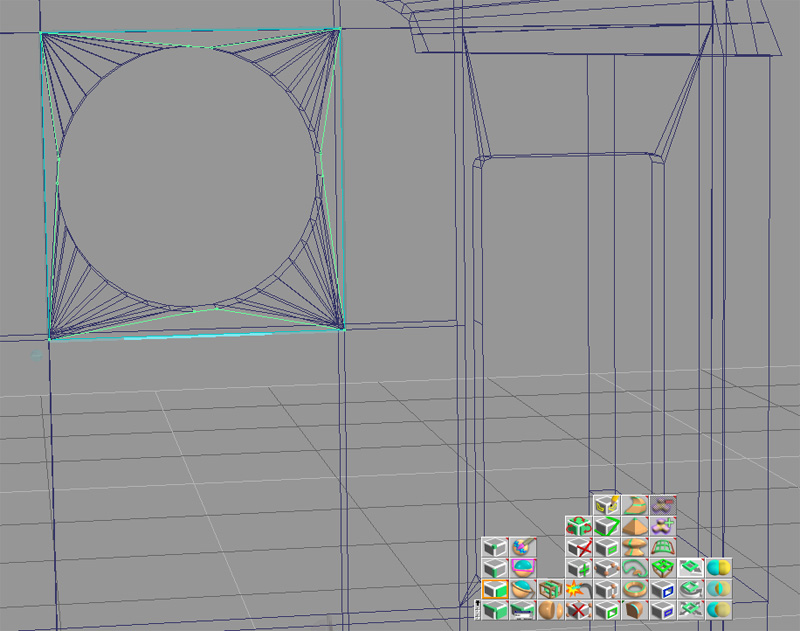
bild6_strangeface.jpg
Now I had a strange formed face AND no hole. I also had the problem that I can't add some of the edges to connect the square window with the other edges in the object - if I try, TS crashes to desktop.

I added the COB if someone would like to give some suggestions. What I need help with is:
*) How do you add a windows in such a complex shape?
I can't model "round" the window. Since one window is round, I can't use the remove face.
And apparently I can't boolean subtract them. Is it impossible?

Help would be much appreciated.

Regards
/Mathias
User avatar
clintonman
Captain
Posts: 5659
Joined: 21 May 2009, 21:08
Type the number ten into the box: 0
Location: California

Re: Making a window in a cab?

Post by clintonman »

I don't see any COB file attached. Probably have to compress the cob into a zip before the forum will take it.
Clinton Reese

http://clintons3d.com
User avatar
marcel
Captain
Posts: 2247
Joined: 21 May 2009, 19:52
Type the number ten into the box: 0
Location: paris - France

Re: Making a window in a cab?

Post by marcel »

send to me the object where you want a hole with the other objects used to create the hole (before the boolean operation). I like to resolve problem like this ;)
Design - illustration - Animation
http://www.crea-vision.fr
compPanda
Senior Chief Petty Officer
Posts: 275
Joined: 21 May 2009, 21:15
Type the number ten into the box: 0

Re: Making a window in a cab?

Post by compPanda »

Here is the cabin - I needed to Zip it.
hytt.zip
(8.78 KiB) Downloaded 305 times
Marcel, could you please explain how I should do? I am sure I need to do that more times in my life and I can't keep sending you the files. ;)
pugman 1
Captain
Posts: 1555
Joined: 21 May 2009, 19:26
Type the number ten into the box: 0
Location: Germany

Re: Making a window in a cab?

Post by pugman 1 »

Hi insert a cylinder only half way in the object then boulon it out then repeat for the other side
User avatar
Breech Block
Master Chief Petty Officer
Posts: 482
Joined: 13 Jun 2009, 20:31

Re: Making a window in a cab?

Post by Breech Block »

A lot of the time you can get away with having your window's edges free standing. Joining up the edges to anchor points on the main model are necessary if you start experiencing render issues or want/need to export to a different format.

In tS, when you carry out a boolean operation, by default it deletes all edges that aren't necessary to form the model. If you have simply sub-divided one face for example. To prevent that from happening, untick the “Delete Edges” option in the boolean operations sub-menu.

Your model is suffering from two major problems, flipped faces and misconnected vertices. View your model in “Solid Outline” mode to see the flipped faces and then try either the “Fix Bad Geometry” tool or the “Flip All Normals” tool.

To see your misconnected vertices, go into Point Edit mode, select “Faces” and move your cursor slowly over the model's faces highlighting each one in turn. You'll notice that on several occasions whole parts of the model get highlighted and this indicates where the faults lie.

If you have previous versions of the model saved before the Boolean operation was carried out, you may want to try again rather than chase down and eliminate all the current errors.

HTH.
pugman 1
Captain
Posts: 1555
Joined: 21 May 2009, 19:26
Type the number ten into the box: 0
Location: Germany

Re: Making a window in a cab?

Post by pugman 1 »

Looks like this
Attachments
Unbenannt.JPG
User avatar
marcel
Captain
Posts: 2247
Joined: 21 May 2009, 19:52
Type the number ten into the box: 0
Location: paris - France

Re: Making a window in a cab?

Post by marcel »

Ok here is the good object.
Attachments
hytt_ok.zip
(6.77 KiB) Downloaded 283 times
OK.jpg
OK.jpg (10.75 KiB) Viewed 5580 times
Design - illustration - Animation
http://www.crea-vision.fr
compPanda
Senior Chief Petty Officer
Posts: 275
Joined: 21 May 2009, 21:15
Type the number ten into the box: 0

Re: Making a window in a cab?

Post by compPanda »

Thank you for all your input, everyone and thank you for the fixed object Marcel.

A more question - how do I see flipped vertices and other errors? I actually tried to use the "fix bad geometry" button but I didn't see any change?
User avatar
marcel
Captain
Posts: 2247
Joined: 21 May 2009, 19:52
Type the number ten into the box: 0
Location: paris - France

Re: Making a window in a cab?

Post by marcel »

First erase all the faces not the hole as you see on the picture. When you try to create a new face, you can see if a hole have a problem. select the face of the wrong hole (green) and invert the normal of the hole. Now you can create a face with hole.
Don't forget to add lines on the new face as you can see in my good object. One hole by face is better to avoid problem. Avoid to use boolean when it is not necessary (roof and walls need to be separated objects).
Attachments
Step1.jpg
Design - illustration - Animation
http://www.crea-vision.fr
User avatar
RAYMAN
Captain
Posts: 2547
Joined: 21 May 2009, 18:56

Re: Making a window in a cab?

Post by RAYMAN »

marcel wrote:Don't forget to add lines on the new face as you can see in my good object. One hole by face is better to avoid problem. Avoid to use boolean when it is not necessary (roof and walls need to be separated objects).
It comes up again and again.......
when you model with polygons try to avoid boolean operations as much as possible.
Either your geomrtry gets screwed up or your ending with n gons that you trainz applications will probably not like.....
You got to model your holes......
Nurbs booleans you can make holes with booleans ... polygon applications dont like that...... ;)

User avatar
marcel
Captain
Posts: 2247
Joined: 21 May 2009, 19:52
Type the number ten into the box: 0
Location: paris - France

Re: Making a window in a cab?

Post by marcel »

Rayman: the goal was to help compPanda with a particular problem with his .scn and he want a solution to save his work with TS. That all. I use also Illustrator for nurbs and import on moi3d to create very complex holes and export for TS (nurbs or ngons) but I am not sure if it would have helped compPanda for his particular problem. I answered based on the problems of everyone, with the tools at his disposal and to save the work already done, not to give the best solution if it can not serve those who has a particular problem. The quality of an answer is to adapt to demand. :)
PS: I think polygons can LIKE hole when you KNOW how to do it. i have no problem with that ;)
Design - illustration - Animation
http://www.crea-vision.fr
User avatar
RAYMAN
Captain
Posts: 2547
Joined: 21 May 2009, 18:56

Re: Making a window in a cab?

Post by RAYMAN »

marcel wrote:Rayman: the goal was to help compPanda with a particular problem with his .scn and he want a solution to save his work with TS. That all. I use also Illustrator for nurbs and import on moi3d to create very complex holes and export for TS (nurbs or ngons) but I am not sure if it would have helped compPanda for his particular problem. I answered based on the problems of everyone, with the tools at his disposal and to save the work already done, not to give the best solution if it can not serve those who has a particular problem. The quality of an answer is to adapt to demand. :)
PS: I think polygons can LIKE hole when you KNOW how to do it. i have no problem with that ;)
Marcel who is talking about that i posted the videos to show how to make holes inside a poly package...
the geometry he was posting is very complex since one of the holes is also beveled at the edges.. you need to connect all those
edges....
Did you look at the videos before posting ? ... it shows how to do it inside Truespace or anywhere else and nothing else ! ;)
I remember that Tom showed the same procedure a few years ago with the holes inside the frame of the carriage.........
Peter
User avatar
marcel
Captain
Posts: 2247
Joined: 21 May 2009, 19:52
Type the number ten into the box: 0
Location: paris - France

Re: Making a window in a cab?

Post by marcel »

I had not seen the video but usually you give good examples with moi3d, vue, and nurbs ... Sorry :lol:
Design - illustration - Animation
http://www.crea-vision.fr