Hi
I am looking for the old import script for Truespace COB files into Blender from TS 6.6. I belive this should work up until 2.4x series but not with the 2.5x or higher. However - I can't find it. The only place I find it on looks strange and I can't get it to work.
Does anyone have this script and can share it with me? Or do I need to try with an earlier release than 2.49B? Like 2.2?
Do you have any other suggestions for good ways to transfer object from TS to Blender? I have used 3DS files but that isn't optimal since they gets triangulated. The option to transfer the file to TS 7.6 and export to Collada and then import it to Blender have been problematic for me - I haven't tried for a while but when I last tried I couldn't open the Collada file in Blender 2.5x (it was a while ago) and where forced to import it using 2.49B which has a GUI from Mordor...
What would be our suggestions for getting objects from TS to Blender? I am converting over a bunch of old object related to my Trainz creations...
Exporting to Blender
-
compPanda
- Senior Chief Petty Officer
- Posts: 275
- Joined: 21 May 2009, 21:15
- Type the number ten into the box: 0
Exporting to Blender
-
darac
- Marine
- Posts: 2
- Joined: 16 Jan 2011, 23:22
- Type the number ten into the box: 9
Re: Exporting to Blender
Use OBJ through LUUV plugin http://www.pinacoderm.com/tsx/luuv/" It should work pretty fine... at least worked for me.
-
compPanda
- Senior Chief Petty Officer
- Posts: 275
- Joined: 21 May 2009, 21:15
- Type the number ten into the box: 0
Re: Exporting to Blender
This was an interesting suggestion but I ran into two questions:darac wrote:Use OBJ through LUUV plugin http://www.pinacoderm.com/tsx/luuv/" It should work pretty fine... at least worked for me.
1) The object is broken up which gives me big amount of loose objects in Blender. This isn't an issue when exporting using 3DS (to be honest that isn't a problem with my test object since that is an simple object but it would be on a more complex object).
2) Of some reason the texture vanished on all but one off these objects
-
RAYMAN

- Captain
- Posts: 2547
- Joined: 21 May 2009, 18:56
Re: Exporting to Blender
The people from Blender community arent interested in import and export from and to other apps.....
I had to learn that the hard way... through support ticket......
The Blender Collada is not compatible with pretty many apps out there.....
Obj support is better though....But can be a problem.... !
I would suggest you try out a few free apps as a middler..... you might be lucky with some of these....
Try out ie Wings 3d... or free version of Sketchup... that should work too ...
Peter
P.S.: Look also at Crossroads 3d converter !
I had to learn that the hard way... through support ticket......
The Blender Collada is not compatible with pretty many apps out there.....
Obj support is better though....But can be a problem.... !
I would suggest you try out a few free apps as a middler..... you might be lucky with some of these....
Try out ie Wings 3d... or free version of Sketchup... that should work too ...
Peter
P.S.: Look also at Crossroads 3d converter !
-
pugman 1
- Captain
- Posts: 1555
- Joined: 21 May 2009, 19:26
- Type the number ten into the box: 0
- Location: Germany
Re: Exporting to Blender
Hi compPanda, just export as obj from ts then in blender import obj, it is a good thing tha blender seprates all the
parts so you can texture each part as you like ,if you use cycles render you have to unrap every part then add the texturs you have made in ts.
in the node editor just import the textures again one by one for each part .you can save the texture maps in blender to your harddrive
.if the model is riged export from blender with the colada to vue or other apps it works fine by me .
I can get a model from ts ,zbrush modo sculptris into blender no prob but i must re add the textures there .
parts so you can texture each part as you like ,if you use cycles render you have to unrap every part then add the texturs you have made in ts.
in the node editor just import the textures again one by one for each part .you can save the texture maps in blender to your harddrive
.if the model is riged export from blender with the colada to vue or other apps it works fine by me .
I can get a model from ts ,zbrush modo sculptris into blender no prob but i must re add the textures there .
-
RAYMAN
- Captain
- Posts: 2547
- Joined: 21 May 2009, 18:56
Re: Exporting to Blender
Collada to vue... ! That must be new... because that wasnt possible3 when I last looked inrto it and filed a support ticket...pugman 1 wrote:Hi compPanda, just export as obj from ts then in blender import obj, it is a good thing tha blender seprates all the
parts so you can texture each part as you like ,if you use cycles render you have to unrap every part then add the texturs you have made in ts.
in the node editor just import the textures again one by one for each part .you can save the texture maps in blender to your harddrive
.if the model is riged export from blender with the colada to vue or other apps it works fine by me .
I can get a model from ts ,zbrush modo sculptris into blender no prob but i must re add the textures there .
Peter
-
pugman 1
- Captain
- Posts: 1555
- Joined: 21 May 2009, 19:26
- Type the number ten into the box: 0
- Location: Germany
Re: Exporting to Blender
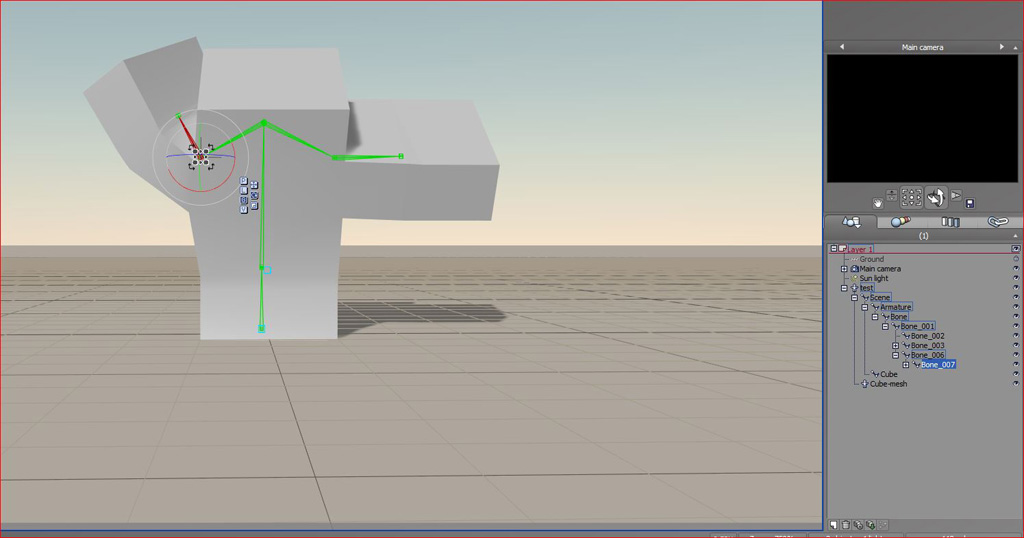
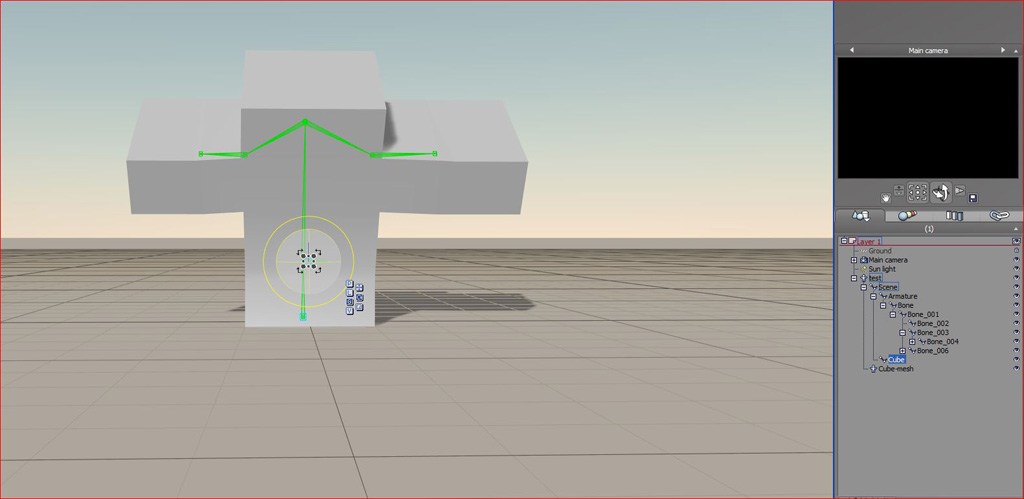
Here a quick test to show it does work .very simple mesh and rig . i must try a arig with ik and fk may be that is
a prob i dont know
a prob i dont know
- Attachments
-
-
-
pugman 1
- Captain
- Posts: 1555
- Joined: 21 May 2009, 19:26
- Type the number ten into the box: 0
- Location: Germany
Re: Exporting to Blender
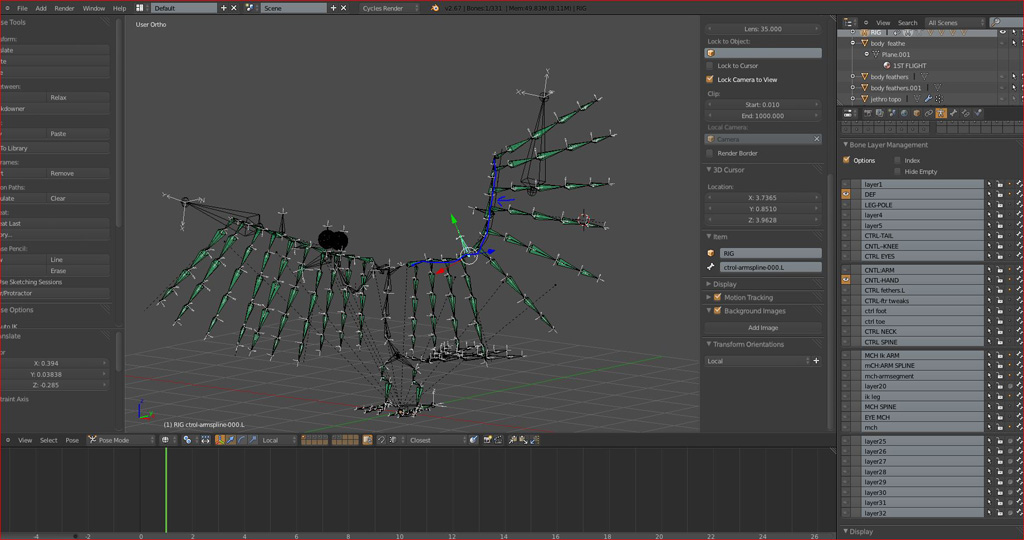
This rig will not go into vue because of the spline curve set up in the wing.
but ik and fk i can get into vue from blender with collad dae
but ik and fk i can get into vue from blender with collad dae
- Attachments
-
-
BNG

- Chief Warrant Officer
- Posts: 684
- Joined: 16 Oct 2009, 03:26
- Type the number ten into the box: 0
- Location: Texas
Re: Exporting to Blender
There's a Blender site with just about every older version where you can download 2.34 and 2.42 with the Truespace import and export support. When I get home I'll post the URL to the repository of old Blender software. Leroy.
Casual Truespace 3D modeling hobbyist. My Truespace blog and simple 3d Modeling Tutorials for Casual Model Makers.
-
Cellulo

- Lieutenant
- Posts: 927
- Joined: 27 Sep 2012, 07:48
- Type the number ten into the box: 9
- Location: France
Re: Exporting to Blender
The last truespace import export script can be found in Blender 2.43, after this release no more truespace support.
http://download.blender.org/release/Blender2.43/
If someone have knowledge in coding maybe he can port this script for the last Blender 2.68a as addon.
http://download.blender.org/release/Blender2.43/
If someone have knowledge in coding maybe he can port this script for the last Blender 2.68a as addon.
-
RAYMAN
- Captain
- Posts: 2547
- Joined: 21 May 2009, 18:56
Re: Exporting to Blender
Thank you Pugman 1 !pugman 1 wrote:Here a quick test to show it does work .very simple mesh and rig . i must try a arig with ik and fk may be that is
a prob i dont know
I will look into it !
Peter
-
darac
- Marine
- Posts: 2
- Joined: 16 Jan 2011, 23:22
- Type the number ten into the box: 9
Re: Exporting to Blender
1) in blender turn off "split by" or switch to "keep vert order" in obj import options. this will give you just one object.This was an interesting suggestion but I ran into two questions:
1) The object is broken up which gives me big amount of loose objects in Blender. This isn't an issue when exporting using 3DS (to be honest that isn't a problem with my test object since that is an simple object but it would be on a more complex object).
2) Of some reason the texture vanished on all but one off these objects
2) make sure that in truespace everything must be in one single group. in luuv options turn on copy texture and evrything should work fine. if, for some reasons, any of teytures are missing, copy them manually to the directory of exported file.
if you can see textures in blender preview window, turn on "Textured solid" in dispay options.
This works for static, non animated objects. I have never tried to export animated object from TS to blender...
-
clintonman

- Captain
- Posts: 5659
- Joined: 21 May 2009, 21:08
- Type the number ten into the box: 0
- Location: California
Re: Exporting to Blender
I also have to change shading from multitexture to glsl before I can see textures in the viewport.darac wrote:...
if you can see textures in blender preview window, turn on "Textured solid" in dispay options.
... ...
-
compPanda
- Senior Chief Petty Officer
- Posts: 275
- Joined: 21 May 2009, 21:15
- Type the number ten into the box: 0
Re: Exporting to Blender
Interesting, I will try thatdarac wrote:1) in blender turn off "split by" or switch to "keep vert order" in obj import options. this will give you just one object.This was an interesting suggestion but I ran into two questions:
1) The object is broken up which gives me big amount of loose objects in Blender. This isn't an issue when exporting using 3DS (to be honest that isn't a problem with my test object since that is an simple object but it would be on a more complex object).
2) Of some reason the texture vanished on all but one off these objects
2) make sure that in truespace everything must be in one single group. in luuv options turn on copy texture and evrything should work fine. if, for some reasons, any of teytures are missing, copy them manually to the directory of exported file.
if you can see textures in blender preview window, turn on "Textured solid" in dispay options.
This works for static, non animated objects. I have never tried to export animated object from TS to blender...
-
compPanda
- Senior Chief Petty Officer
- Posts: 275
- Joined: 21 May 2009, 21:15
- Type the number ten into the box: 0
Re: Exporting to Blender
Rayman, can wings import COB files? Or do I need to export in OBJ or 3DS?RAYMAN wrote:The people from Blender community arent interested in import and export from and to other apps.....
I had to learn that the hard way... through support ticket......
The Blender Collada is not compatible with pretty many apps out there.....
Obj support is better though....But can be a problem.... !
I would suggest you try out a few free apps as a middler..... you might be lucky with some of these....
Try out ie Wings 3d... or free version of Sketchup... that should work too ...
Peter
P.S.: Look also at Crossroads 3d converter !
If so, is that any better than importing the 3DS in Blender directly?
-
compPanda
- Senior Chief Petty Officer
- Posts: 275
- Joined: 21 May 2009, 21:15
- Type the number ten into the box: 0
Re: Exporting to Blender
Thanks. I will try that version.Cellulo wrote:The last truespace import export script can be found in Blender 2.43, after this release no more truespace support.
http://download.blender.org/release/Blender2.43/
If someone have knowledge in coding maybe he can port this script for the last Blender 2.68a as addon.
I actually am a programmer but I think converting it is out off my league. Also, I think that it is in Phyton which is something I really have trouble with.
-
RAYMAN
- Captain
- Posts: 2547
- Joined: 21 May 2009, 18:56
Re: Exporting to Blender
No it works with obj. and 3ds....but Crossroads can import cob.. !compPanda wrote:Rayman, can wings import COB files? Or do I need to export in OBJ or 3DS?RAYMAN wrote:The people from Blender community arent interested in import and export from and to other apps.....
I had to learn that the hard way... through support ticket......
The Blender Collada is not compatible with pretty many apps out there.....
Obj support is better though....But can be a problem.... !
I would suggest you try out a few free apps as a middler..... you might be lucky with some of these....
Try out ie Wings 3d... or free version of Sketchup... that should work too ...
Peter
P.S.: Look also at Crossroads 3d converter !
If so, is that any better than importing the 3DS in Blender directly?
Peter