How do I make a reducing or increasing in size 90 deg elbow?
Technical questions, etc..
10 posts
• Page 1 of 1
Rhino169
Senior Chief Petty Officer
Posts:201
Joined: 29 Nov 2009, 03:15
How do I make a reducing or increasing in size 90 deg elbow?
Postby Rhino169 »
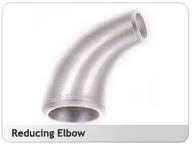
I am wondering if there is a way to reduce or increase the size of a face using the Lathe tool so it gradually changes in size.
I would like to take a 2" cylinder, select the edge face and Lathe tool it 90 deg. but end up with a 1" face.
Something I would call a reducing elbow.
Thanks for any help!
Attachments
images.jpg (2.63 KiB) Viewed 5859 times
marcel
Captain
Posts:2247
Joined: 21 May 2009, 19:52
Type the number ten into the box: 0
Location: paris - France
Re: How do I make a reducing or increasing in size 90 deg elbow?
Postby marcel »
You can do that with the lathe tool of modelside.
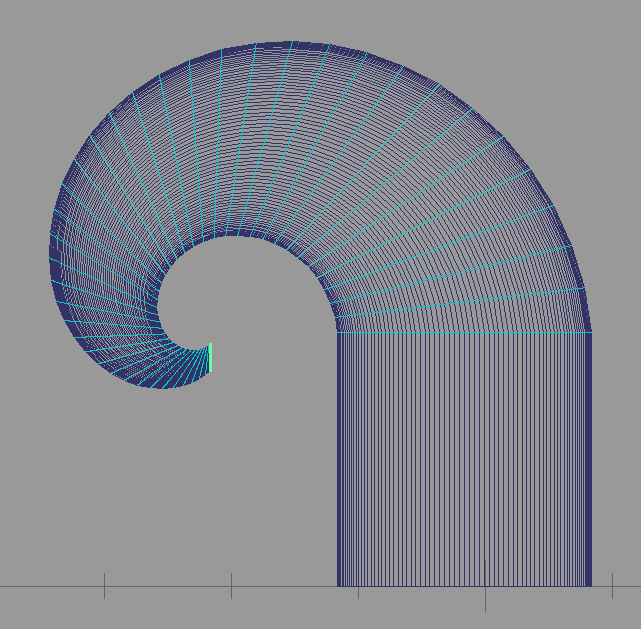
after the click to create the tube, don't close the tool. Change the value of the green face with the object info panel. You will have what you need.
Re: How do I make a reducing or increasing in size 90 deg elbow?
Postby Rhino169 »
Ah...that may have been my problem. I was probably not reducing the lathed circle while I was still in original edit.
I know it works as you mentioned above for a Sweep.
I will try when I get home tonight.
Thanks!
spacekdet
Captain
Posts:1810
Joined: 27 May 2009, 15:00
Type the number ten into the box: 10
Location: On the day shift at the Utility Muffin Research Kitchen
Re: How do I make a reducing or increasing in size 90 deg elbow?
Postby spacekdet »
You could also make it simpler ( Right click on lathe tool, set 'segments' to lower number) and apply SDS after.
NURBS and Blend tool will do the same thing. Can set the 'pipe size' of the two curves via object info panel.
The circle curve will need to be extruded first. Direction the draw panel is facing is important.
The resulting 'pipe' will be hollow but have zero thickness.
If seeing the open end is important, then I'd stick with poly modeling tools.
tS always gives you a different way to skin that cat!
Rhino169
Senior Chief Petty Officer
Posts:201
Joined: 29 Nov 2009, 03:15
Re: How do I make a reducing or increasing in size 90 deg elbow?
Postby Rhino169 »
Worked perfectly!....I was leaving edit mode too quickly before.
Draise
Captain
Posts:3200
Joined: 21 Sep 2009, 19:33
Type the number ten into the box: 0
Location: Bogota, Colombia
Re: How do I make a reducing or increasing in size 90 deg elbow?
Re: How do I make a reducing or increasing in size 90 deg elbow?
Postby Finis »
Model side: make a 2D circle then make another one. Use the object panel to give them the same center location and size to the inner and outer diameter of the pipe. Boolean subtract the small from the larger circle. Use the sweep tool to make the shape. Make it all positioning and sizing during sweep or make a few segments with sweep and SDS later like Spacekdet said. SDS method is more easily adjustable.
I prefer dangerous freedom over peaceful servitude. -- Thomas Jefferson/Jean Jacques Rousseau