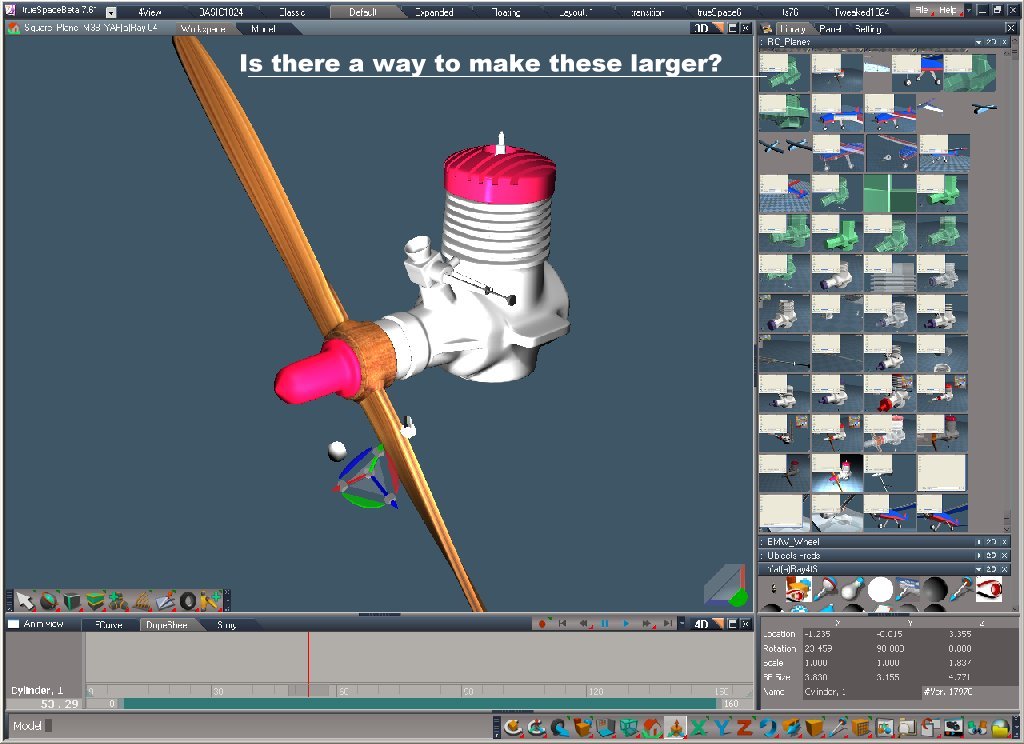
Also I have noticed that ts76 library has small snap shop imaged of scenes that are saved and I was wondering if there is some setting to control these size of these as I would like to have them a little larger.
Truespace 76 Librarys for Yafray rendering
-
fahembree
- Chief Petty Officer
- Posts: 108
- Joined: 22 May 2009, 02:28
Truespace 76 Librarys for Yafray rendering
I originally had truespace 76 installed in d:\truespace76 about 6 months ago and when 761 came out I created/installed it into d:\truspace761 and copied over most of my working files and libraries into this directory. Everthing works fine until I just noticed that when I go to use Yafaray for ts that my materials that have bitmps installed no longer render. I looked at the xml file that yafray creates and found that the problem is that the xml file it created still points to the original location d:\truespace76. I could just recreate this directory again and copy over my materials to the directory it pointing to and have duplicate directoys, or evey just rename ts directory back to ts76. Is there another option that i'm not aware of?
Also I have noticed that ts76 library has small snap shop imaged of scenes that are saved and I was wondering if there is some setting to control these size of these as I would like to have them a little larger.
-
Cayenne
- Chief Petty Officer
- Posts: 119
- Joined: 03 Jun 2009, 20:05
- Type the number ten into the box: 0
- Location: U.K.
Re: Truespace 76 Librarys for Yafray rendering
with yaffray ,, I dont know..
with the library thumbs , if you r-click an empty space in the library then you can see a menu to change thumbnail size for the library .

