SenFlor - Character II - Momo

User avatar
Draise
Captain
Posts: 3200
Joined: 21 Sep 2009, 19:33
Type the number ten into the box: 0
Location: Bogota, Colombia

SenFlor - Character II - Momo

Post by Draise »

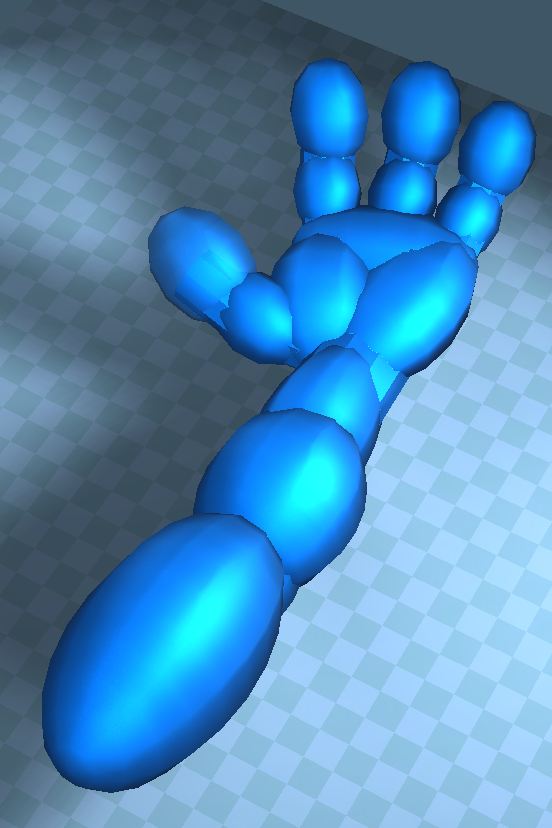
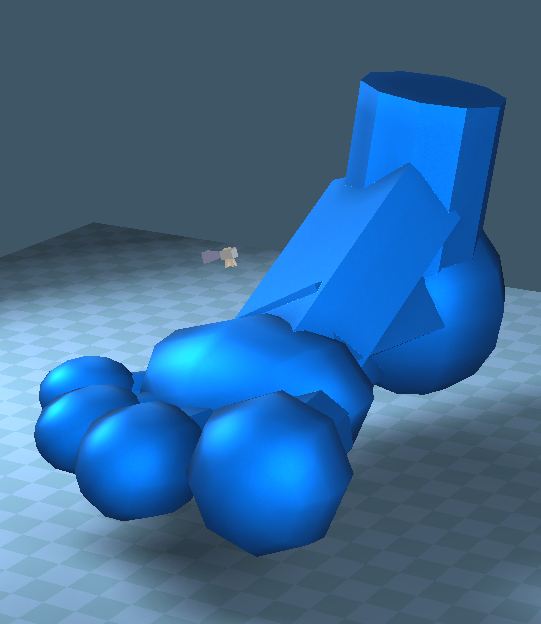
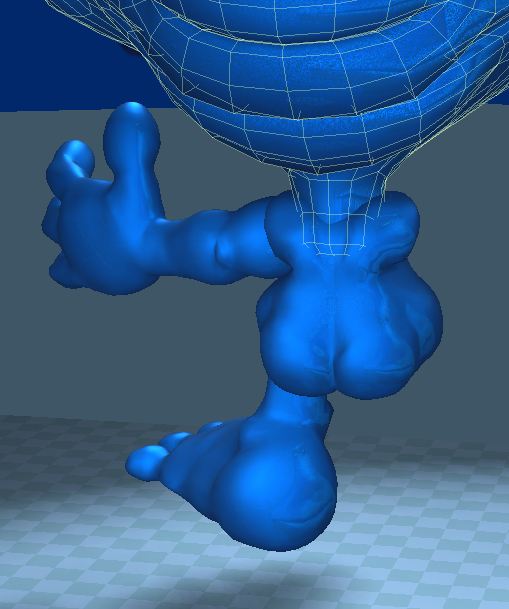
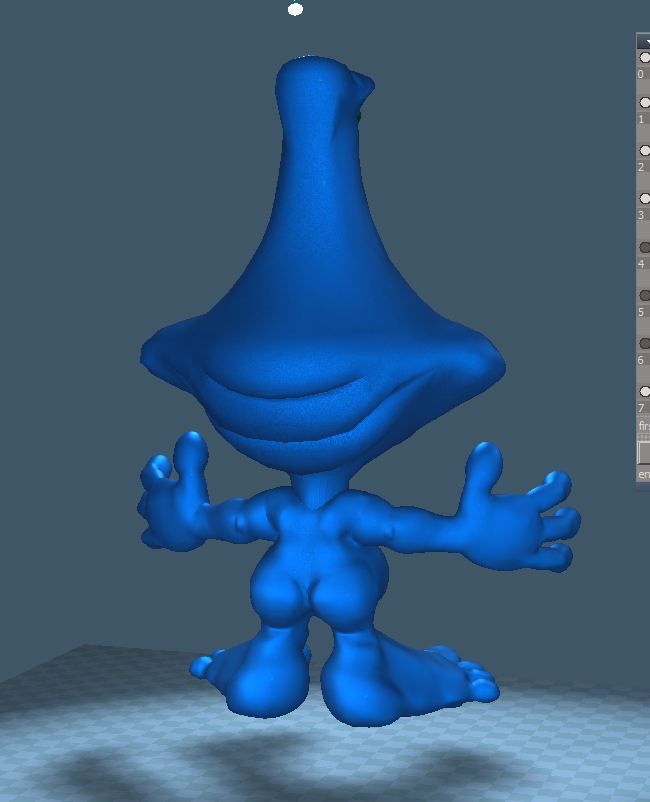
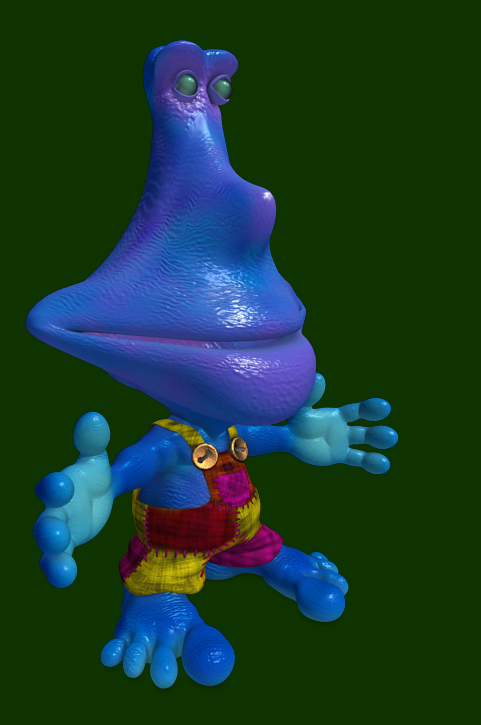
Here is what I have been working on the past couple of days here at work. I have done most of it in TS, practially.. all of it. I love modelling in polygonal modelling in TS.

I started the head, and it took a while cause I didn't predo any basic shapes. With the hands and arms, I did easily. i set up a whole bunch of primitives and made the basic shape quickly, booleaned it, then verticy fixed it (welded to the nearest verticy within a set radius). then cleaned up the loops and pushed and pulled a little to get the final result.
2.JPG
3.JPG
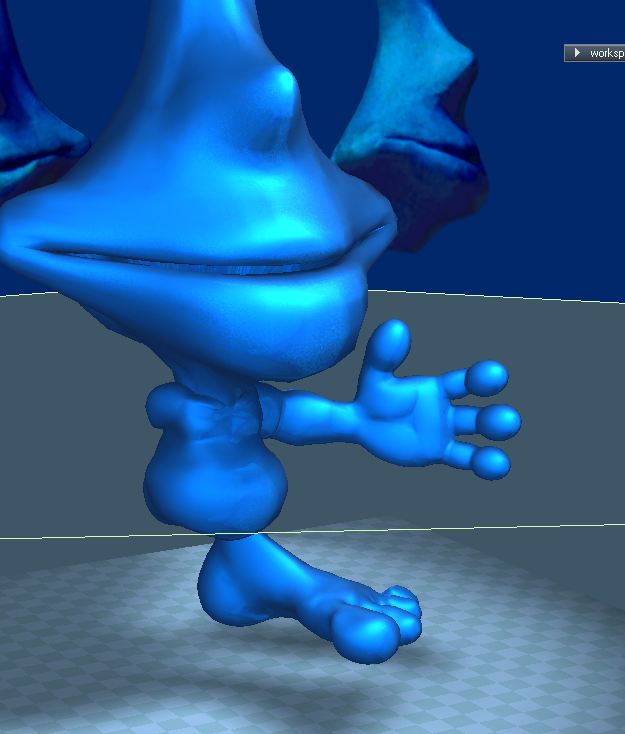
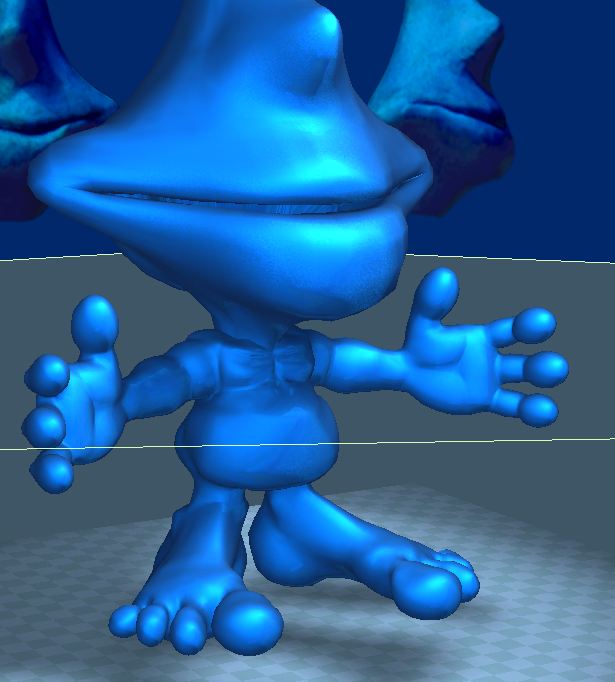
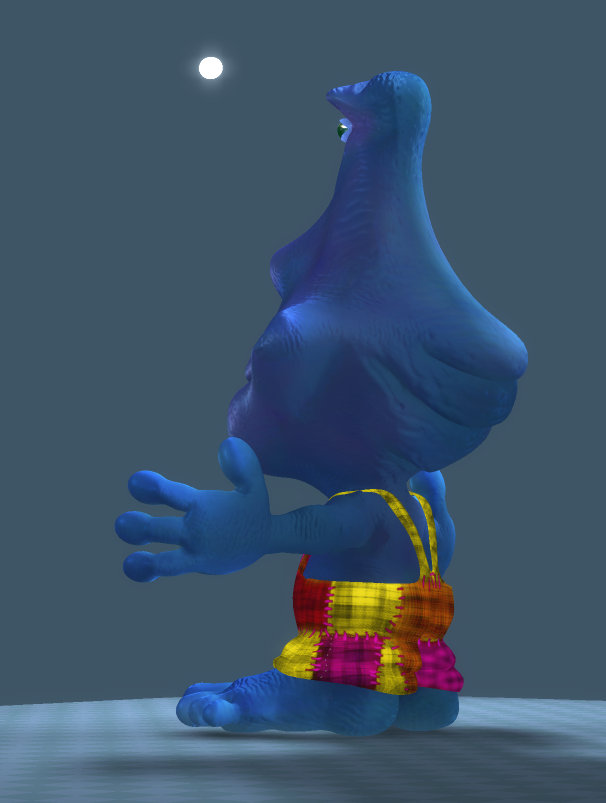
I also did it all with a mirror modeller in the end, and it turned out quite nicely. I made a camera look at another camera in the center of the scene, projected it as a texture, linked it to the environment map, and has an almost real reflection on the skin.

6.JPG

Enjoy!

I am now working on his clothes (overalls) and then making his textures and bumps, probably in Mudbox.

I have to teach my coworker Mari..... tho I don't know how to use it, fun!
User avatar
Draise
Captain
Posts: 3200
Joined: 21 Sep 2009, 19:33
Type the number ten into the box: 0
Location: Bogota, Colombia

Re: SenFlor - Character II - Momo

Post by Draise »

Here are more pictures, more complete!

I have yet to attach his head....... and do UV's... damn, thought I was nearly done. (And don't forget rigging and shapes.... ergh! Atleast this is fun tho! :lol: :lol: :lol: )
Attachments
9.JPG
8.JPG
7.JPG
User avatar
Draise
Captain
Posts: 3200
Joined: 21 Sep 2009, 19:33
Type the number ten into the box: 0
Location: Bogota, Colombia

Re: SenFlor - Character II - Momo

Post by Draise »

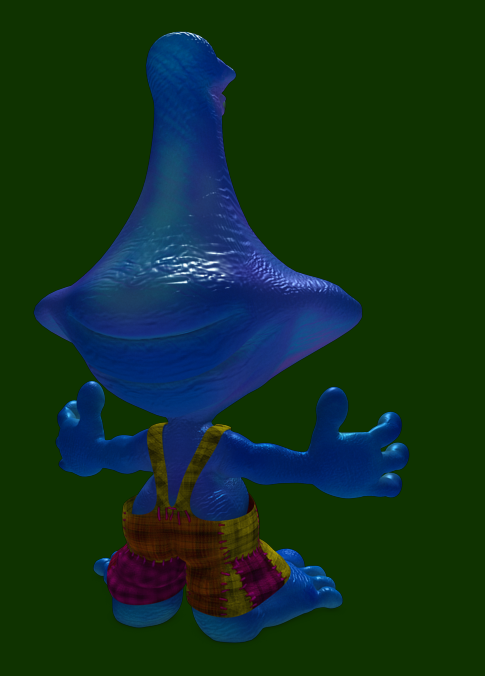
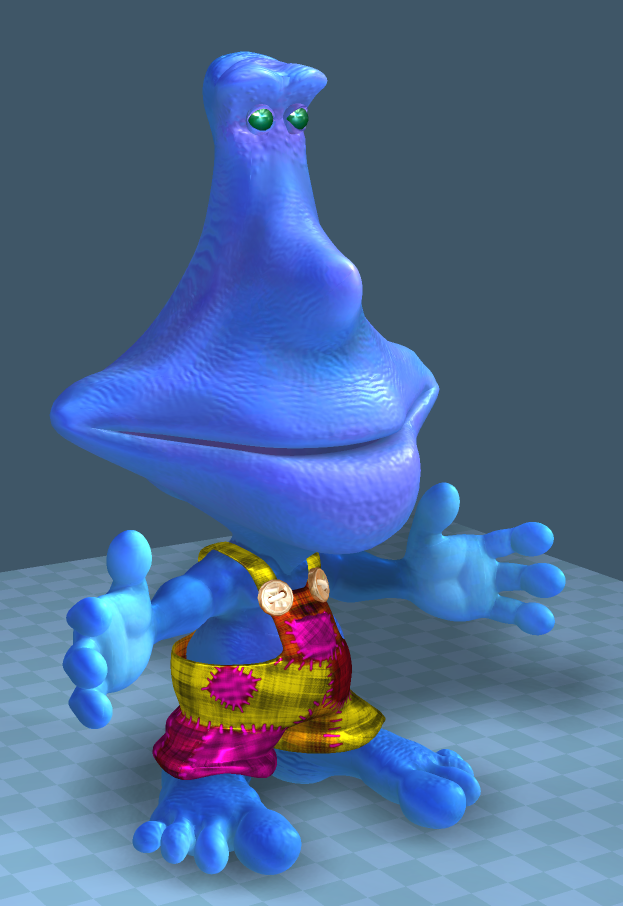
Hehehe, made him some overalls. =P
Attachments
11.JPG
10.JPG
froo
Captain
Posts: 2554
Joined: 22 May 2009, 12:13

Re: SenFlor - Character II - Momo

Post by froo »

haha cool Draise! :)
User avatar
bitkar
Captain
Posts: 2089
Joined: 16 Mar 2010, 07:14
Type the number ten into the box: 0
Location: Czech Republic

Re: SenFlor - Character II - Momo

Post by bitkar »

hah, cute...
respect, that you can use the workspace part...
Michal aka bitkar
tS freak since tS2 (1998) and forever (tS7.61 modeler)
pugman 1
Captain
Posts: 1555
Joined: 21 May 2009, 19:26
Type the number ten into the box: 0
Location: Germany

Re: SenFlor - Character II - Momo

Post by pugman 1 »

Nice work Draise.
I find that workspace is the quickest modeling app out there and its so easy to use, just a couple of tools missing
but for that we have the model side with the brige
User avatar
Dragneye
Lieutenant
Posts: 906
Joined: 02 Sep 2009, 22:09

Re: SenFlor - Character II - Momo

Post by Dragneye »

Nice work Draise.
I agree with pugman; I try to stay on the WS side. I go to MS to boolean, cut, mirror, and import. When I do some of these functions on WS, it tends to add extra unwanted verts, having to waste time cleaning it up.
User avatar
Draise
Captain
Posts: 3200
Joined: 21 Sep 2009, 19:33
Type the number ten into the box: 0
Location: Bogota, Colombia

Re: SenFlor - Character II - Momo

Post by Draise »

hehe, cool thanks gyus! Yeah, I like the workspace a lot!! tho I did do a huge overhaul of the shortcuts, so I don't need to do anything other than point and click on the model nowhere but in the viewspace... it's fun and fast now.

Here are my shortcuts I useat the moment! Tho I need to fix the UV editor shortcuts a bit more! Copy and paste it in the /[truespace folder]/ts/scripts/ to try them out!
Window.Shortcuts.xml.zip
(6.68 KiB) Downloaded 220 times

!
Make sure you make a backup of your current shortcuts before overwriting it...
Open it up in notepad and browse and see what i've got.. I list most major ones below:


Tilde key = point edit/move, activated when pressed (skips the right click to ender point edit mode)
TYUI = different selection types (lasso, brush, squaer, etc)

1 - 8 = selection types (all, edge, point, face, loop, etc)
CTRL 1-9 = 3D views.
CTRL tilde = Camera View
SHIFT 1-9 = view render style (transparent, solid, etc)

Changed the ZXC keys to Scale, Rotate, Move in that order (like in softimage and 3D max - I think)
SHIFT ZXC = lock X Y Z.
ASD = camera zoom, rotate, scale
QWE = coordinate system.
CTRL SHIFT E = Normal coordinate system (couldn't think of something better)
F = center view on object (SUPER HANDY)
R = reset view


The rest is similar. I just set the Point edit controls to be much more logical and accessible, as in, you don't need to be in point edit mode to start selecting faces and moving them. Saves clicks...

Concerning booleans in WS, I didn't have issues. After the boolean I used the verticy heal with a radius of like 0.200 or so and it cleaned most of it up wihout having to use MS. Then all I had to do was clean or make edge loops from the geometry.

I hardly use MS, but for import!


I had some troubles with Normal maps and textures today, as I did the lazy thing and didn't clean the UV after unwrapping it (causing random Normal Tangents and Normal creases, very yuck).. Simple fix: redid the Normal Map with Object Tangents instead. Took me a while to figure that out... Sucks. Gonna go and drink and dance.

I'll post the textures later!
jeffroig
Chief Warrant Officer
Posts: 662
Joined: 22 May 2009, 10:49
Type the number ten into the box: 0

Re: SenFlor - Character II - Momo

Post by jeffroig »

Very good.
And you are doing all of it is TS?
..
User avatar
Draise
Captain
Posts: 3200
Joined: 21 Sep 2009, 19:33
Type the number ten into the box: 0
Location: Bogota, Colombia

Re: SenFlor - Character II - Momo

Post by Draise »

jeffroig wrote:Very good.
And you are doing all of it is TS?
Ah... no not really.. just modelling and conceptualization in TS. I am using Mudbox for textures and normals, Softimage for UV's (and depending if I need to unwrap or not, UV's sometimes in TS) then I will probably rig and animate the rest in Softimage.

TS's has really quick cloth setups too, so that helps much with conceptualizing clothes! Very fun! Very easy...

Work requires that I do the animation work with Softimage, cause they got a license and it's animation features are good. I am going through a steep learning curve at the moment... :?
User avatar
Draise
Captain
Posts: 3200
Joined: 21 Sep 2009, 19:33
Type the number ten into the box: 0
Location: Bogota, Colombia

Re: SenFlor - Character II - Momo

Post by Draise »

First texture tests. Tried SSS skins in both Softimage and trueSpace. Considering time, TS kicks but, but indeed Mentalrays SSS skin is very good above all.

Later I'll do some good renders!
Attachments
1.PNG
User avatar
bitkar
Captain
Posts: 2089
Joined: 16 Mar 2010, 07:14
Type the number ten into the box: 0
Location: Czech Republic

Re: SenFlor - Character II - Momo

Post by bitkar »

i tried to use workspace once very seriously. So i set up shortcuts and then i found out that my original shortcuts in modelspace dont work. That its not so split as it seems. I dont remember exactly how it was, but it ruined my setup in modeler somehow.
Michal aka bitkar
tS freak since tS2 (1998) and forever (tS7.61 modeler)
User avatar
Draise
Captain
Posts: 3200
Joined: 21 Sep 2009, 19:33
Type the number ten into the box: 0
Location: Bogota, Colombia

Re: SenFlor - Character II - Momo

Post by Draise »

Yeah.... I got that problem too. :?

So the workaround was I had window or class specific shortcuts (like object navigation only set to the "3D view window" set of shortcuts) instead of having it in "Global" or "userdefined" shortcuts. So once I got rid of those global shortcuts (located in the window id 000x000x000x000 something something), I could have MS shortcuts with WS quite happily.

I generally don't use the MS side so the shortcuts I made is not set to that. Let me know if you want me to make a MS friendly series of shortcuts and I'll give them to you for sure, so you can reprogram your MS. ;)

Or you can do it yourself, just keep an eye on how each shortcut group is grouped or classified, and change "userdefined" or "global" shortcuts to another class. (like "3D view", "Point Edit", etc)

!
This does require some script editing (like set your WS shorcuts in program, locating them within the script in a notepad or something and changing the code a bit... then setting your MS shortcuts) But I did it once. It's possible.
I'm still configuring my TS to my liking, new butons, plugins, layouts, shortcuts. Feels all opensourcey. :P :P
User avatar
Draise
Captain
Posts: 3200
Joined: 21 Sep 2009, 19:33
Type the number ten into the box: 0
Location: Bogota, Colombia

Re: SenFlor - Character II - Momo

Post by Draise »

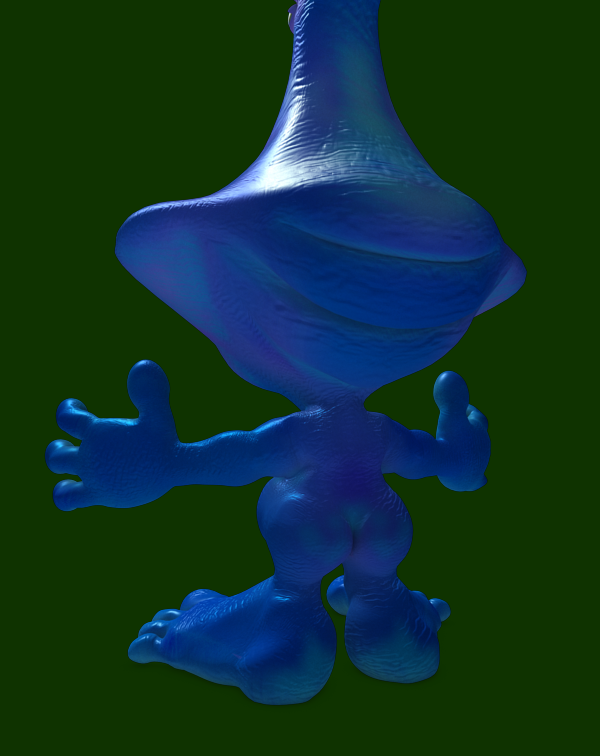
Heh heh! Finally finished his textures! Took me some time as I tried Mari, had my computer freeze with it... played and learned more about Mudbox, Syflex/cloth in Softimage, and more SSS skin.

I would love to try reproduce a similar almost render final image in TS. But I think I need to learn much more on TS before I venture more into it. Also.. keep on configuring me new features thanks to Clinton and trueBlue among others! :D

Now that I made him, I can put him in finished artwork? :P Techically, i still gotta rig him, make shapes/morphs, teeth, tongue, etc... oh wth!
Attachments
backside.png
back.png
front.png
User avatar
Draise
Captain
Posts: 3200
Joined: 21 Sep 2009, 19:33
Type the number ten into the box: 0
Location: Bogota, Colombia

Re: SenFlor - Character II - Momo

Post by Draise »

CHECK THIS OUT! I tried to reproduce the renders in TS, and these are my results. The lighting is very different, but the quality exceptional. I halved the textures, instead of using 4092x4092, I had then at 2048x2048. I also had 3 spot lights and one ambient in TS, meanwhile in Softimage with Mentalray, I only had two infinite lights, one with ambient.

Meanwhile SSS with only two lights in Mentalray took nearly 2 minutes on my quadcore, i was piping out decent frames in TS at nearly 20 frames a second, threw in another light and moved it around and enjoyed the show! It is promising! SUCKS IT IS NOT BEING DEVELOPED!!!

I did two sets, with front and back, and changed the texture a little. With the right shader, you can get it kinda convincing.
Attachments
live2 back.PNG
live back.PNG
live.PNG
User avatar
Draise
Captain
Posts: 3200
Joined: 21 Sep 2009, 19:33
Type the number ten into the box: 0
Location: Bogota, Colombia

Re: SenFlor - Character II - Momo

Post by Draise »

Again!
Attachments
live2.PNG
User avatar
Draise
Captain
Posts: 3200
Joined: 21 Sep 2009, 19:33
Type the number ten into the box: 0
Location: Bogota, Colombia

Re: SenFlor - Character II - Momo

Post by Draise »

Image

Just playing around and cleaning up the mesh for better morphs. Working on rigging him now.
User avatar
Draise
Captain
Posts: 3200
Joined: 21 Sep 2009, 19:33
Type the number ten into the box: 0
Location: Bogota, Colombia

Re: SenFlor - Character II - Momo

Post by Draise »

Extracted a rig using GEAR for Softimage. Now I'm working on the Synoptic selectors and later, the shape sliders. It's going much faster this time, as the big fight with the girl rigs are over.

Oh, and working on making orientation constraints to some orinetation expression to control finger curl with sliders, and even hand clasps, etc. Very powerful how much you can program if you know what you are doing... just wish there were some software which would make things easier!
Attachments
extracted rig.PNG
User avatar
Draise
Captain
Posts: 3200
Joined: 21 Sep 2009, 19:33
Type the number ten into the box: 0
Location: Bogota, Colombia

Re: SenFlor - Character II - Momo

Post by Draise »

Image
I love working in a deep dark forest.

Playing around and making his teeth. I accidently added his envelope to the remade mesh, forgetting that I was destroying the UV with a mirror during the fixups, I also forgot to extract it with the right settings and enveloped him almost to perfection with no UV! So now my coworker is redooing his textures, tho I did spend much time doing it. it's a relief to have someone else do it for me...
User avatar
Steinie
Captain
Posts: 2958
Joined: 21 May 2009, 17:38
Type the number ten into the box: 10

Re: SenFlor - Character II - Momo

Post by Steinie »

Ohhhh, he's a vegetarian!.... :)
User avatar
Draise
Captain
Posts: 3200
Joined: 21 Sep 2009, 19:33
Type the number ten into the box: 0
Location: Bogota, Colombia

Re: SenFlor - Character II - Momo

Post by Draise »

Lol, yes, he's a veggietarian. =)

Here is a short little test animation I'm going to do for this guy.
User avatar
Draise
Captain
Posts: 3200
Joined: 21 Sep 2009, 19:33
Type the number ten into the box: 0
Location: Bogota, Colombia

Re: SenFlor - Character II - Momo

Post by Draise »

Image

Started modeling the transitional models for the story.

I had some hangup with the composition but I THINK it's sorted now.
jamesmc
Captain
Posts: 1776
Joined: 08 Jul 2009, 15:35

Re: SenFlor - Character II - Momo

Post by jamesmc »

I like the "gummi" material you used on the critter. It looks edible.
Walk by faith, not by sight.
User avatar
Draise
Captain
Posts: 3200
Joined: 21 Sep 2009, 19:33
Type the number ten into the box: 0
Location: Bogota, Colombia

Re: SenFlor - Character II - Momo

Post by Draise »

Yeah, I love the sking and translucent shader in TS. It's quite a cool little thing.

Here are some updates. I am now behind schedule and have to economize. So we are making a graphically illustrated script to sell this weekend. I will include my tree animation that is rerendering, as I had many pass errors and composition complexities. But I am still going to work on this animation because it's a characterization.
So finally.... managed to figure out what was going wrong with the bridge between Softimage and Mudbox. I had errors with the the UV seams in Mudbox from Softimage, and it was driving me crazy. Later I found exporing the object then importing into Mudbox fixed that problem. Also to keep the smooth UV off and the subdivide UV in Mudbox off (an option under the Subdivision preferences).

So.. long day. Wasn't really my day. I was just fixing problems all day.. but now here I am.

Image

Image
The guy is transparent, ready for me to begin modeling some morph target shapes for his transition from birthing from a mushroom.
User avatar
Draise
Captain
Posts: 3200
Joined: 21 Sep 2009, 19:33
Type the number ten into the box: 0
Location: Bogota, Colombia

Re: SenFlor - Character II - Momo

Post by Draise »

Image

Worked on different stages of the animation, had to remodel the shroom for the different shots.. as I can't be bothered morphing. Better to make new geometry and different effects.

edit:
Notice the bounced orange light off the flor. Using some area lights, I configured some bounce, just added some abience, including my false AO light rig with directional lights. Lighting is quite fun.
User avatar
Draise
Captain
Posts: 3200
Joined: 21 Sep 2009, 19:33
Type the number ten into the box: 0
Location: Bogota, Colombia

Re: SenFlor - Character II - Momo

Post by Draise »

Image

Righteo. Working on integrating the shroom ready for render. Upcoming is some night skies, a morning sky and the normal sky plus lighting. I have yet to also optimize the masks and shadows of the foilage of the back... because I found a mip card shader that will cut the masks and shadow catchers to the leaves. Formerly I couldn't... so that sucked. I had to do a leaf mask, and a shadow mask made from all the planes. But sometimes the shadows cast from planes still occluded leaves behind leaves behind leaves, thus making them look super dark or like the shadows are unatural. So exprimentation for morrow!!!
User avatar
Draise
Captain
Posts: 3200
Joined: 21 Sep 2009, 19:33
Type the number ten into the box: 0
Location: Bogota, Colombia

Re: SenFlor - Character II - Momo

Post by Draise »

And was it just me, or was my english in my last post terrible!?
User avatar
Draise
Captain
Posts: 3200
Joined: 21 Sep 2009, 19:33
Type the number ten into the box: 0
Location: Bogota, Colombia

Re: SenFlor - Character II - Momo

Post by Draise »

Hey my friends! I made this small animation test with animation clips and transitions programmed with my final rig + shapes. His movibility is very good, shapes are set, ready for lipsync. I have finetuned his textures, clothes, facial expressions. I even fixed all my render issues with the background. So now I just need to keep building my library of animations and make sure I can animate everything ontop of the clips so anything will be possible once production gets underway! Enjoy.

EDIT: The flowers are spazzic because I don't have their cloth attributes, as I passed to Softimage 2013 and it corrupted. But no worries, I'll fix them when the time comes..

froo
Captain
Posts: 2554
Joined: 22 May 2009, 12:13

Re: SenFlor - Character II - Momo

Post by froo »

Cool Draise! It is really good to see an animation idea go from sketch to (near) fruition!
User avatar
MikomDude
Captain
Posts: 1930
Joined: 04 Oct 2010, 11:12
Type the number ten into the box: 0
Location: The Hague, Netherlands

Re: SenFlor - Character II - Momo

Post by MikomDude »

Looking great Draise! :bananathumb:
User avatar
Draise
Captain
Posts: 3200
Joined: 21 Sep 2009, 19:33
Type the number ten into the box: 0
Location: Bogota, Colombia

Re: SenFlor - Character II - Momo

Post by Draise »

froo wrote:Cool Draise! It is really good to see an animation idea go from sketch to (near) fruition!
Thanks guys!

Actually.. I did finish the animation in the animatic above. (1min) But due to privacy issues, my boss has disallowed sharing it untill we sell the product..... bummer. I would love to show you all...
pugman 1
Captain
Posts: 1555
Joined: 21 May 2009, 19:26
Type the number ten into the box: 0
Location: Germany

Re: SenFlor - Character II - Momo

Post by pugman 1 »

Thats a shame ,i would love to see the full version.
Your work is realy cool.
Ralph.
User avatar
Draise
Captain
Posts: 3200
Joined: 21 Sep 2009, 19:33
Type the number ten into the box: 0
Location: Bogota, Colombia

Re: SenFlor - Character II - Momo

Post by Draise »

Animation is going well in full swing with this guy! I will probably have a title animation short ready for you guys eventually! Probably one of the more detailed animations I am doing.

But meanwhile, I made him a costume for our 20 minute pilot episode.

Image

Image

Return to “Work in Progress”