organic modeling, proper way to cut object in half???

User avatar
horusra
Petty Officer First Class
Posts: 70
Joined: 02 Feb 2010, 13:09
Type the number ten into the box: 0
Location: Appleton, Wisconsin. U.S.A.

organic modeling, proper way to cut object in half???

Post by horusra »

hey all

ok I'm frustrated. I'm modeling a dog and am at the point where I need to cut the object in half for the mirroring process of the modeling. I was watching 2 different videos on the mothership's site but mainly >Older courses>character design, where the guy is making a human head. Good video except at the point where he cuts the cube in half at 4:25 in video #1. He seemed to have paused or turned the camera off, in effect NOT showing how he cut the cube in half in preparation for mirror modeling, a very important part.

I suppose theres a few ways of doing this but I'd rather do it the proper way the first time around so I don't have to keep wasting time, I've done enough of that already with experimentation (I'm not very proficient at organics). :cry:
I've tried to solve my problem myself before asking on here by going through all the books I have on truespace, but so far I have not seen this process, even though I could of swore it was in one of them.

so.....what is the proper way to do this?

kind regards
Rob
Last edited by horusra on 22 Mar 2010, 20:50, edited 2 times in total.
froo
Captain
Posts: 2554
Joined: 22 May 2009, 12:13

Re: organic modeling, proper way to cut object in half???

Post by froo »

hey horusra.
I believe you can use the boolean tool.
Use a cube larger than your object.
Place the cube so it encompasses the half of the object
you want to delete. Then choose the boolean subtract operation.
NOTE::::::
Save a backup copy of your scene/object before doing the boolean
op please. That way you can go back to the original if there is a problem. :)
User avatar
horusra
Petty Officer First Class
Posts: 70
Joined: 02 Feb 2010, 13:09
Type the number ten into the box: 0
Location: Appleton, Wisconsin. U.S.A.

Re: organic modeling, proper way to cut object in half???

Post by horusra »

Froo

thanks for your help. I am very familiar and proficient with boolean subtract so I do understand you. Just not sure if this was the best way to do this or if that matters really, so thats why I was asking. :)

On the mothership's site, Fundamental Courses>Organic Modeling>Video 3.3 Roughing the head at 4:48 the guy selects the other half of the fish by 'select face' and hits the delete key. I'm not using tS 7 for this project, but tS 5.1 sp2 and thats ok and all, but I tried this in tS5 and that did not work for whatever reason, e.g., select half of the fish by faces and delete face, that didnt work, nothing happened that I could see so I gave up on the option.

Anyway, thanks for your suggestion. I'll wait and see others opinions as well. If no other opinions I will assume that subtraction is the 'best' way.

thanks again.
kind regards
Rob
User avatar
marcel
Captain
Posts: 2247
Joined: 21 May 2009, 19:52
Type the number ten into the box: 0
Location: paris - France

Re: organic modeling, proper way to cut object in half???

Post by marcel »

On modelside: select all the faces of the half dog, then use the "separate object part" to cut the dog in two parts. Maybe a wireframe of your model posted here would be a good thing to see what is the best method for your problem.
Design - illustration - Animation
http://www.crea-vision.fr
User avatar
horusra
Petty Officer First Class
Posts: 70
Joined: 02 Feb 2010, 13:09
Type the number ten into the box: 0
Location: Appleton, Wisconsin. U.S.A.

Re: organic modeling, proper way to cut object in half???

Post by horusra »

marcel wrote:On modelside: select all the faces of the half dog, then use the "separate object part" to cut the dog in two parts. Maybe a wireframe of your model posted here would be a good thing to see what is the best method for your problem.
hey there Marcel :)

thanks for the reply, but remember per my post I'm not using tS 7.6 for this. I'm using tS 5.1 sp2.

kind regards
Rob
User avatar
spacekdet
Captain
Posts: 1810
Joined: 27 May 2009, 15:00
Type the number ten into the box: 10
Location: On the day shift at the Utility Muffin Research Kitchen

Re: organic modeling, proper way to cut object in half???

Post by spacekdet »

tS 5 has the 'Slice' and 'separate selected ' tools in the Point Editing toolbar.
Note that 'Separate' creates a copy of the selected parts of an object.

Basically you'd enter Point Edit/Faces, select half the model with 'Rectangle Selection', and then 'Separate selected'.
Move or delete the whole original to reveal the half model.
Attachments
halfdoghigh.jpg
User avatar
horusra
Petty Officer First Class
Posts: 70
Joined: 02 Feb 2010, 13:09
Type the number ten into the box: 0
Location: Appleton, Wisconsin. U.S.A.

Re: organic modeling, proper way to cut object in half???

Post by horusra »

spacekdet wrote:tS 5 has the 'Slice' and 'separate selected ' tools in the Point Editing toolbar.
Note that 'Separate' creates a copy of the selected parts of an object.

Basically you'd enter Point Edit/Faces, select half the model with 'Rectangle Selection', and then 'Separate selected'.
Move or delete the whole original to reveal the half model.
Spacekdet,

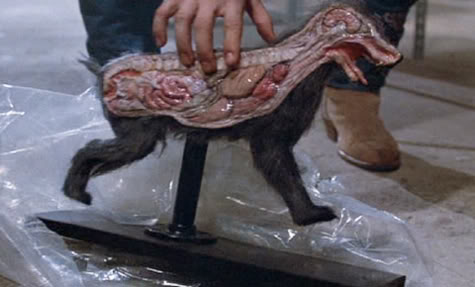
thanks for the info. haha that image of the dog :lol:
Hey Ive learnt a new tool, that rocks!!! Thank you.
Thats what I needed to do so I can mirror and begin rounding out the model mesh. Hopefully it all works out that way.
Actually thanks to all who wrote.

kind regards
Rob
User avatar
CdeB
Chief Petty Officer
Posts: 109
Joined: 21 May 2009, 19:13
Type the number ten into the box: 0
Location: Scandinavia!

Re: organic modeling, proper way to cut object in half???

Post by CdeB »

Just a quick note...although I cannot be classed as a beginner this thread has been useful for me -as I completely forgot about using this process for this job - I have always been a straight boolean man myself -but using the select and separate would have saved me some geometry tiding up if I had remembered it :oops: Maybe the mind is going faster than the hair these days :cry:

Return to “General Discussion”