U3DAC March 2013 - Insects
-
Finis

- Captain
- Posts: 5410
- Joined: 21 May 2009, 18:26
- Type the number ten into the box: 0
- Location: America!
U3DAC March 2013 - Insects
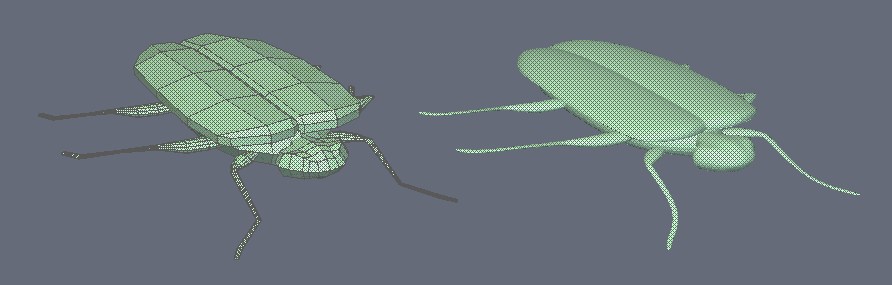
There will be four types of insects. Beetle, Ladybug, Dragonfly, and Centipede. Here is a the beetle. Still needs eyes and antennae. Modeled in Hexagon. Probably render in Daz or Bryce.
- Attachments
-
I prefer dangerous freedom over peaceful servitude. -- Thomas Jefferson/Jean Jacques Rousseau
-
Finis
- Captain
- Posts: 5410
- Joined: 21 May 2009, 18:26
- Type the number ten into the box: 0
- Location: America!
Re: U3DAC March 2013 - Insects
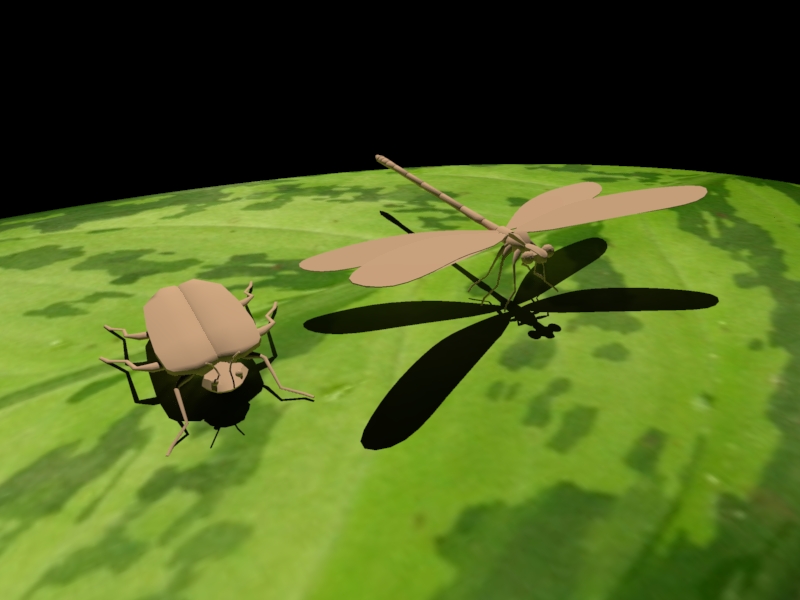
Kerkythea for rendering. I don't want a photoreal look for this but KT is the renderer I've used most lately. I like 3Delight's artsy look, kind of like the Lightworks renderer in TS model side, but trying Daz for rendering again shows that I'll do better with KT.
Here is a leaf and two bugs. Ladybug and centipede next.
Here is a leaf and two bugs. Ladybug and centipede next.
- Attachments
-
I prefer dangerous freedom over peaceful servitude. -- Thomas Jefferson/Jean Jacques Rousseau
-
jamesmc
- Captain
- Posts: 1776
- Joined: 08 Jul 2009, 15:35
Re: U3DAC March 2013 - Insects
Delicate and delightful, well done!
Centipede? (shudder)
Centipede? (shudder)
Walk by faith, not by sight.
-
Finis
- Captain
- Posts: 5410
- Joined: 21 May 2009, 18:26
- Type the number ten into the box: 0
- Location: America!
Re: U3DAC March 2013 - Insects
Thanks James.
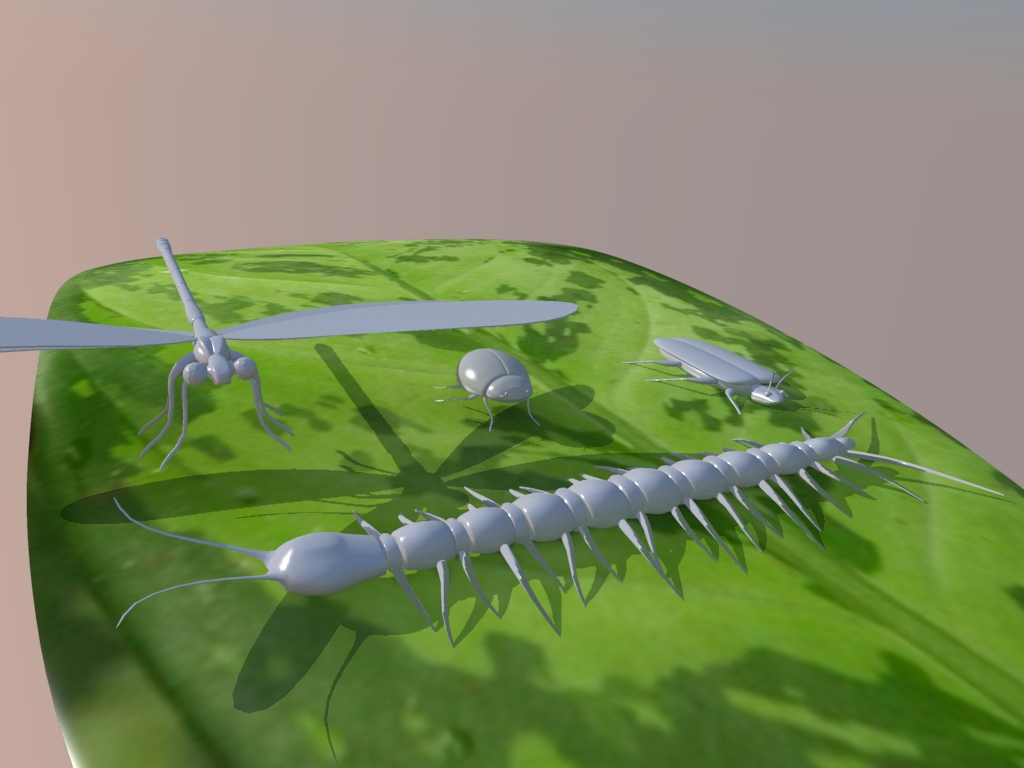
Here is a ladybug and centipede. Modeled in Hexagon and rendered in Kerkythea. Now for fine tuning and texturing.
Hexagon is not great for UV's. I found that SDS versions of shapes would take the standard (sphere, cube) UV's well when the original shapes had anomalies. I like many of Hexagon's methods and tool set but there are too many quirks for me. I need to find a new general purpose modeler. I'll try Blender sometime.
Edit: Texturing this in KT is getting challenging. I want a base material on a bug and then a layer with spots. A decal that is transparent through to the base material where there aren't spots. I can make a layered texture but making one layer have transparent parts that show through to the next layer isn't working with "clip mapping". That makes the whole thing have the transparency and not just one layer. I don't see another tool to try for this.
Here is a ladybug and centipede. Modeled in Hexagon and rendered in Kerkythea. Now for fine tuning and texturing.
Hexagon is not great for UV's. I found that SDS versions of shapes would take the standard (sphere, cube) UV's well when the original shapes had anomalies. I like many of Hexagon's methods and tool set but there are too many quirks for me. I need to find a new general purpose modeler. I'll try Blender sometime.
Edit: Texturing this in KT is getting challenging. I want a base material on a bug and then a layer with spots. A decal that is transparent through to the base material where there aren't spots. I can make a layered texture but making one layer have transparent parts that show through to the next layer isn't working with "clip mapping". That makes the whole thing have the transparency and not just one layer. I don't see another tool to try for this.
- Attachments
-
I prefer dangerous freedom over peaceful servitude. -- Thomas Jefferson/Jean Jacques Rousseau
-
RAYMAN

- Captain
- Posts: 2547
- Joined: 21 May 2009, 18:56
Re: U3DAC March 2013 - Insects
It should work though !Finis wrote:Thanks James.
Here is a ladybug and centipede. Modeled in Hexagon and rendered in Kerkythea. Now for fine tuning and texturing.
Hexagon is not great for UV's. I found that SDS versions of shapes would take the standard (sphere, cube) UV's well when the original shapes had anomalies. I like many of Hexagon's methods and tool set but there are too many quirks for me. I need to find a new general purpose modeler. I'll try Blender sometime.
Edit: Texturing this in KT is getting challenging. I want a base material on a bug and then a layer with spots. A decal that is transparent through to the base material where there aren't spots. I can make a layered texture but making one layer have transparent parts that show through to the next layer isn't working with "clip mapping". That makes the whole thing have the transparency and not just one layer. I don't see another tool to try for this.

Peter
-
Finis
- Captain
- Posts: 5410
- Joined: 21 May 2009, 18:26
- Type the number ten into the box: 0
- Location: America!
Re: U3DAC March 2013 - Insects
It doesn't. At least not on the preview image. Didn't try a render yet. The material has two matte/phong layers. If I give either layer a black and white clip map the preview shows the transparent areas invisible completely through the entire object, not just through the top layer (whichever one that is) to the next. Although KT isn't the finished product (Thea) surely there is a way to do this mapped transparency with layers.RAYMAN wrote:It should work though !
I'll keep trying things, looking for things I did wrong or overlooked, and look for some documentation or tutorials.
I'll try it with a render but I'm already tired of the preview image being nothing like the rendered image. It is a pain to have to adjust a material and then render, adjust, render, ... Positioning the spots is hard too. There is no "live" manipulation of the material position on the object. So it is fiddle with the offsets in the material editor, render, repeat. For the finishing touches sure, but not for rough stuff like "put the spots on top".
The material preview doesn't represent the model shape correctly either. A centipede segment looks like the disks between segments in the preview. It is thinner in the preview.
This is looking more realistic than I wanted. TS or Daz/3Delight would look more like I want but Daz doesn't import the obj file in a way I like.
I prefer dangerous freedom over peaceful servitude. -- Thomas Jefferson/Jean Jacques Rousseau
-
pugman 1
- Captain
- Posts: 1555
- Joined: 21 May 2009, 19:26
- Type the number ten into the box: 0
- Location: Germany
Re: U3DAC March 2013 - Insects
Hi Finis I think is time to learn Blender it is a all round app
with lots of vidio help and tuts
with lots of vidio help and tuts
-
Finis
- Captain
- Posts: 5410
- Joined: 21 May 2009, 18:26
- Type the number ten into the box: 0
- Location: America!
Re: U3DAC March 2013 - Insects
Yeah Pugman1. I plan to learn Blender next. I'll have little time as this is work season (lawn care which I should be doing right now).
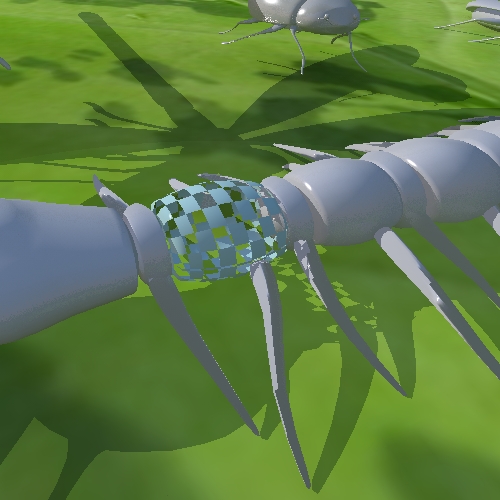
Here is a KT render with a two layer material. Layer 0 is purple and layer 1 is green. Weights are 50% per layer. I applied a black and white checker image as a clip map and this is the result. The desired result would be a green and purple checkerboard.
Although I applied the clip map with layer 1 selected, I notice that the clip map is present when I select either layer or the "layered material" parent item. That shows that the clip map is universal and not related to a layer.
It is called "clip" map which I think of as a billboard like a tree, plant, or person cut out as used in architectural images. For that this would be the expected behavior.
Edit: I found system to use layers that is different than a multi-layer material. It has a mask layer feature. It is still a bit mysterious in how it works. I'll play with that ... or I'll Paint Shop the texture so it is one image.
Here is a KT render with a two layer material. Layer 0 is purple and layer 1 is green. Weights are 50% per layer. I applied a black and white checker image as a clip map and this is the result. The desired result would be a green and purple checkerboard.
Although I applied the clip map with layer 1 selected, I notice that the clip map is present when I select either layer or the "layered material" parent item. That shows that the clip map is universal and not related to a layer.
It is called "clip" map which I think of as a billboard like a tree, plant, or person cut out as used in architectural images. For that this would be the expected behavior.
Edit: I found system to use layers that is different than a multi-layer material. It has a mask layer feature. It is still a bit mysterious in how it works. I'll play with that ... or I'll Paint Shop the texture so it is one image.
- Attachments
-
I prefer dangerous freedom over peaceful servitude. -- Thomas Jefferson/Jean Jacques Rousseau
-
Finis
- Captain
- Posts: 5410
- Joined: 21 May 2009, 18:26
- Type the number ten into the box: 0
- Location: America!
Re: U3DAC March 2013 - Insects
This is their arrangement. There will be dirt underneath. Maybe some more leaves. Maybe DOF.
The UV's from Hexagon didn't always work in KT. The bugs should all have a colorful checker test pattern. I'll UV in TS.
The UV's from Hexagon didn't always work in KT. The bugs should all have a colorful checker test pattern. I'll UV in TS.
- Attachments
-

I prefer dangerous freedom over peaceful servitude. -- Thomas Jefferson/Jean Jacques Rousseau
-
Finis
- Captain
- Posts: 5410
- Joined: 21 May 2009, 18:26
- Type the number ten into the box: 0
- Location: America!
Re: U3DAC March 2013 - Insects
Interesting. Just opening the obj file from Hexagon in TS 7.6 model side and saving it from TS seems to heal the UV problems. So far the UV's work in KT after that process.
So, Hexagon is good for some things but don't use its UV tools. Tutorials for Blender indicate that it has at least some of the modeling tools I like about Hexagon. Selecting loops for example.
So, Hexagon is good for some things but don't use its UV tools. Tutorials for Blender indicate that it has at least some of the modeling tools I like about Hexagon. Selecting loops for example.
I prefer dangerous freedom over peaceful servitude. -- Thomas Jefferson/Jean Jacques Rousseau
-
Finis
- Captain
- Posts: 5410
- Joined: 21 May 2009, 18:26
- Type the number ten into the box: 0
- Location: America!
Re: U3DAC March 2013 - Insects
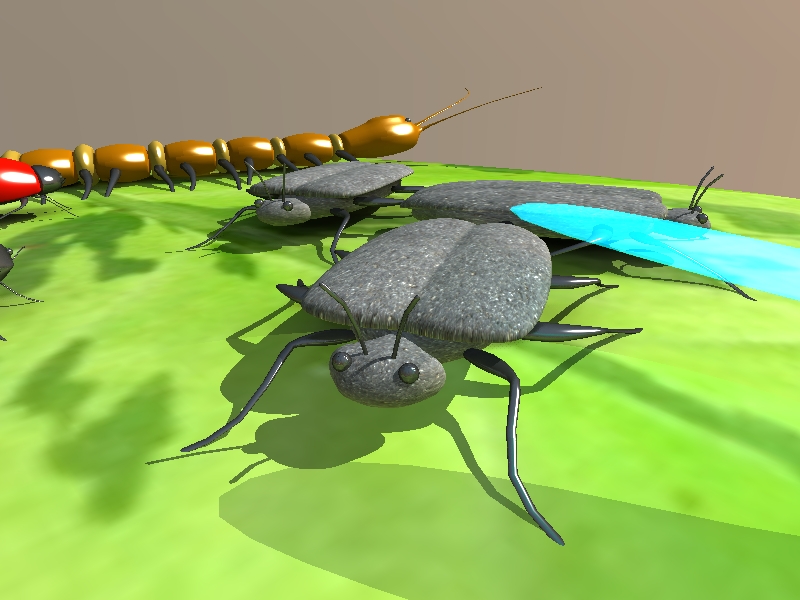
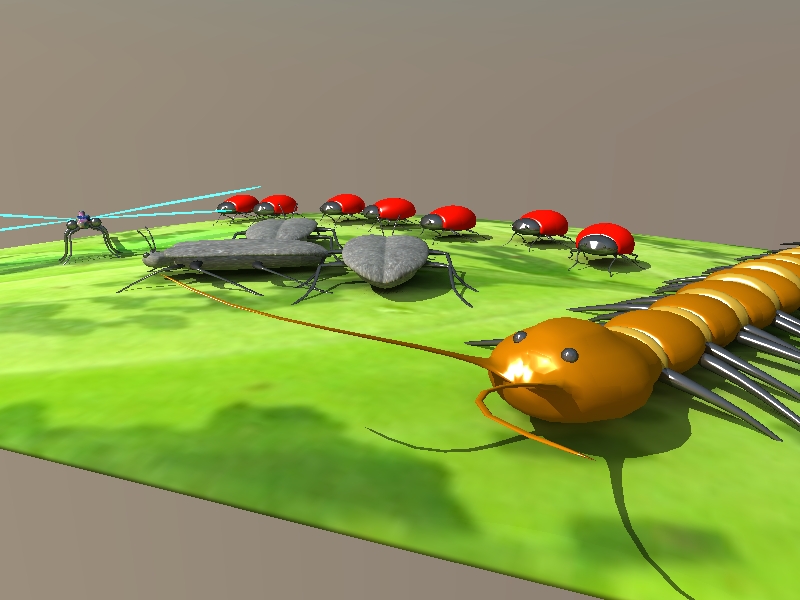
Materials applied. Super special spots are next.
- Attachments
-
-
I prefer dangerous freedom over peaceful servitude. -- Thomas Jefferson/Jean Jacques Rousseau
-
Finis
- Captain
- Posts: 5410
- Joined: 21 May 2009, 18:26
- Type the number ten into the box: 0
- Location: America!
Re: U3DAC March 2013 - Insects
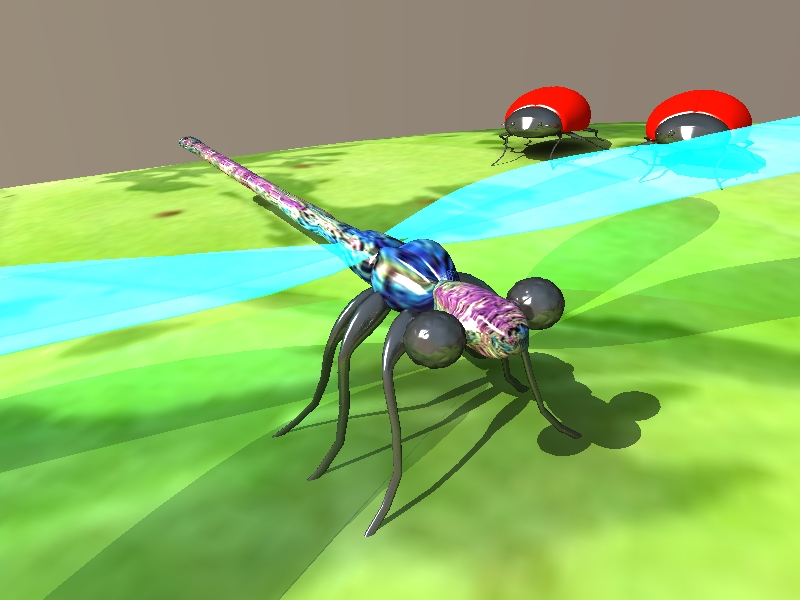
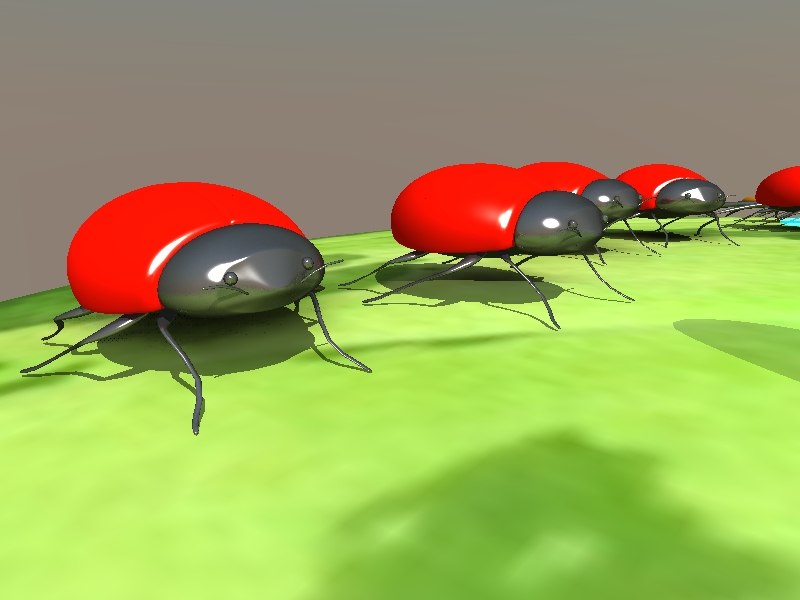
More Views.
Edit: I sill can't get a layered texture to work. I want to do someting like this vi ... =19&t=3641. The base layer would have a texture image or color and the spots layer would have an image. An alpha mask would decide which shows in the result.
The clip map in KT applies to the whole material. The mask layer shows through where it is black but it is white ... where it is white. I can't get that to control the merging of two layers. Searching the web produced some possible examples or tutorials but they are on http://www.kerkythea.net" which is not working now.
Maybe I'll just Paint Shop the textures with spots and all.
Edit: I sill can't get a layered texture to work. I want to do someting like this vi ... =19&t=3641. The base layer would have a texture image or color and the spots layer would have an image. An alpha mask would decide which shows in the result.
The clip map in KT applies to the whole material. The mask layer shows through where it is black but it is white ... where it is white. I can't get that to control the merging of two layers. Searching the web produced some possible examples or tutorials but they are on http://www.kerkythea.net" which is not working now.
Maybe I'll just Paint Shop the textures with spots and all.
- Attachments
-
-
I prefer dangerous freedom over peaceful servitude. -- Thomas Jefferson/Jean Jacques Rousseau
-
Finis
- Captain
- Posts: 5410
- Joined: 21 May 2009, 18:26
- Type the number ten into the box: 0
- Location: America!
Re: U3DAC March 2013 - Insects
Can anyone else get to http://www.kerkythea.net? I get a blank page.
I prefer dangerous freedom over peaceful servitude. -- Thomas Jefferson/Jean Jacques Rousseau
-
Draise

- Captain
- Posts: 3200
- Joined: 21 Sep 2009, 19:33
- Type the number ten into the box: 0
- Location: Bogota, Colombia
Re: U3DAC March 2013 - Insects
Yeah, I got a blank page too..
-
RAYMAN
- Captain
- Posts: 2547
- Joined: 21 May 2009, 18:56
Re: U3DAC March 2013 - Insects
yeah for some reason its down but I can help you !
Clip mapping only works on the whole object and through all textures but if you ad the map to transparency it
just shows the material of the top layer where the map is and lets the layer beneath look through !
Also if you put it into the wheights chanel instead of a constsnt value or color..
I think that is what you want to do ??? !!!
Peter
Clip mapping only works on the whole object and through all textures but if you ad the map to transparency it
just shows the material of the top layer where the map is and lets the layer beneath look through !
Also if you put it into the wheights chanel instead of a constsnt value or color..
I think that is what you want to do ??? !!!
Peter
- Attachments
-

-
jamesmc
- Captain
- Posts: 1776
- Joined: 08 Jul 2009, 15:35
Re: U3DAC March 2013 - Insects
Lightwave is that way too with clip maps. It only applies to the whole object.
Walk by faith, not by sight.
-
spacekdet

- Captain
- Posts: 1810
- Joined: 27 May 2009, 15:00
- Type the number ten into the box: 10
- Location: On the day shift at the Utility Muffin Research Kitchen
Re: U3DAC March 2013 - Insects
It redirects to http://www.kerkythea.net/joomla/"Finis wrote:Can anyone else get to http://www.kerkythea.net? I get a blank page.
Should be a text link there. You running NoScript plugin? Might be stopping the redirect. Anyway, the new site location is above.
For future use: http://www.downforeveryoneorjustme.com/"
-
Finis
- Captain
- Posts: 5410
- Joined: 21 May 2009, 18:26
- Type the number ten into the box: 0
- Location: America!
Re: U3DAC March 2013 - Insects
No no-script. The KT site works fine today. Yeah, http://www.kerkythea.net" redirects to /joomla but that always worked before. It is back up now.
I've had success just Paint Shopping the textures. Still curious about KT alpha masks and will try Rayman's advice. Also get back to finishing Ice Cave. Really need to concentrate on business/money now so I won't have much time for pictures or learning Blender or Messiah.
I've had success just Paint Shopping the textures. Still curious about KT alpha masks and will try Rayman's advice. Also get back to finishing Ice Cave. Really need to concentrate on business/money now so I won't have much time for pictures or learning Blender or Messiah.
I prefer dangerous freedom over peaceful servitude. -- Thomas Jefferson/Jean Jacques Rousseau
-
Finis
- Captain
- Posts: 5410
- Joined: 21 May 2009, 18:26
- Type the number ten into the box: 0
- Location: America!
Re: U3DAC March 2013 - Insects
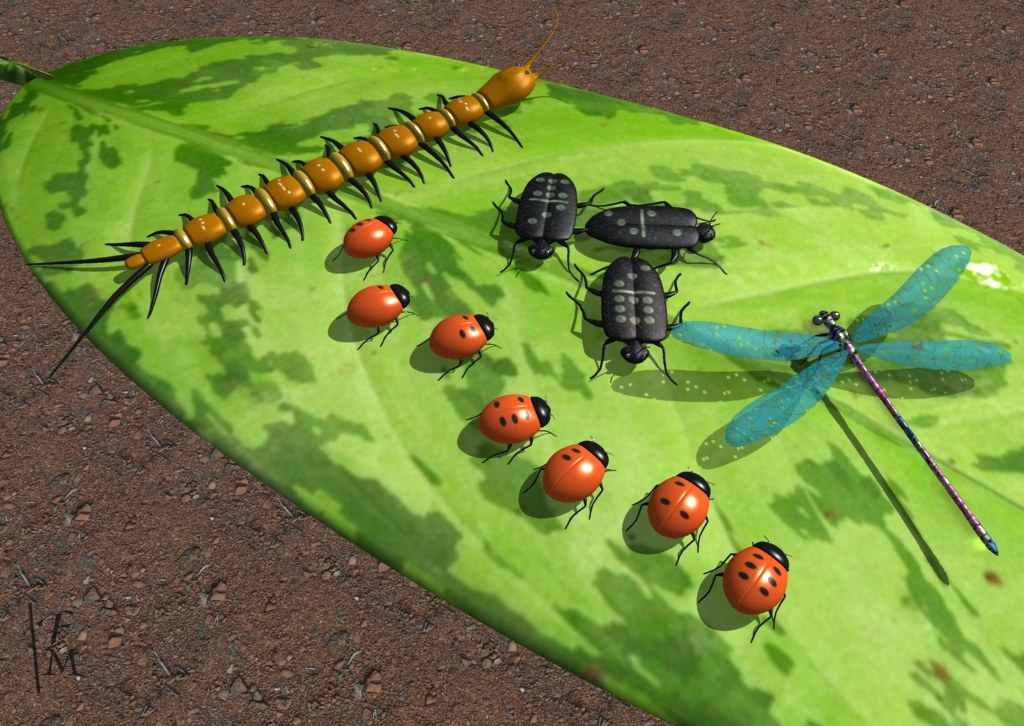
Info Bugs
Hexagon, TS 7.6 model side, Kerkythea 2008, Paint Shop Pro.
Render time, PM + FG, 7 minutes.
Hexagon, TS 7.6 model side, Kerkythea 2008, Paint Shop Pro.
Render time, PM + FG, 7 minutes.
- Attachments
-
I prefer dangerous freedom over peaceful servitude. -- Thomas Jefferson/Jean Jacques Rousseau
-
Finis
- Captain
- Posts: 5410
- Joined: 21 May 2009, 18:26
- Type the number ten into the box: 0
- Location: America!
Re: U3DAC March 2013 - Insects
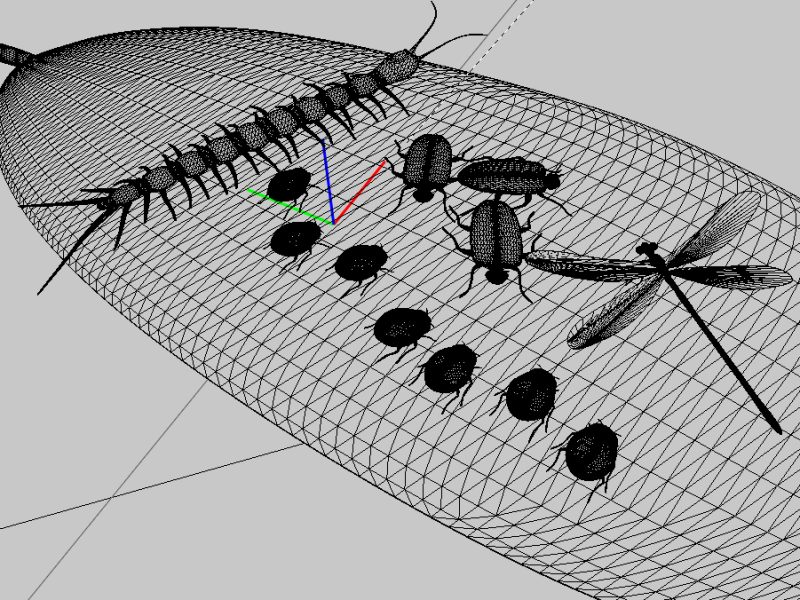
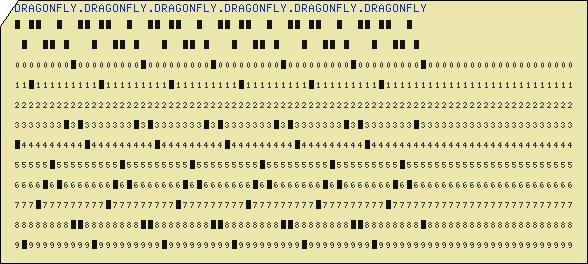
The centipede's markings spell "centipede" in Morse code. The Ladybugs' spots spell "ladybug" in braille. The domino bugs are in formation using the information of who has what spots. The dragonfly's wings have some part of a punch card that repeats "dragonfly." for the transparent holes. They also have a voronoi pattern to simulate the lacy wings. The braille, Morse code, and punch card are from generators on the web.
- Attachments
-

- Wire from KT. KT triangulates geometry.
-
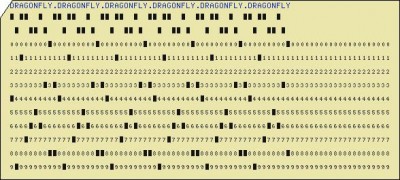
- Black and white alpha map made from this punch card.
I prefer dangerous freedom over peaceful servitude. -- Thomas Jefferson/Jean Jacques Rousseau
-
jamesmc
- Captain
- Posts: 1776
- Joined: 08 Jul 2009, 15:35
Re: U3DAC March 2013 - Insects
Very cool Finis, I like 'easter eggs'. 
Walk by faith, not by sight.