trueSpace can't boolean my object !

User avatar
Emmanuel
Chief Warrant Officer
Posts: 670
Joined: 14 Jun 2009, 06:47

trueSpace can't boolean my object !

Post by Emmanuel »

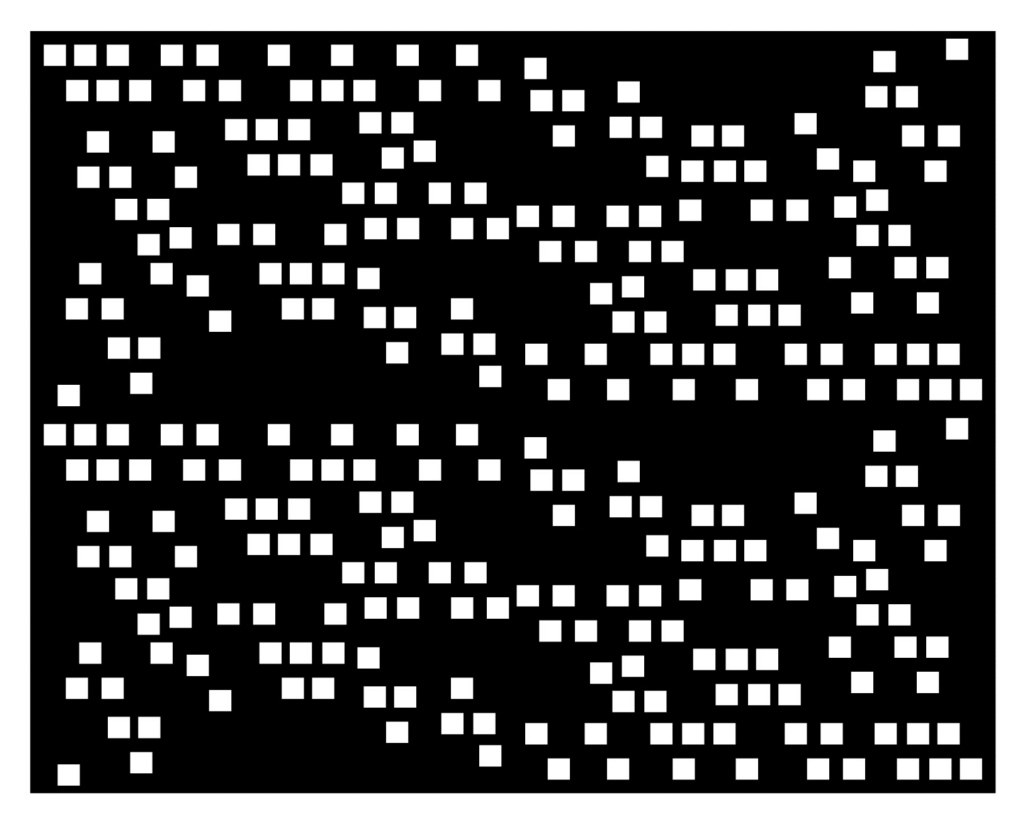
I've designed a hollow-door to be cutoff from an aluminium board.
The cutoff design was created in Affinity Designer, my favorite vector-drawing software :D

My client is happy with the design and now he wants a 3d preview of it, blended in a photography of his interiors.

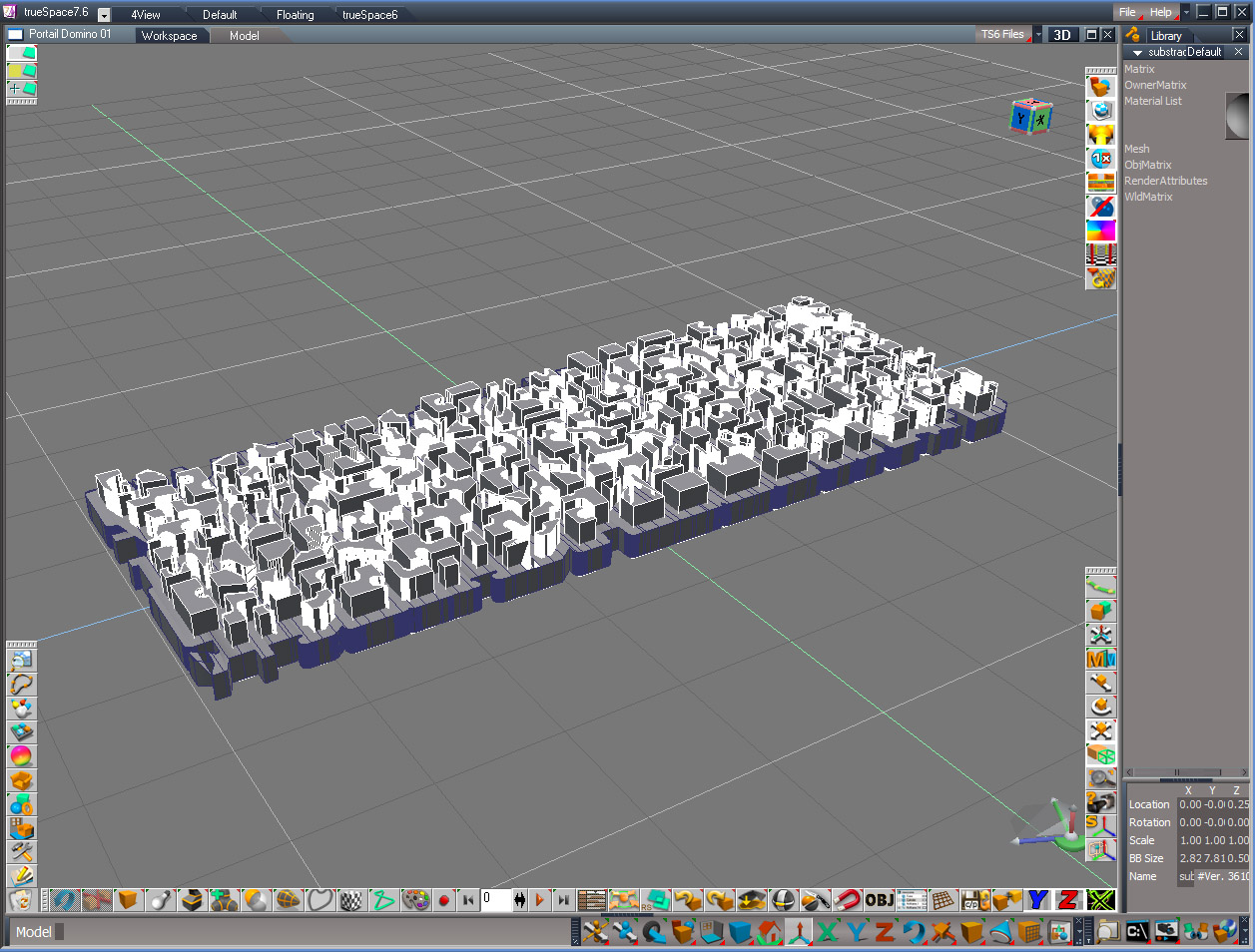
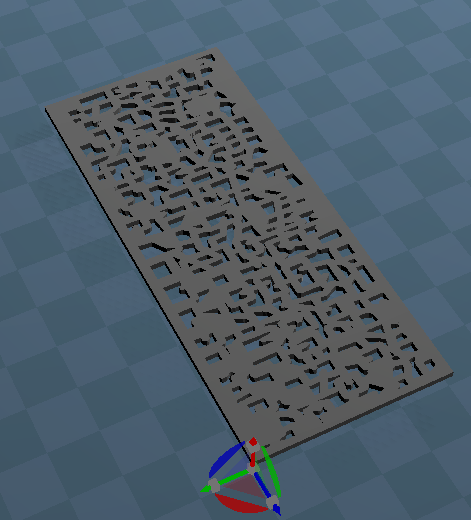
I can export my 2D drawing to AI or EPS format, and import it in trueSpace, but I am stucked with trueSpace boolean tools that refuses to cut off. Both Modeler and Workspace boolean tools are failing.
I have no other 3D software (only Sketchup) to experiment and I can't figure how to generate a 3d model from that design...

Do you have some tips or tricks ?

You can try AI and SCN files, attached in the zip file below.
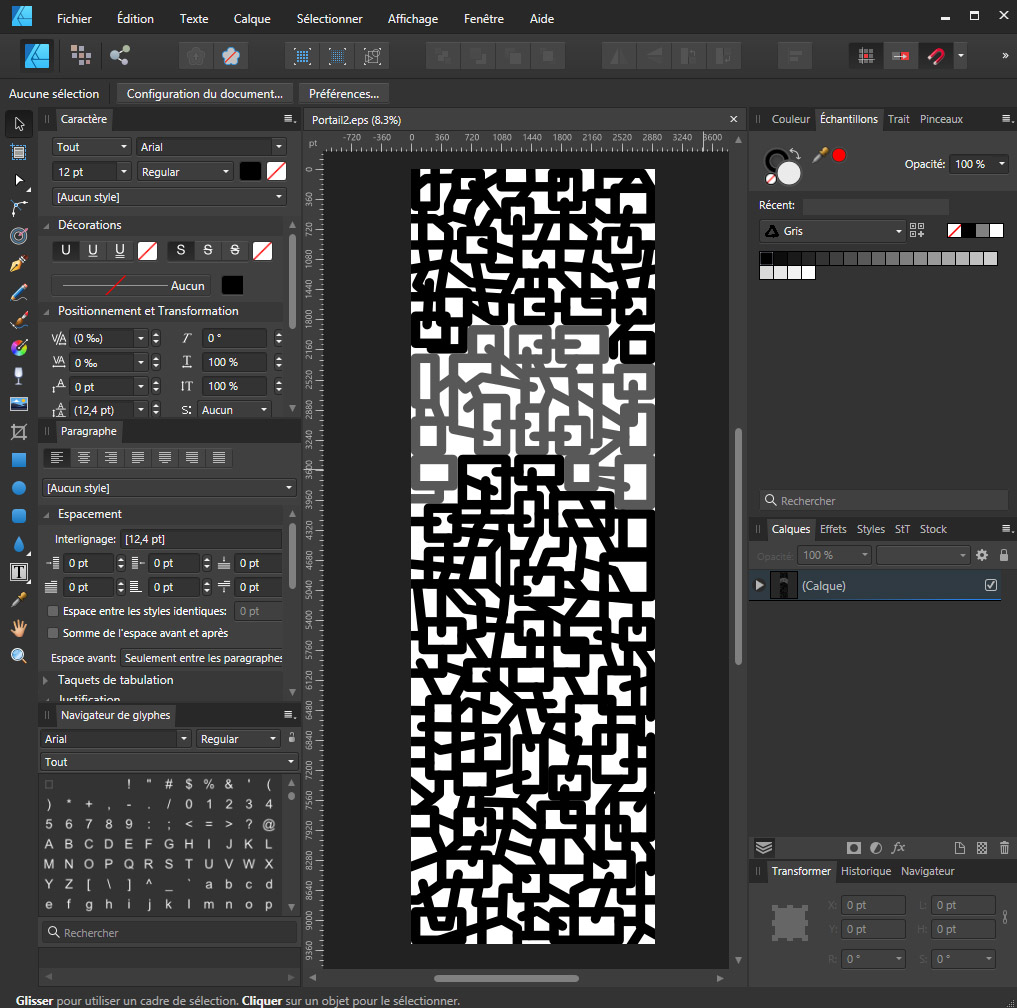
Affinity Designer.jpg
tS.jpg
Attachments
Domino design door.zip
(960.79 KiB) Downloaded 153 times
User avatar
MikomDude
Captain
Posts: 1930
Joined: 04 Oct 2010, 11:12
Type the number ten into the box: 0
Location: The Hague, Netherlands

Re: trueSpace can't boolean my object !

Post by MikomDude »

Have you tried quadrifying the geometry before boolean? Sometimes a bit of extra geometry helps when doing a boolean operation in trueSpace.
User avatar
Emmanuel
Chief Warrant Officer
Posts: 670
Joined: 14 Jun 2009, 06:47

Re: trueSpace can't boolean my object !

Post by Emmanuel »

Yes, I tried to add details, triangulate, etc.
Resizing the objects also helps : boolean works better with large objects.
But there is still too much errors on Modeler side ; and Workspace simply freezes...

I guess I should use an other software for that particular case.
User avatar
trueBlue
Captain
Posts: 5548
Joined: 06 Jul 2009, 22:50
Type the number ten into the box: 10

Re: trueSpace can't boolean my object !

Post by trueBlue »

I brought your subtraction object into Rosetta, used Heal vertices, Clinton's Fix Bad Geometry's - Delete Floating points, Quads, and Quadrify
Using Select Quads was the only way I could select all Geometry
Finally, Boolean Subtract your subtraction object from a Cube that had 1000 x 1000 x1000 segments
tS761 Door.RsObj
Door.png
.
.
Exported the tS761 Door's Editable Shape
Created a Cube in tS76, swapped the object Editable Shape, exported as a cob from Model
tS76 Door.cob
Attachments
Door.cob
(1.77 MiB) Downloaded 159 times
Door.RsObj
(1.31 MiB) Downloaded 149 times
User avatar
clintonman
Captain
Posts: 5659
Joined: 21 May 2009, 21:08
Type the number ten into the box: 0
Location: California

Re: trueSpace can't boolean my object !

Post by clintonman »

ComplexBoolean.jpg
I think I got it! I tried and gave up and then saw trueBlue's boolean with cube trick.

Number of steps:

Open AI file in Illustrator and add fill and stroke.
Save as SVG file
Import SVG into trueSpace workspace with options:
- Zoffset = 0
- Uncheck Constant Color
- Always Close Curves - cause 1 curve wasn't closed
- Show Polygon Edges

PE mode, Dynamic Sweep on the big piece, with Boolean on release to close the open bottom - slow process
Boolean combined all the smaller pieces into 1 then dynamic sweep it - both also slow
Create a short cube 100x100x1 divisions, shorter than the big piece and shorter than it
Boolean subtract the combined little pieces from the cube
Boolean intersect with the big piece.

Cube is the final object and the scene file shows how it looks before boolean steps.

While working on this I noticed some shortcomings with the SVG import that makes it more difficult to model with the imported meshes, so some changes are needed.
Edit: note to self - bridge was causing issues, turned it off
Attachments
Domino PreBool.RsScn
(12.75 MiB) Downloaded 183 times
Cubeafca.RsObj
(16.6 MiB) Downloaded 180 times
Last edited by clintonman on 13 Dec 2021, 19:48, edited 1 time in total.
Clinton Reese

http://clintons3d.com
User avatar
trueBlue
Captain
Posts: 5548
Joined: 06 Jul 2009, 22:50
Type the number ten into the box: 10

Re: trueSpace can't boolean my object !

Post by trueBlue »

Much better!
Same object with a cleanup
Lowered two elements that were sticking out, deleted floating points, and removed orphaned material
Dang!!! 16.6 MBs :o
Attachments
Domino Door.RsObj
(16.59 MiB) Downloaded 158 times
User avatar
Emmanuel
Chief Warrant Officer
Posts: 670
Joined: 14 Jun 2009, 06:47

Re: trueSpace can't boolean my object !

Post by Emmanuel »

Waow, you guys are definately trueSpace geniuses !
:worship: :worship: :worship: :worship: :worship:

Your SVG import tool Clinton is saving my life !
So part the trick was to fill the AI curves and import it via SVG ;) I would never thought about it that way !

Once again, this workflow opens many possibilities. It builds new bridges between 2D and 3D.

Many many thanks again to all of you ! :superbanana:
User avatar
Emmanuel
Chief Warrant Officer
Posts: 670
Joined: 14 Jun 2009, 06:47

Re: trueSpace can't boolean my object !

Post by Emmanuel »

I am still using Photoshop CS3 (never upgraded since 2012, yes, just like trueSpace ;) )
But my son, who is using a recent version, told me the best solution was to use the 3D features of modern Photoshop :
Simply load the drawing, convert the layer into a 3D layer, then export as OBJ. Easy !

Last edited by Emmanuel on 14 Dec 2021, 19:34, edited 1 time in total.
User avatar
clintonman
Captain
Posts: 5659
Joined: 21 May 2009, 21:08
Type the number ten into the box: 0
Location: California

Re: trueSpace can't boolean my object !

Post by clintonman »

My last version of Adobe is CS5 and the export 3D from Photoshop works pretty well for your complex shape. I still had to stroke and fill to get it to work. One more tool for the belt, thanks for the tip.

The youtube link doesn't work for me.
Clinton Reese

http://clintons3d.com
User avatar
bitkar
Captain
Posts: 2089
Joined: 16 Mar 2010, 07:14
Type the number ten into the box: 0
Location: Czech Republic

Re: trueSpace can't boolean my object !

Post by bitkar »

dont want to spoil the fun, but why didnt you do it in the 2D vector software to be cut out like that? :) and you could only extrude it in tS and thats it.
Michal aka bitkar
tS freak since tS2 (1998) and forever (tS7.61 modeler)
User avatar
Emmanuel
Chief Warrant Officer
Posts: 670
Joined: 14 Jun 2009, 06:47

Re: trueSpace can't boolean my object !

Post by Emmanuel »

bitkar wrote: 14 Dec 2021, 17:35 dont want to spoil the fun, but why didnt you do it in the 2D vector software to be cut out like that? :) and you could only extrude it in tS and thats it.
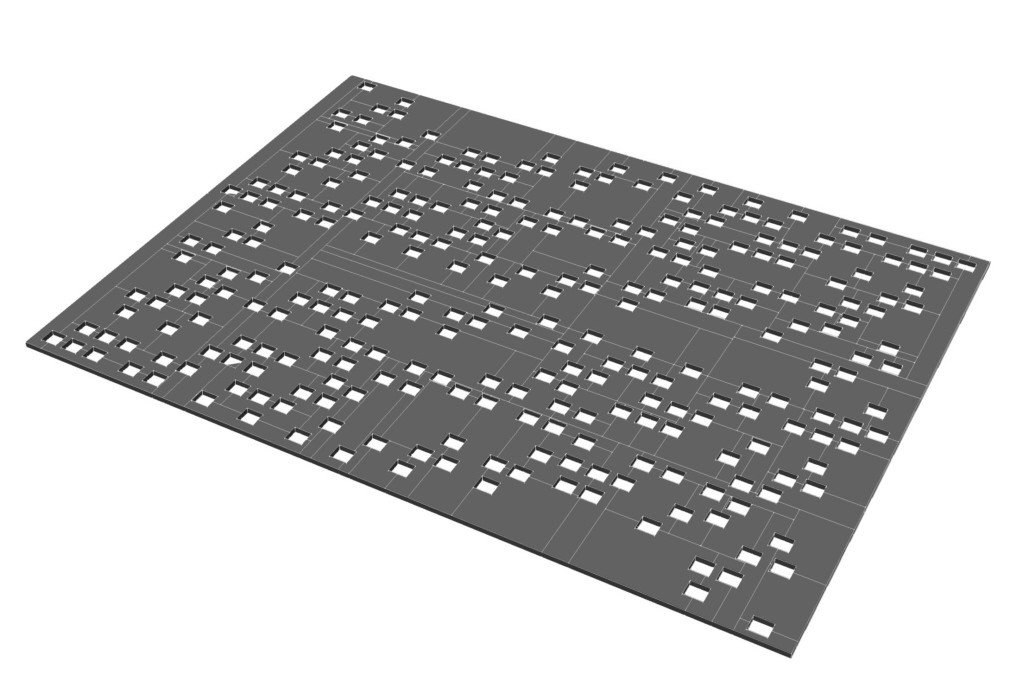
Because Affinity Designer's AI export creates plain curves : when imported in trueSpace the holes in the main object become curves, not holes.
User avatar
trueBlue
Captain
Posts: 5548
Joined: 06 Jul 2009, 22:50
Type the number ten into the box: 10

Re: trueSpace can't boolean my object !

Post by trueBlue »

Just wanted to add that using Heal vertices and Clinton's Fix Bad Geometry's - Delete Floating points was needed using Clinton's Domino PreBool.RsScn before performing Boolean subtract and Boolean intersect
User avatar
marcel
Captain
Posts: 2247
Joined: 21 May 2009, 19:52
Type the number ten into the box: 0
Location: paris - France

Re: trueSpace can't boolean my object !

Post by marcel »

truespace doesn't like holes in a polygon !
if you have Moi3d, you can import illustrator or pdf file and extrude. Export the result in obj.
The advantage is that Moi3d will automatically create lines so that each hole is separated.
TrueSpace imports the result very well and there will be no problem.

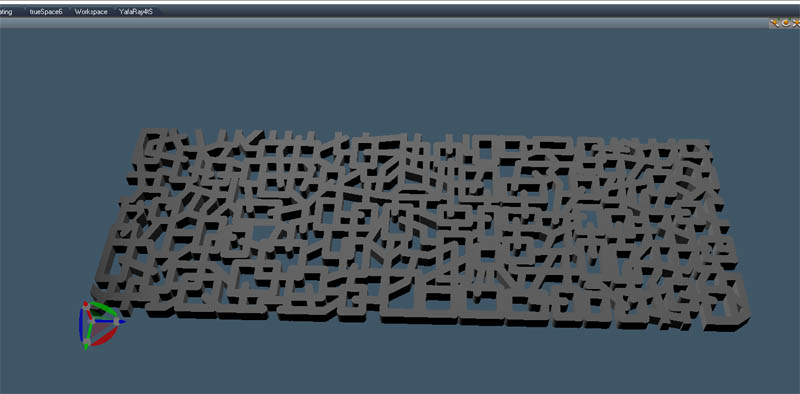
here is an example of transforming an illustrator file to trueSpace (model side).
Attachments
truespaces.jpg
Illustrator.jpg
Design - illustration - Animation
http://www.crea-vision.fr
User avatar
borgcone
Chief Petty Officer
Posts: 134
Joined: 06 May 2018, 21:09
Type the number ten into the box: 10
Location: Japan, or sometimes behind a borg cube

Re: trueSpace can't boolean my object !

Post by borgcone »

Emmanuel wrote: 14 Dec 2021, 19:37 Because Affinity Designer's AI export creates plain curves : when imported in trueSpace the holes in the main object become curves, not holes.
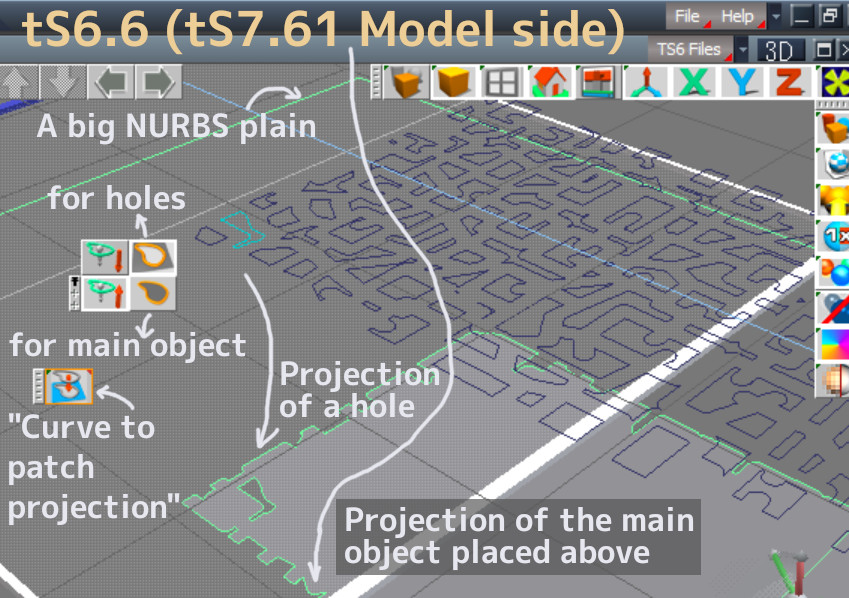
A seemingly elegant solution for the punching (realized only with standard functions of tS) is to use the "Curve to patch projection" button in tS7.61 Model side. A 2D curve can be used for trimming the surface of a 3D NURBS, so we can make the shape by trim a NURBS plain (simple rectangle) bypassing the uncertain Boolean operations in this way.
1a.jpg
Alas, :o however, the executing time is toooooooo long. It will take 10 minutes to trim the main object (and when you load from the saved scene with the projection)!

Steps: Load the .ai file in to Model side, unglue all objects, add a NURBS plain, enlarge it to enough size, use the main object (frame) to trim outside of the NURBS plain, use other 2D curves to trim inside, and lastly extrude the punched NURBS as a polyhedron (At this time, some procedure may be necessary to remove the triangles on the top and bottom faces).
borgcone ... or 3DfromNULL at https://biglode.com/ptsxpy
User avatar
Finis
Captain
Posts: 5410
Joined: 21 May 2009, 18:26
Type the number ten into the box: 0
Location: America!

Re: trueSpace can't boolean my object !

Post by Finis »

Blender does Booleans well and has various ways to cut meshes. Even if you want to stay with TS you could import/export between them for complex or slow Booleans and such.

Useful note: If you do use Blender for Booleans be aware of the setting for fast or precise. Sometimes fast works better than precise.
I prefer dangerous freedom over peaceful servitude. -- Thomas Jefferson/Jean Jacques Rousseau
User avatar
borgcone
Chief Petty Officer
Posts: 134
Joined: 06 May 2018, 21:09
Type the number ten into the box: 10
Location: Japan, or sometimes behind a borg cube

Re: trueSpace can't boolean my object !

Post by borgcone »

Finis wrote: 11 Jul 2023, 18:00 Blender ... TS ... import/export between them ...
In relation to that, one of the important routes with free-tool-only is; Inkscape --> Draw 2D surface (closed path) filled in black --> .svg --> Blender --> Convert to mesh --> Edit Mode --> Select All by trait --> Extrude region --> export to a .stl --> tS7.61 Model.

Some unfilled or non-black surface often causes problem like reversed-normal when it's imported in tS. You can remove unnecessary triangles on upper/bottom face in tS scene by Boolean intersection with a cube with shorter height in order to make a pure N-sided prism. Such a prism for a drill reduces error at another boolean operations (as someone wrote).

If Emmanuel's objects can be exported to a .svg, this way may also help whether the boolean is done in Blender or not.
borgcone ... or 3DfromNULL at https://biglode.com/ptsxpy

Return to “General Discussion”