Workspace - who left the lights on?
-
MikomDude

- Captain
- Posts: 1930
- Joined: 04 Oct 2010, 11:12
- Type the number ten into the box: 0
- Location: The Hague, Netherlands
Workspace - who left the lights on?
Just curious, is there any way to change the standard colors of the two light sources in the workspace? I'm referring to the green and red lights that you have as a standard when you have no other lights in your scene.
-
trueBlue

- Captain
- Posts: 5548
- Joined: 06 Jul 2009, 22:50
- Type the number ten into the box: 10
Re: Workspace - who left the lights on?
Uh.......you could but they are in the Widget Layer. Never tried it but it would most likely revert back to their defaults. If you want a black scene try one Ambient light with black color like the one in the Lights Library, Black.
-
MikomDude
- Captain
- Posts: 1930
- Joined: 04 Oct 2010, 11:12
- Type the number ten into the box: 0
- Location: The Hague, Netherlands
Re: Workspace - who left the lights on?
Hmm, actually I was wondering if there was any way to change the colors of the lights so my white model doesn't look like a christmas tree. 
-
trueBlue
- Captain
- Posts: 5548
- Joined: 06 Jul 2009, 22:50
- Type the number ten into the box: 10
Re: Workspace - who left the lights on?
Ambient light with White color?
-
MikomDude
- Captain
- Posts: 1930
- Joined: 04 Oct 2010, 11:12
- Type the number ten into the box: 0
- Location: The Hague, Netherlands
Re: Workspace - who left the lights on?
Yes, that will work but I prefer not to have any lights in the scene until I render it. You mentioned the widget layer, where can I find this?
-
Steinie

- Captain
- Posts: 2958
- Joined: 21 May 2009, 17:38
- Type the number ten into the box: 10
Re: Workspace - who left the lights on?
What I did was set up a personal default scene having my lighting setup the way I would want them. I just drag it over when I start a new scene. Loads in seconds.
-
trueBlue
- Captain
- Posts: 5548
- Joined: 06 Jul 2009, 22:50
- Type the number ten into the box: 10
Re: Workspace - who left the lights on?
Sorry I was incorrect, these lights just control the visibility of the Widgets.
The Lights Library are great too!
The Lights Library are great too!
-
MikomDude
- Captain
- Posts: 1930
- Joined: 04 Oct 2010, 11:12
- Type the number ten into the box: 0
- Location: The Hague, Netherlands
Re: Workspace - who left the lights on?
Yes, using lights from either light library or creating my own lights makes it go away, but I'm referring to these lights:
green
red
As you can see, they have no real lightsource that I can edit or that gets in the way when modeling, that's what I like about them, however I wish I could just change the color of the lights since these colors have really annoyed me the whole time that I have been using trueSpace.
I'm not sure if there is any way to change it, I just hoped one of you guys might know.
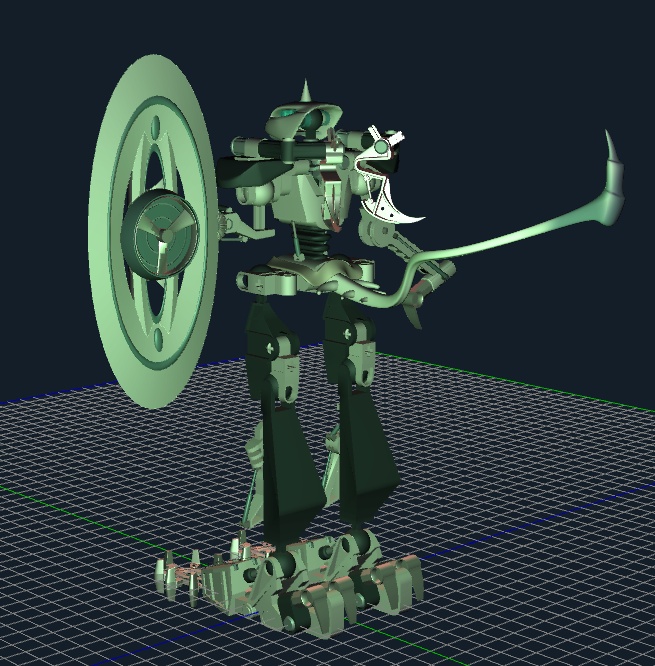
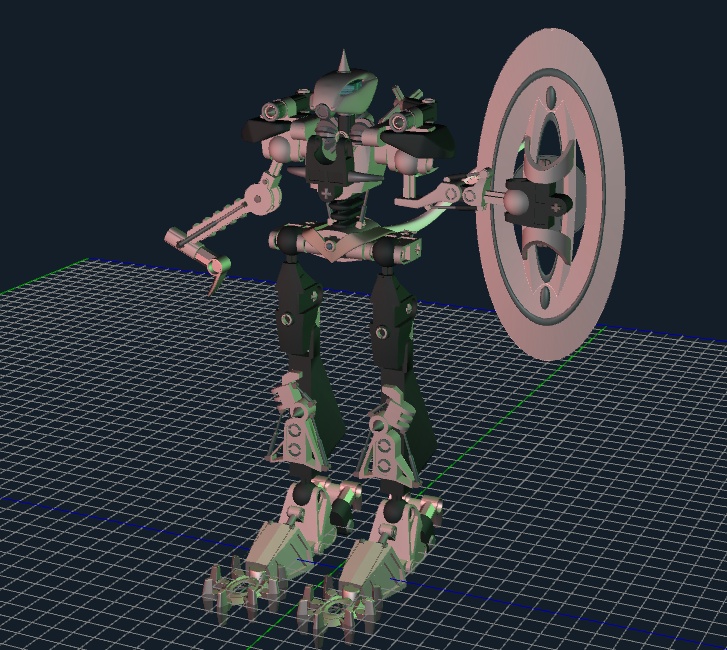
As you can see, they have no real lightsource that I can edit or that gets in the way when modeling, that's what I like about them, however I wish I could just change the color of the lights since these colors have really annoyed me the whole time that I have been using trueSpace.
I'm not sure if there is any way to change it, I just hoped one of you guys might know.
-
trueBlue
- Captain
- Posts: 5548
- Joined: 06 Jul 2009, 22:50
- Type the number ten into the box: 10
Re: Workspace - who left the lights on?
I tested changing the color of the Active Widget Layer lights and all it does is color the Widgets. I use an Ambient light that is set out of the way for Modeling myself. It is great as it lights Workspace evenly. You could also Hide it if needed. I also Hide the Grid.