Lighting Strangeness

Legacy tS 6.6
User avatar
Rhino169
Senior Chief Petty Officer
Posts: 201
Joined: 29 Nov 2009, 03:15

Lighting Strangeness

Post by Rhino169 »

I have a model where I have 9 local lights and each has a fixture grouped with it.

When I made the light & fixture combo, I had the local light inside the fixture.

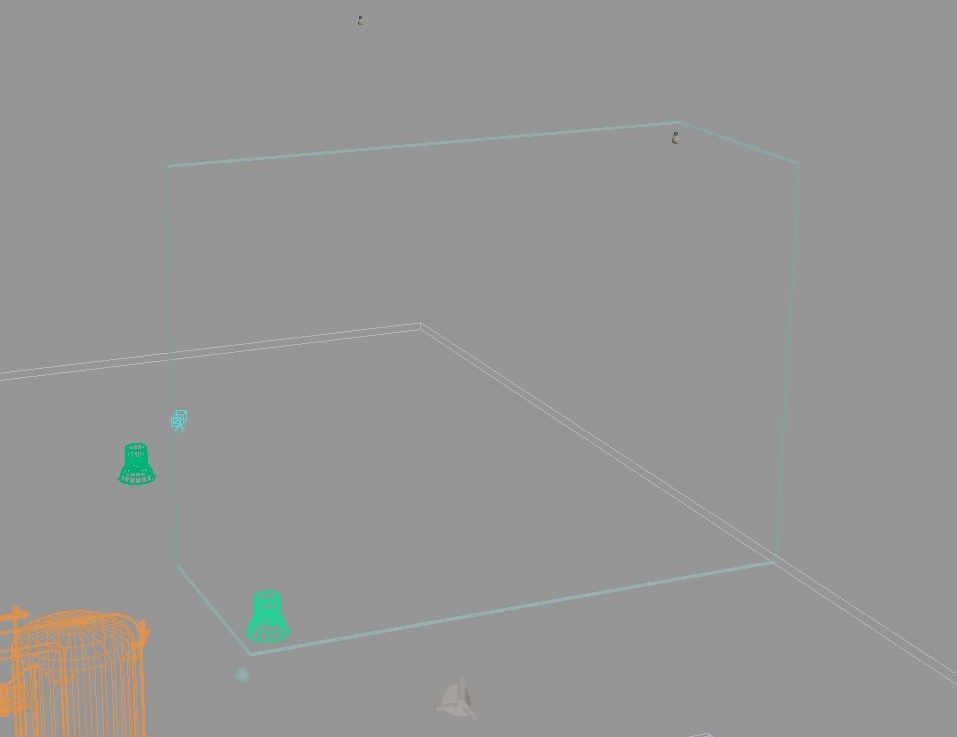
I had saved the file and opened the following day only to find the local light about 2x the height above and spread out. Almost as if they were scaled by x,y,z coordinates.

I had thought maybe I had done something odd, so I moved them each back and saved. Opened again today only to find them out in space again in the same spot! :x

Please see the image below to see the grouped local light and fixture and the one in the distance. You can see the fixture in the lower left and the local light in the upper right.

Has anyone seen this before and have a remedy?
Attachments
lighting issue.jpg
User avatar
spacekdet
Captain
Posts: 1810
Joined: 27 May 2009, 15:00
Type the number ten into the box: 10
Location: On the day shift at the Utility Muffin Research Kitchen

Re: Lighting Strangeness

Post by spacekdet »

Oh jeez, this one.
Afflicted with this before.
Don't think I ever figured out why, just had to start over.

Where is the axis located for the grouped object? Glued or booleaned?
User avatar
Rhino169
Senior Chief Petty Officer
Posts: 201
Joined: 29 Nov 2009, 03:15

Re: Lighting Strangeness

Post by Rhino169 »

The local light and the fixture are glued.

The Axis is centered at the fixture, like you would expect.

:bananamad: :bananamad: :bananamad: :bananamad:
User avatar
spacekdet
Captain
Posts: 1810
Joined: 27 May 2009, 15:00
Type the number ten into the box: 10
Location: On the day shift at the Utility Muffin Research Kitchen

Re: Lighting Strangeness

Post by spacekdet »

Accidental keyframe set?

Glued as sibs or glued as child? (try swapping the mode)

Save as cob/ object and bring into a fresh scene.

<stabs around in the dark>

Sorry I'm not much help.
User avatar
Rhino169
Senior Chief Petty Officer
Posts: 201
Joined: 29 Nov 2009, 03:15

Re: Lighting Strangeness

Post by Rhino169 »

Well...,

No to key frame

Sibling or child - same result.

Save as a glued .cob both sibling or child - saved correctly, came in wrong (immediately separated)

Saved unglued - came in fine...just seprate

So in conclusion, Local lights do not like being glued in TS6.6! :bananamad: :bananamad: :bananamad:
User avatar
spacekdet
Captain
Posts: 1810
Joined: 27 May 2009, 15:00
Type the number ten into the box: 10
Location: On the day shift at the Utility Muffin Research Kitchen

Re: Lighting Strangeness

Post by spacekdet »

Did you hand-make the local light array or did you use the array tool to make it?

To use the array tool to make lights:

After you set up it's intial parameters try gluing a local light to a cube.

Right click on the grid or circular array tool and set segments to 7 (or however many lights you want.)

Click twice to create the array.

Exit array tool and select newly created array.

Press down arrow to select one light/cube pair, then press down/ right/left arrow key again to select just the cube.
Right click object tool.
Select render options and check invisible.
Press up, then right/left to switch to next cube/light pair.
Repeat for each light/cube pair 'till you're left with just the lights.
Press up arrow key to reselect entire array.
( I tried making the first cube invisible before creating the array hoping they all would be invisible but they all become visible again when the array tool is executed- thus the extra steps)

Scale as needed to fit into light.

If desired, using Object info box drop-down list, delete any extraneous lights from the scene.

Now, here's the trick:

Open Light Library
Right click, insert. Right Click new library item and rename.
Save scene.

Reload the scene and open Light Library. If the lights have moved,
Double click/ right click/ load newly created item in light library.

They should be back in place.

Update:
Just re-read your previous post.
Skip all the array stuff and just save the unglued lights in the Light Library.