Thanks to Steinie and trueBlue for the help!
I have just installed:
tS76_original
and then the update:
tS76.4
when right click on any of the render icon options the Render Options do not appear!
this is what the Help says:"The Render Options Toolbar is the main toolbar for setting the various possible ways of rendering. With this toolbar you can change the way the image is rendered as well as set its quality and capabilities. The toolbar can be obtained by right clicking any of the Render tools (Render Current Object, Render Scene etc.) on the Render Toolbar."
Render settings not showing
-
generalistic

- Petty Officer Third Class
- Posts: 16
- Joined: 06 Jun 2024, 00:47
- Type the number ten into the box: 10
Render settings not showing
-
trueBlue

- Captain
- Posts: 5548
- Joined: 06 Jul 2009, 22:50
- Type the number ten into the box: 10
Re: Render settings not showing
Which Renderer Engine do you want to use?generalistic wrote: 09 Jun 2024, 02:09 Thanks to Steinie and trueBlue for the help!
I have just installed:
tS76_original
and then the update:
tS76.4
when right click on any of the render icon options the Render Options do not appear!
this is what the Help says:"The Render Options Toolbar is the main toolbar for setting the various possible ways of rendering. With this toolbar you can change the way the image is rendered as well as set its quality and capabilities. The toolbar can be obtained by right clicking any of the Render tools (Render Current Object, Render Scene etc.) on the Render Toolbar."
I will assume you are using Model
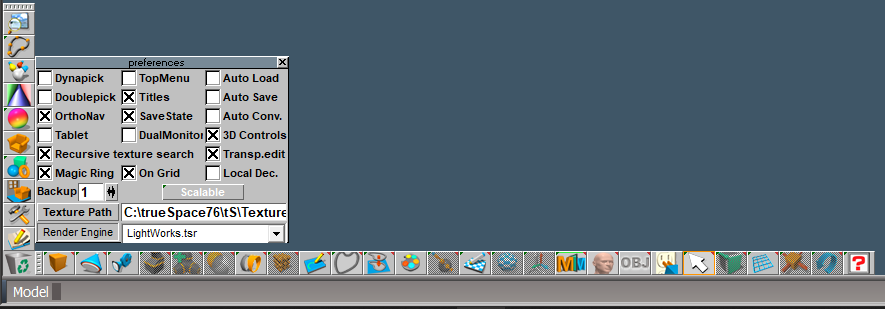
From the File menu, open Preferences
This is where you select the Renderer Engine
Default is LightWorks
If you want to use LightWorks, use the toolbar on the right to change Render Settings
Some of these tools use RClick to open their panel
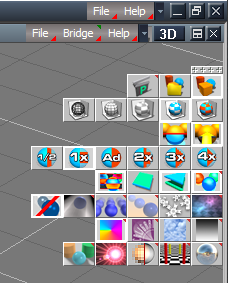
- LightWorks Render Settings.png (52.36 KiB) Viewed 1443 times
-
generalistic
- Petty Officer Third Class
- Posts: 16
- Joined: 06 Jun 2024, 00:47
- Type the number ten into the box: 10
Re: Render settings not showing
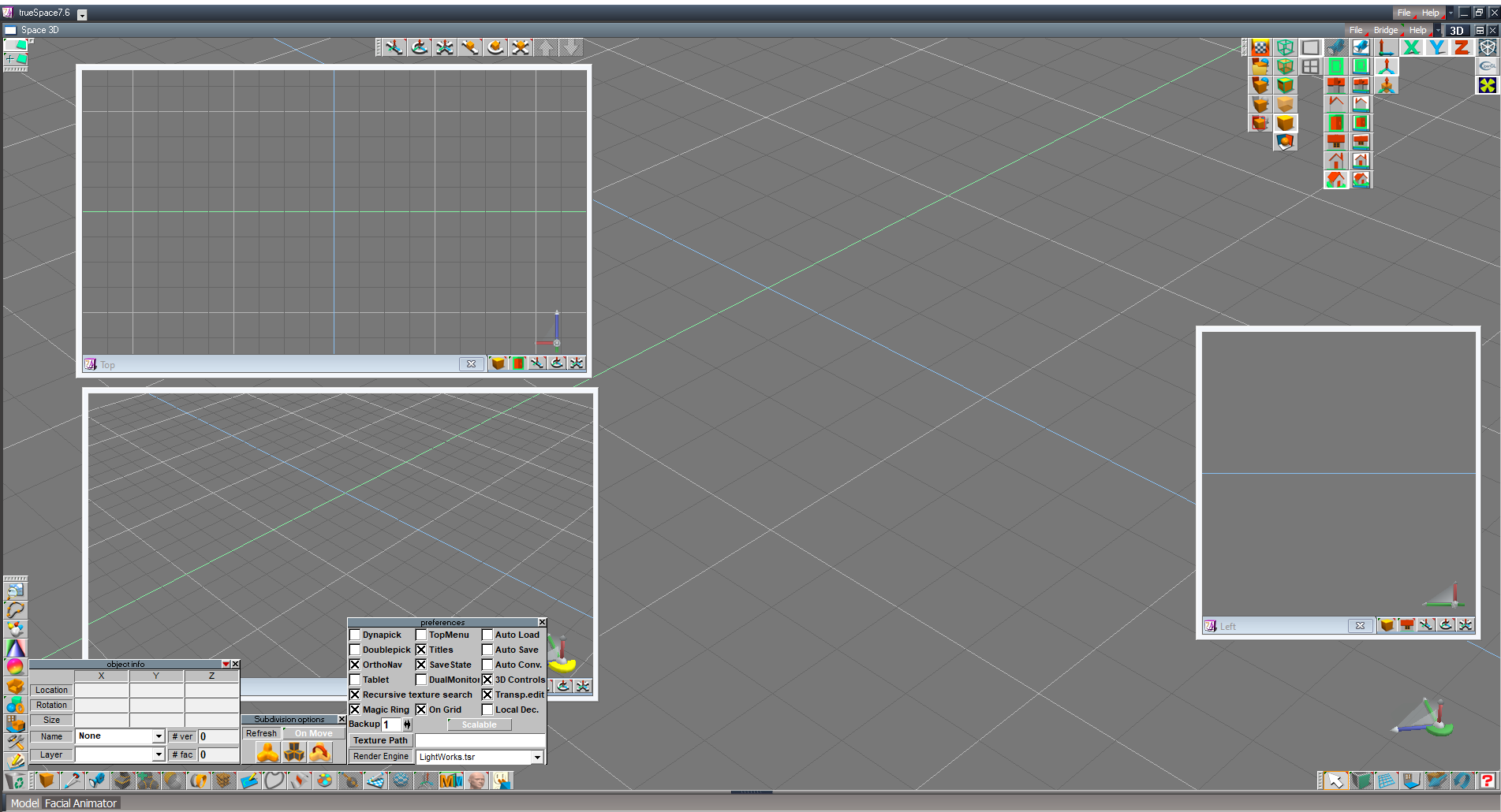
Yo are right, Model side only and LightWorks.
This is what I have.
No render Settings.
Specifically I want to activate the render setting for allowing volumetric light from spotlight.
This is what I have.
No render Settings.
Specifically I want to activate the render setting for allowing volumetric light from spotlight.
- Attachments
-
-
trueBlue
- Captain
- Posts: 5548
- Joined: 06 Jul 2009, 22:50
- Type the number ten into the box: 10
Re: Render settings not showing
LightWorks - Render Settings are controlled by using the Render toolbargeneralistic wrote: 10 Jun 2024, 18:56 Yo are right, Model side only and LightWorks.
This is what I have.
No render Settings.
Specifically I want to activate the render setting for allowing volumetric light from spotlight.
From your screen shot, the top right toolbar is hiding the Render Toolbar
Maybe somebody will post the steps on how to use Volumetrics
I will see if I can find a tutorial for you
Edit:
http://truespace3d.free.fr/manual/ch7_L ... Render.pdf
-
generalistic
- Petty Officer Third Class
- Posts: 16
- Joined: 06 Jun 2024, 00:47
- Type the number ten into the box: 10
Re: Render settings not showing
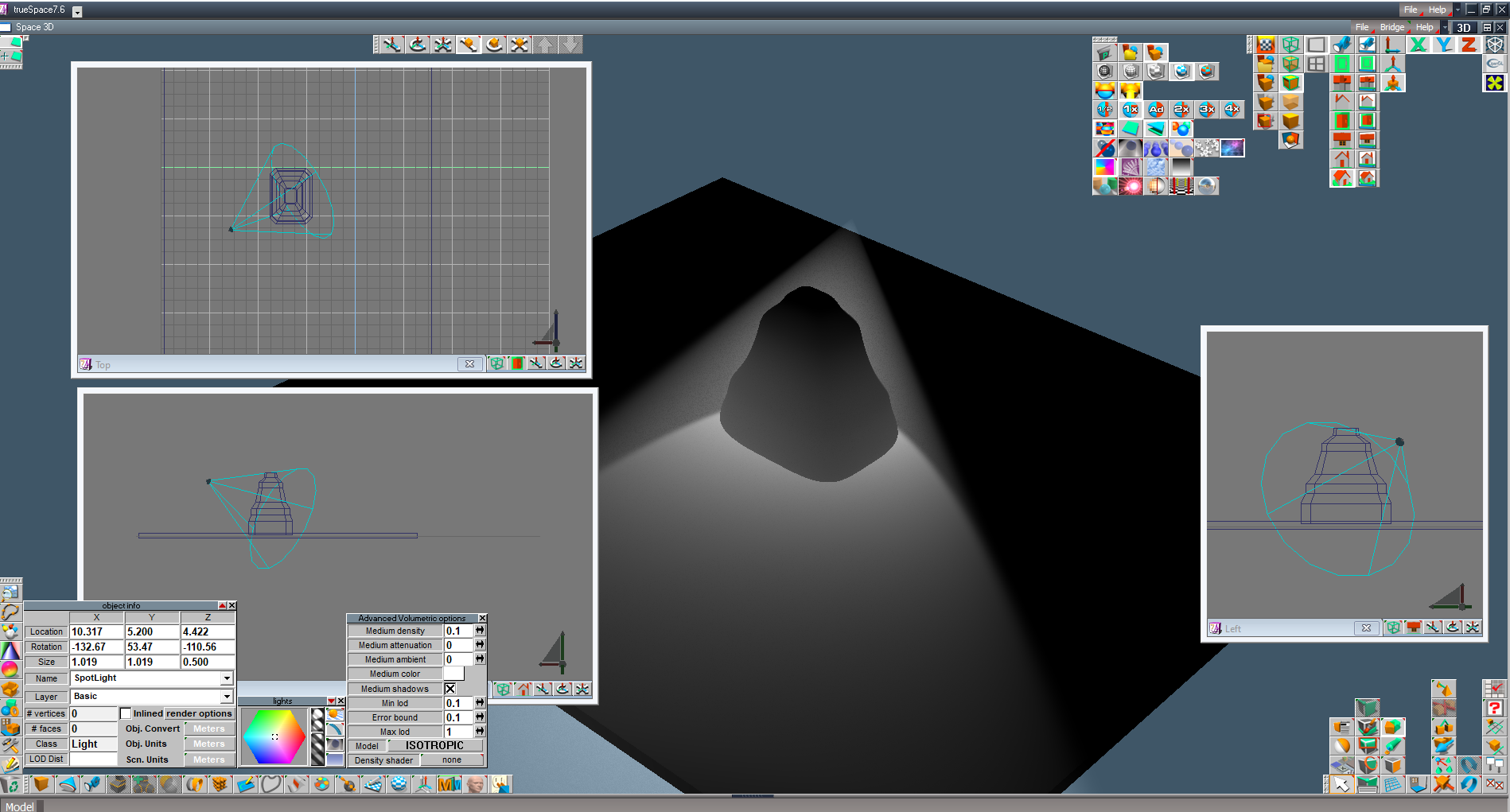
TrueBlue!
I got it!
thanks a lot
I got it!
thanks a lot
- Attachments
-
-
trueBlue
- Captain
- Posts: 5548
- Joined: 06 Jul 2009, 22:50
- Type the number ten into the box: 10
Re: Render settings not showing
Great!
I took some notes from the ch7_LightAndRender.pdf
Simple Volumetric foreground shader or the Advanced Volumetric foreground shader must be enabled for these effects to be visible
Only Spotlights and Projector lights work with Simple Volumetric.
Advanced Volumetrics foreground shader will work with all lights except the Skylight.
HDRI does not mix with Volumetrics. It is not possible to use HDRI lighting and volumetric foreground
shaders at the same time. Trying to do so will result in no effect from the volumetrics, and a greatly
reduced render speed, so be sure not to have both enabled at the same time.
The Model layout is not an ordinary trueSpace layout
There are important steps needed before using it
And there are steps you can take to exit out of it
If interested, I will share
I took some notes from the ch7_LightAndRender.pdf
Simple Volumetric foreground shader or the Advanced Volumetric foreground shader must be enabled for these effects to be visible
Only Spotlights and Projector lights work with Simple Volumetric.
Advanced Volumetrics foreground shader will work with all lights except the Skylight.
HDRI does not mix with Volumetrics. It is not possible to use HDRI lighting and volumetric foreground
shaders at the same time. Trying to do so will result in no effect from the volumetrics, and a greatly
reduced render speed, so be sure not to have both enabled at the same time.
The Model layout is not an ordinary trueSpace layout
There are important steps needed before using it
And there are steps you can take to exit out of it
If interested, I will share
-
generalistic
- Petty Officer Third Class
- Posts: 16
- Joined: 06 Jun 2024, 00:47
- Type the number ten into the box: 10
Re: Render settings not showing
what do you mean by that?trueBlue wrote: 11 Jun 2024, 02:06 The Model layout is not an ordinary trueSpace layout
There are important steps needed before using it
And there are steps you can take to exit out of it
If interested, I will share

-
trueBlue
- Captain
- Posts: 5548
- Joined: 06 Jul 2009, 22:50
- Type the number ten into the box: 10
Re: Render settings not showing
The Model layout was setup to be a Model only interface
There is no Link Editor, Animation Editor, or Stack
The Model layout does not have any Layouts assigned and a Workspace tab at the top
If you want to display the Layouts and Workspace tab
Left click on the Assign TABs Library at the top left
Go to: C:\trueSpace76\tS\Rs Main Libraries\Layouts - Configurations and Open the Model.rsl
You should now see the Layouts and Workspace tab
Now you can switch to Workspace
Steps to use the Model layout
In Workspace, switch to the Default layout and Load a New Scene
Remove ALL SCENE Objects in the Link Editor
Set the Bridge to OFF
Select the Model layout tab
Note: If you want to use Vray in the Model layout, you should Install and Load it from the Workspace's Package Manager first
You have to restart trueSpace after Loading any Workspace plugins
In Model, Open Preferences and select the Vray,tsr
Right click any of the Render icons to open the Vray Render settings
There is also a My_Default.tsc you can use
Open the Configuration Library bottom left
Right click - Import
Go to: C:\trueSpace76\tS\Configs
Open - My_Default
This configuration has the top two and bottom two toolbars combined
There is no Link Editor, Animation Editor, or Stack
The Model layout does not have any Layouts assigned and a Workspace tab at the top
If you want to display the Layouts and Workspace tab
Left click on the Assign TABs Library at the top left
Go to: C:\trueSpace76\tS\Rs Main Libraries\Layouts - Configurations and Open the Model.rsl
You should now see the Layouts and Workspace tab
Now you can switch to Workspace
Steps to use the Model layout
In Workspace, switch to the Default layout and Load a New Scene
Remove ALL SCENE Objects in the Link Editor
Set the Bridge to OFF
Select the Model layout tab
Note: If you want to use Vray in the Model layout, you should Install and Load it from the Workspace's Package Manager first
You have to restart trueSpace after Loading any Workspace plugins
In Model, Open Preferences and select the Vray,tsr
Right click any of the Render icons to open the Vray Render settings
There is also a My_Default.tsc you can use
Open the Configuration Library bottom left
Right click - Import
Go to: C:\trueSpace76\tS\Configs
Open - My_Default
This configuration has the top two and bottom two toolbars combined
-
generalistic
- Petty Officer Third Class
- Posts: 16
- Joined: 06 Jun 2024, 00:47
- Type the number ten into the box: 10
Re: Render settings not showing
I am not sure what a layout is. 
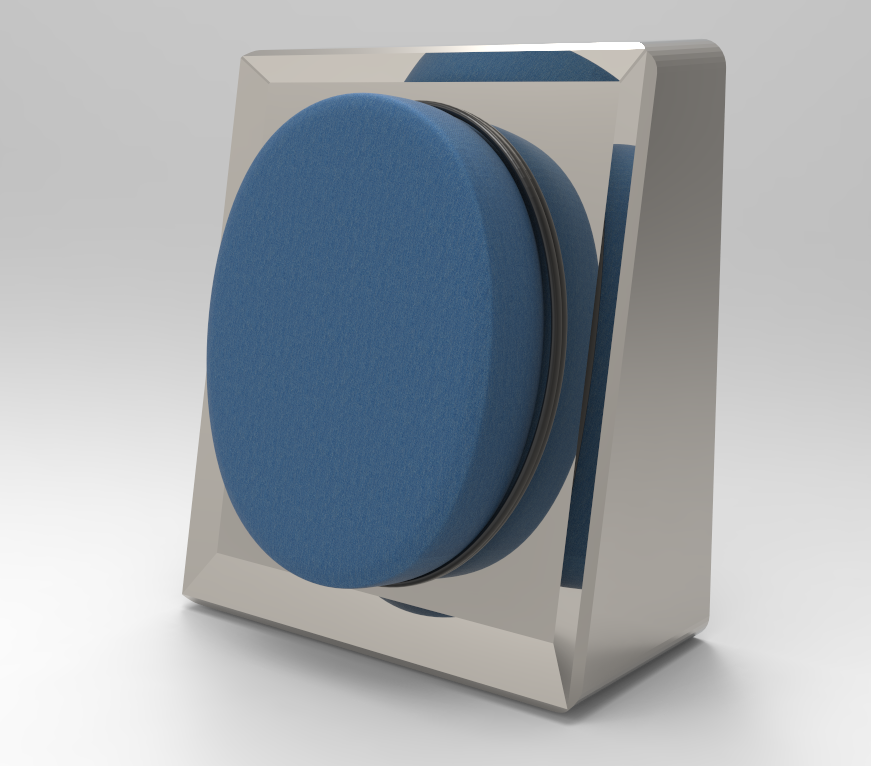
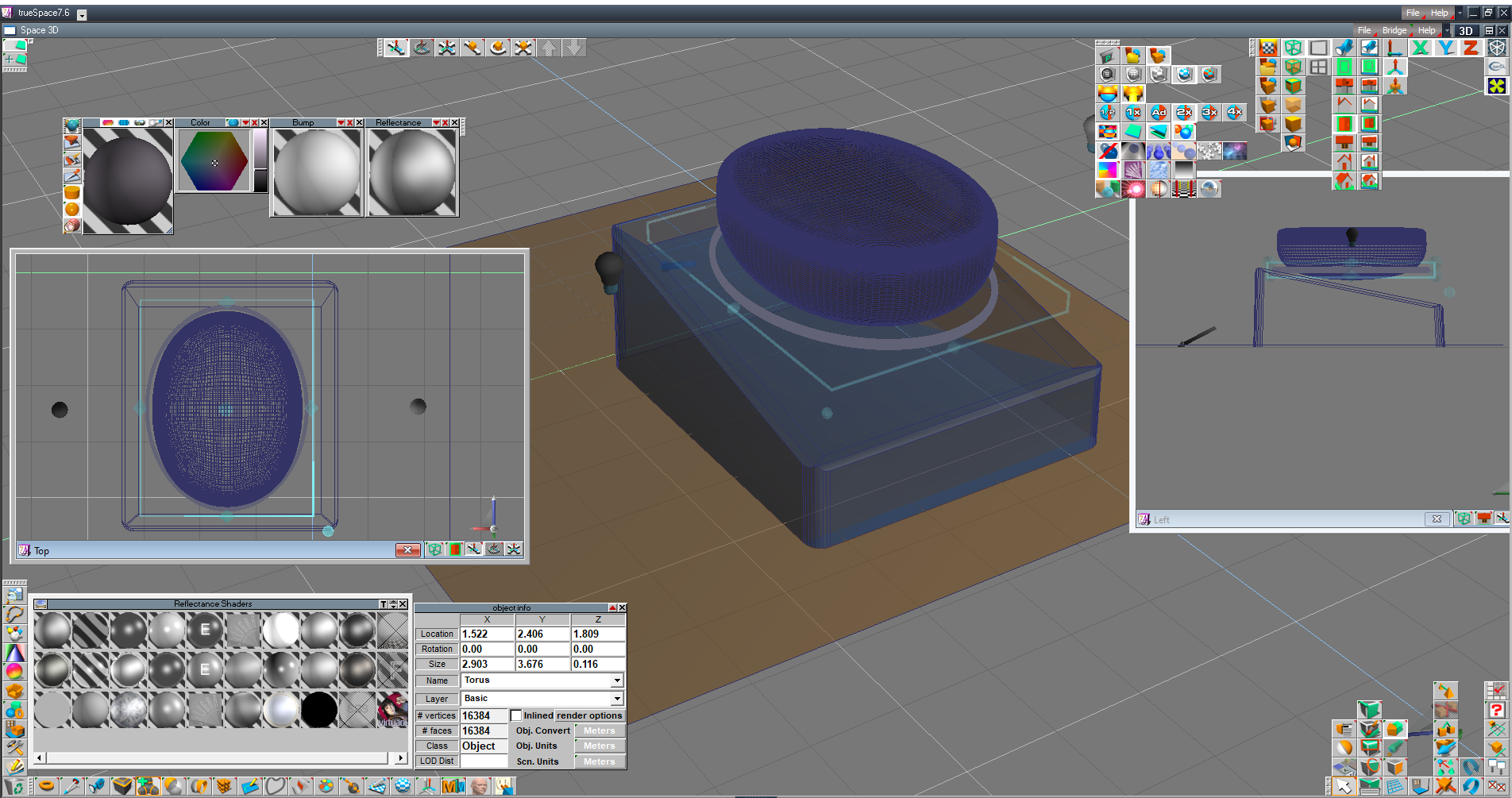
I am mainly using Truespace for modeling and then texture the models somewhere else.
I am mainly using Truespace for modeling and then texture the models somewhere else.
- Attachments
-
-
-
bitkar

- Captain
- Posts: 2089
- Joined: 16 Mar 2010, 07:14
- Type the number ten into the box: 0
- Location: Czech Republic
Re: Render settings not showing
what do you use for texturing and rendering?
Michal aka bitkar
tS freak since tS2 (1998) and forever (tS7.61 modeler)
tS freak since tS2 (1998) and forever (tS7.61 modeler)
-
generalistic
- Petty Officer Third Class
- Posts: 16
- Joined: 06 Jun 2024, 00:47
- Type the number ten into the box: 10
Re: Render settings not showing
hi bitkar
I use Keyshot for product vizualization (texture and render), where I work people do not model stuff: either they get the 3d models (free or paid) or they hire someone to model.
But I want to model my own stuff! :--D
Truespace makes it fun to do. I am watching tutorials: https://designdevil.de/ and https://www.spacekdet.com/tutorials/
awesome resources!!
I use Keyshot for product vizualization (texture and render), where I work people do not model stuff: either they get the 3d models (free or paid) or they hire someone to model.
But I want to model my own stuff! :--D
Truespace makes it fun to do. I am watching tutorials: https://designdevil.de/ and https://www.spacekdet.com/tutorials/
awesome resources!!