Best wishes of creative ideas to all of you !
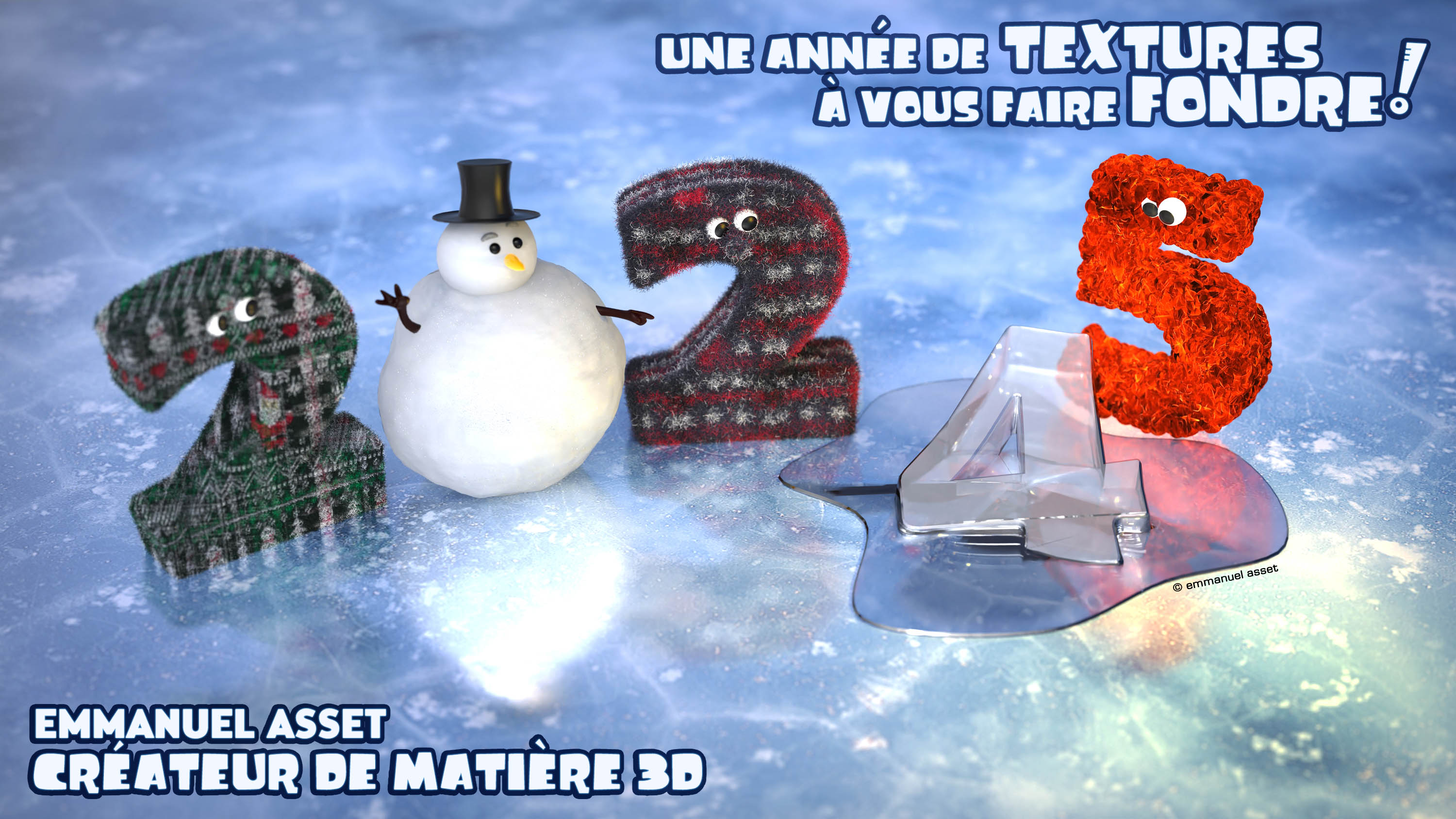
Happy new year 2025
-
Emmanuel

- Chief Warrant Officer
- Posts: 670
- Joined: 14 Jun 2009, 06:47
Happy new year 2025
Do you belive it ? We are entering 2025 and I am still using trueSpace at work !
Best wishes of creative ideas to all of you !
Best wishes of creative ideas to all of you !

-
bitkar

- Captain
- Posts: 2089
- Joined: 16 Mar 2010, 07:14
- Type the number ten into the box: 0
- Location: Czech Republic
Re: Happy new year 2025
oh thank you! best of fun and luck in 2025 to you and everyone!
How did you make the 2 so fluffy? it looks great!
How did you make the 2 so fluffy? it looks great!
Michal aka bitkar
tS freak since tS2 (1998) and forever (tS7.61 modeler)
tS freak since tS2 (1998) and forever (tS7.61 modeler)
-
Emmanuel
- Chief Warrant Officer
- Posts: 670
- Joined: 14 Jun 2009, 06:47
Re: Happy new year 2025
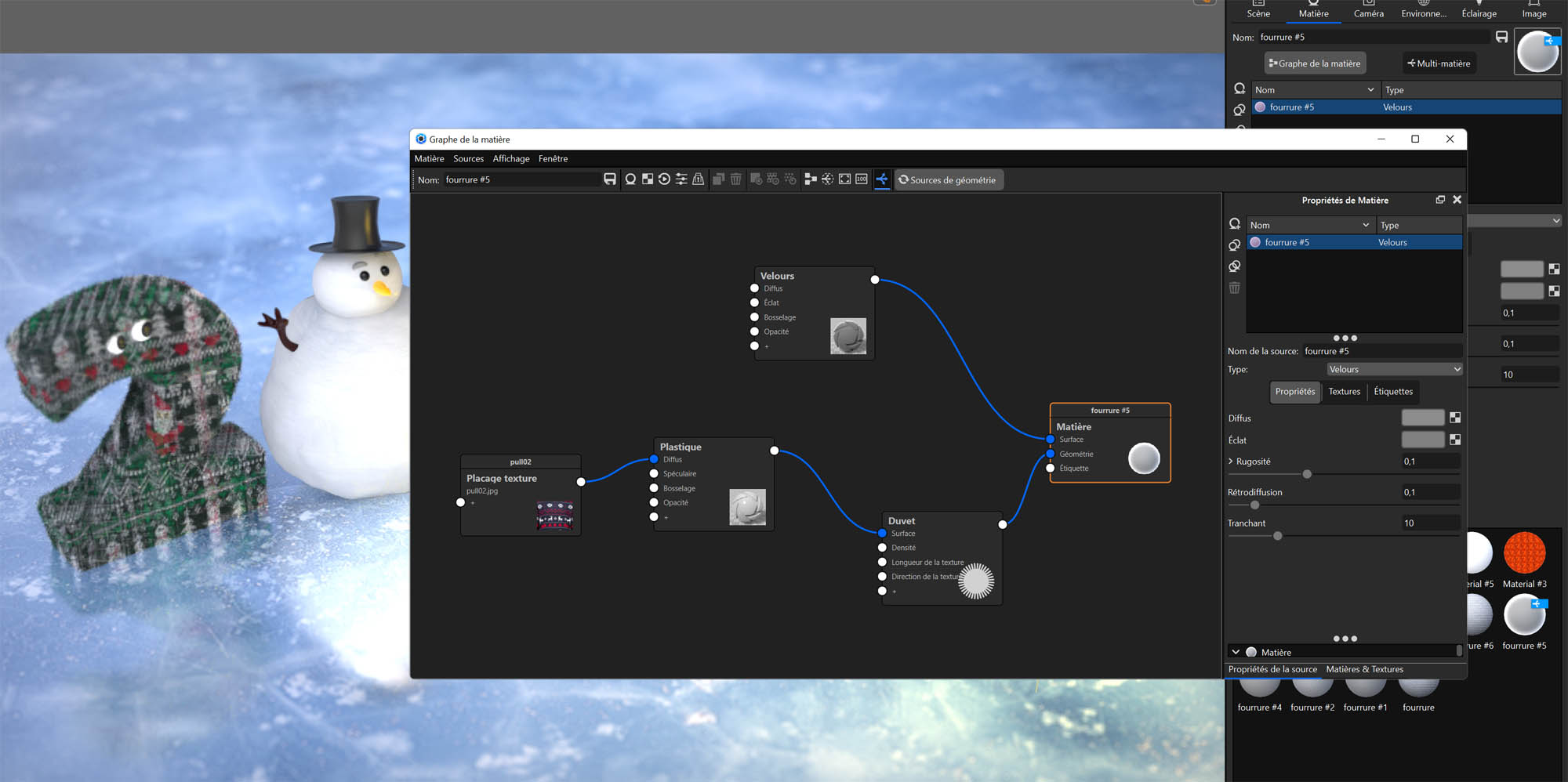
The trueSpace scene is rendered in Keyshot. So the materials are Keyshot materials : plenty of features like displacement maping, fur, etc.bitkar wrote: 03 Jan 2025, 19:40 How did you make the 2 so fluffy? it looks great!

I like Keyshot a lot but it is just a renderer.
It allows me to keep modelling in trueSpace and still make todays' rendering, with all the material effects and shadows a client may expects in 2025.
The only issue I have is export. Sometimes it is a pain.
Keyshot imports trueSpace's 3DS and OBJ exported files. But 3DS exports fails sometimes, if there is too many polygons. OBJ handles more complex shapes, but it tends to fill holes, so some objects must be triangulated before. Also some OBJ export fails with no reason.
So, depending on the scene, I am using 3DS or OBJ, or I save an COB file and use an old converter (Right Hemisphere's Deep Exploration 6.3) to convert the COB into OBJ or OBS.
Some exports don't work at all and I must split the scene into different objects and re-build the whole scene in Keyshot, importing the object one by one.
The cool thing is that I can update a geometry in trueSpace, save the object, reload it in Keyshot, and it will keep Keyshot materials (as long as I don't change materials in trueSpace).
-
bitkar
- Captain
- Posts: 2089
- Joined: 16 Mar 2010, 07:14
- Type the number ten into the box: 0
- Location: Czech Republic
Re: Happy new year 2025
trueSpace really needs some new easy to work with renderer :-/
Michal aka bitkar
tS freak since tS2 (1998) and forever (tS7.61 modeler)
tS freak since tS2 (1998) and forever (tS7.61 modeler)
-
Saul
- Senior Chief Petty Officer
- Posts: 308
- Joined: 22 May 2009, 16:50
Re: Happy new year 2025
Emmanuel ecrit
'We are entering 2025 and I am still using trueSpace at work'
And still using Model!
Keynote likes .fbx, available, thanks to clintonMan, in workSpace.
'We are entering 2025 and I am still using trueSpace at work'
And still using Model!
Keynote likes .fbx, available, thanks to clintonMan, in workSpace.
-
Emmanuel
- Chief Warrant Officer
- Posts: 670
- Joined: 14 Jun 2009, 06:47
Re: Happy new year 2025
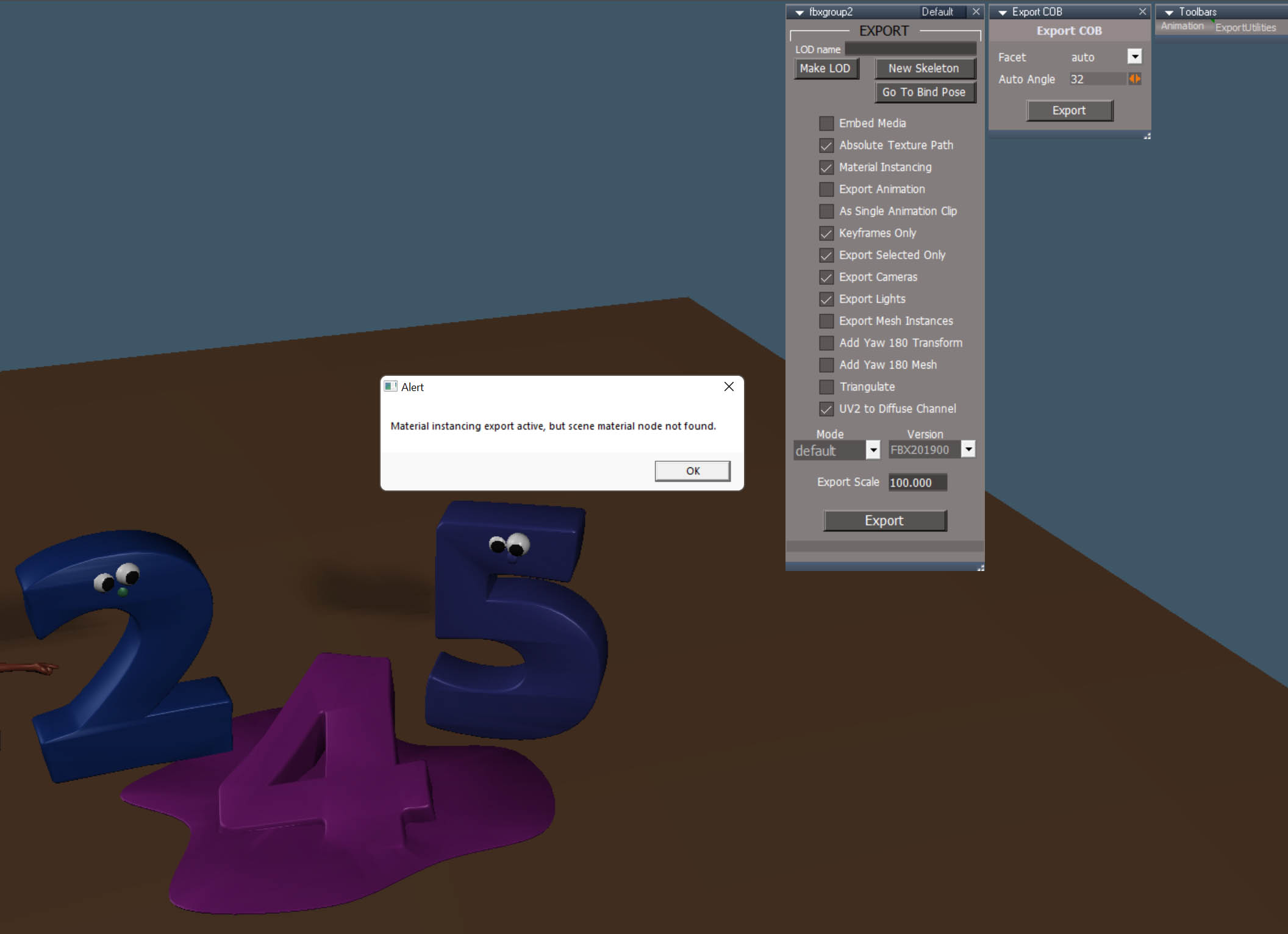
I wish I could use Clinton's FBX but it never works very well for me.Saul wrote: 05 Jan 2025, 09:13 Keynote likes .fbx, available, thanks to clintonMan, in workSpace.
With the latest unofficial update for example, I get an error message regarding the materials.
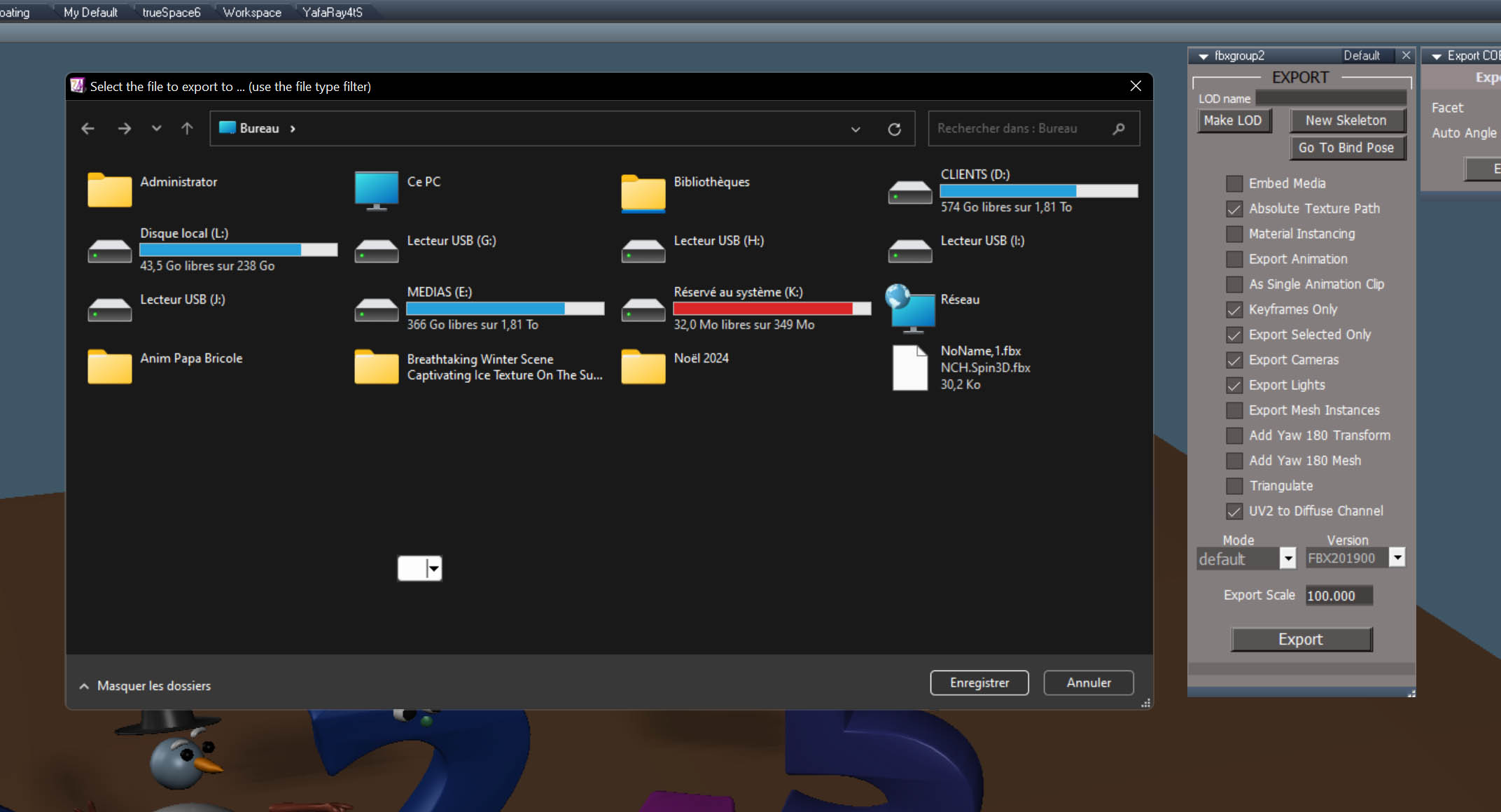
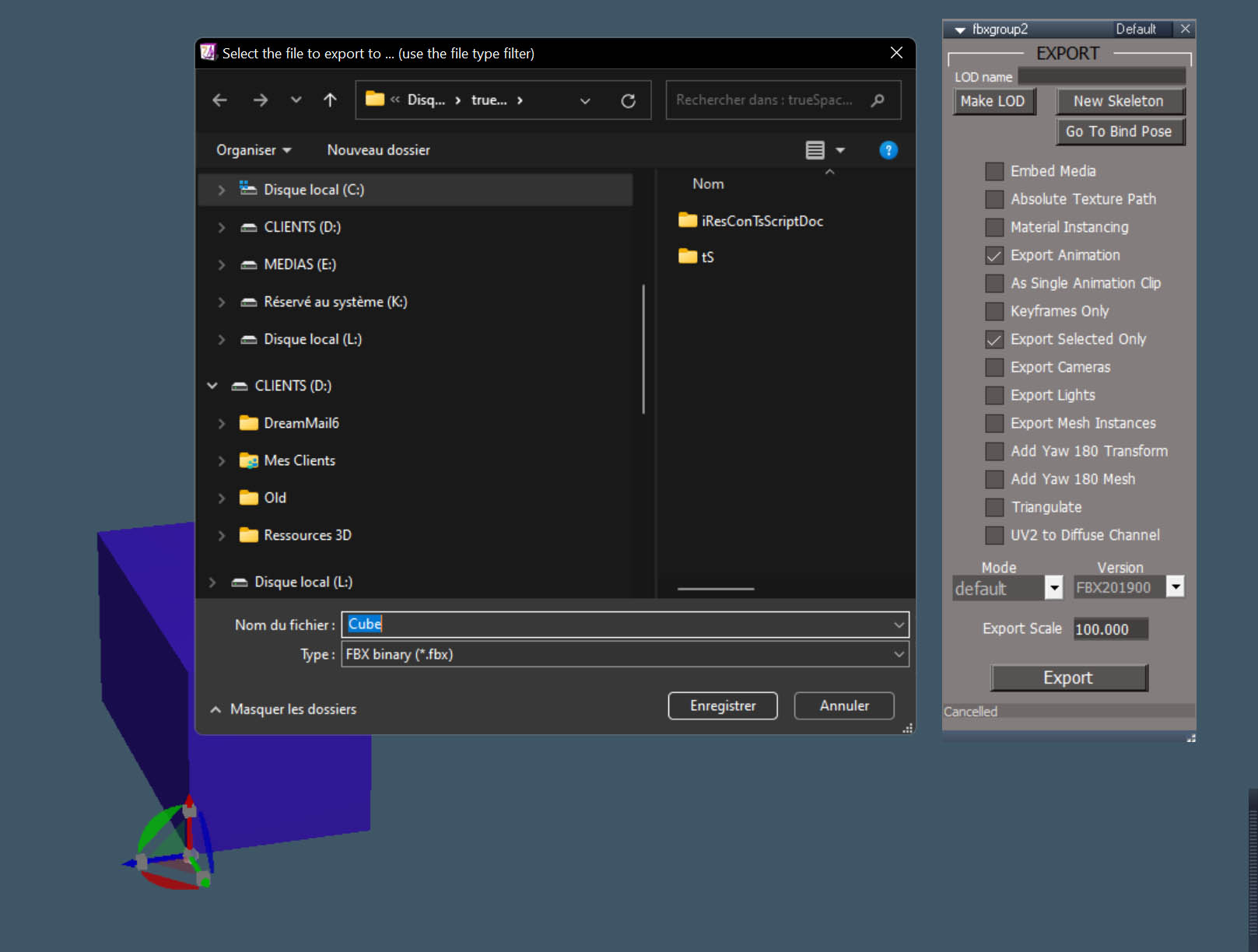
And if I export with no materials, I can't really use the export dialog box because some fields are missing (I am using Windows 11).
-
trueBlue

- Captain
- Posts: 5548
- Joined: 06 Jul 2009, 22:50
- Type the number ten into the box: 10
Re: Happy new year 2025
Looks like Keynote imports Collada
Curious if Workspace's Collada would work?
Curious if Workspace's Collada would work?
Uncheck "Material Instancing"With the latest unofficial update for example, I get an error message regarding the materials.
-
Emmanuel
- Chief Warrant Officer
- Posts: 670
- Joined: 14 Jun 2009, 06:47
Re: Happy new year 2025
Uncheck "Material Instancing" allows to pass threw the error message, but exported scene is loosing all materials.trueBlue wrote: 05 Jan 2025, 17:01 Uncheck "Material Instancing"
The goal is to assign colors/materials roughly to objects and parts of the objects, and also prepare the UV maps, all inside trueSpace ; then fine-tune the materials in Keyshot.
Collada export doesn't work for me (perhaps because Workspace dialog box is broken on my Windows 11).
-
trueBlue
- Captain
- Posts: 5548
- Joined: 06 Jul 2009, 22:50
- Type the number ten into the box: 10
Re: Happy new year 2025
You might try compatibility trouble shooter in Win 11
Here is the Workspace Backyard RsScn saved as Item.dae with all the objects selected
Scene Instancing
Includes the exported textures
Here is the Workspace Backyard RsScn saved as Item.dae with all the objects selected
Scene Instancing
Includes the exported textures

- Attachments
-
- Item.zip
- (11.8 MiB) Downloaded 70 times
-
Emmanuel
- Chief Warrant Officer
- Posts: 670
- Joined: 14 Jun 2009, 06:47
Re: Happy new year 2025
Geat tip ! It works ! Running tS7.61 under Windows 11 with Windows 7 compatibility mode brings back a fully functionnal export dialog box for FBX and I can also use Collada export.trueBlue wrote: 05 Jan 2025, 22:35 You might try compatibility trouble shooter in Win 11
Thanks TrueBlue !
Last edited by Emmanuel on 06 Jan 2025, 12:00, edited 2 times in total.
-
Emmanuel
- Chief Warrant Officer
- Posts: 670
- Joined: 14 Jun 2009, 06:47
Re: Happy new year 2025
Thanks for the file.trueBlue wrote: 05 Jan 2025, 22:35 Here is the Workspace Backyard RsScn saved as Item.dae with all the objects selected
Includes the exported textures
Herer is how the scene shows up in Keyshot :

Some objects like the table show artefacts : it must be triangulated before export.
I will try to make some tests with bigger scenes.