4 view windows layout
-
bkjernisted
- Chief Petty Officer
- Posts: 114
- Joined: 23 May 2009, 06:10
4 view windows layout
Is there a way of resizing the 4 window layout so all windows are the same size in Truespace 6.6? If there isn't a function in the program is there a tsx? Thanks
-
spacekdet

- Captain
- Posts: 1810
- Joined: 27 May 2009, 15:00
- Type the number ten into the box: 10
- Location: On the day shift at the Utility Muffin Research Kitchen
Re: 4 view windows layout
Resizing by dragging on the center window frames and doing it 'by eye' is the only way, I think.
There is a 4 view config in the config library that will reset the views pretty much evenly, but be warned it will also reset all the icons.
Save your existing config first!
Hover over the center point and when the cursor changes to a 4-headed arrow, click and drag to resize.
Apologies if you know this already.
There is a 4 view config in the config library that will reset the views pretty much evenly, but be warned it will also reset all the icons.
Save your existing config first!
Hover over the center point and when the cursor changes to a 4-headed arrow, click and drag to resize.
Apologies if you know this already.
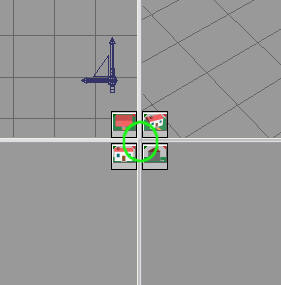
- 4way.jpg (8.38 KiB) Viewed 5550 times
-
brent kjernisted
- Petty Officer Third Class
- Posts: 19
- Joined: 10 Jul 2010, 23:17
Re: 4 view windows layout
Thanks spacekdet! No 4view config in my config library.
-
bkjernisted
- Chief Petty Officer
- Posts: 114
- Joined: 23 May 2009, 06:10
Re: 4 view windows layout
I setup my scene so I had 4 windows the same size and then saved the layout as a scene. I then created a new scene with the 4 windows a different size. When I go to open the equal sized windows screen it does not open properly. As well I,m on a 30 inch screen and the truespace windows for 6.6 don't want to open properly. I am running 64 bit xp on 1 computer and 32 bit xp on the other. The 32 bit screen is on a laptop with an 18.4 inch screen and 6.6 opens properly on it.
-
bkjernisted
- Chief Petty Officer
- Posts: 114
- Joined: 23 May 2009, 06:10
Re: 4 view windows layout
Could someone send me the 4view config file. As well where should truespace be installed? All my installs are C\truespace.
-
bkjernisted
- Chief Petty Officer
- Posts: 114
- Joined: 23 May 2009, 06:10
Re: 4 view windows layout
What is cv 4view close.tsc?
-
bkjernisted
- Chief Petty Officer
- Posts: 114
- Joined: 23 May 2009, 06:10
Re: 4 view windows layout
Any files that I try to open fom the config folder won't open.
-
spacekdet
- Captain
- Posts: 1810
- Joined: 27 May 2009, 15:00
- Type the number ten into the box: 10
- Location: On the day shift at the Utility Muffin Research Kitchen
Re: 4 view windows layout
Just drag/copy *.tsc files into the tS/configs/ folder, then restart tS and they should appear in the Config Library.
Windows doesn't know what to do with them when you click on them, but tS will!
A config should be saved in the Config Library, just saving the scene may not save all the configuration settings.
(Open Config Library, Right Click, 'Insert')
Your install location is fine (C\tS/)
Here is my copy of four_view.tsc, I don't think it's the default copy- I may have modified it along the way.
Re-name/ Use at your own risk.
Windows doesn't know what to do with them when you click on them, but tS will!
A config should be saved in the Config Library, just saving the scene may not save all the configuration settings.
(Open Config Library, Right Click, 'Insert')
Your install location is fine (C\tS/)
Here is my copy of four_view.tsc, I don't think it's the default copy- I may have modified it along the way.
Re-name/ Use at your own risk.
-
brent kjernisted
- Petty Officer Third Class
- Posts: 19
- Joined: 10 Jul 2010, 23:17
Re: 4 view windows layout
Spacekdet when I try to load your four-view I get the error "Error loading scene" This is with all my tsc files in 7.6 and 7.61 on 64 bit xp,32 bit xp and 64 bit windows 7. When I put a scene file in the config folder it is not converted to a tsc file. Baffled and frustrated. Does this hav e something with starting truespace as administrator. I'm having trouble setting that up as well. Sorry and thanks!
-
bkjernisted
- Chief Petty Officer
- Posts: 114
- Joined: 23 May 2009, 06:10
Re: 4 view windows layout
Not working on 32bit vista either!
-
bkjernisted
- Chief Petty Officer
- Posts: 114
- Joined: 23 May 2009, 06:10
Re: 4 view windows layout
Instead of loading things in the truespace library in the bottom left of the screen I was trying to save as in the TS6 Files at the top right of the screen! Thanks for your help and sorry about the mix up. I need to finish going through the videos "getting started with truespace 6.6."