Animated materials
-
Saul
- Senior Chief Petty Officer
- Posts: 308
- Joined: 22 May 2009, 16:50
Animated materials
In Model side one can use 'paint over' to animate materials, i can find no way to do this in workSpace, is it possible?
-
trueBlue

- Captain
- Posts: 5548
- Joined: 06 Jul 2009, 22:50
- Type the number ten into the box: 10
Re: Animated materials
Workaround...Saul wrote: 20 Dec 2019, 12:04 In Model side one can use 'paint over' to animate materials, i can find no way to do this in workSpace, is it possible?
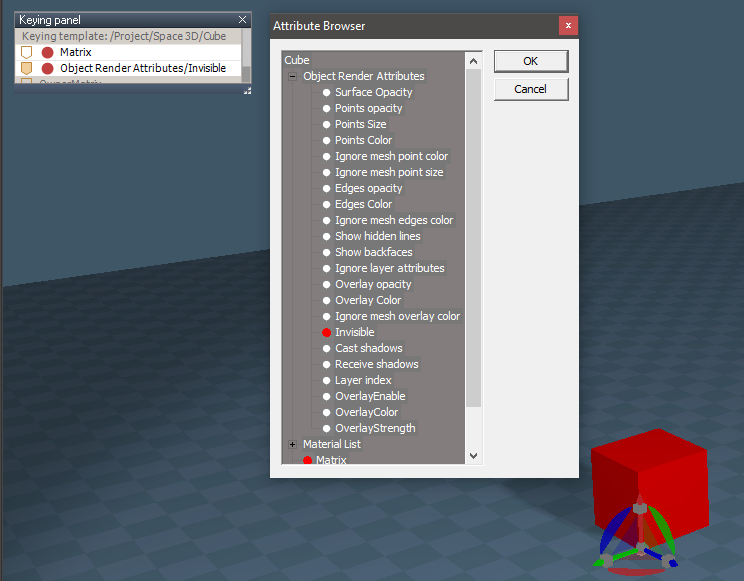
If you are wanting to do a material change, you can Keyframe your Object's Invisible attribute or Surface Opacity to invisible. Copy the Object, paint a different material, and Keyframe your copied Object's Invisible attribute or Surface Opacity to visible.
On a side note, you can Keyframe UV Projections too. Maybe the equivalent to Model's Material Rectangle?
Objects - tS7.61 Update objects library
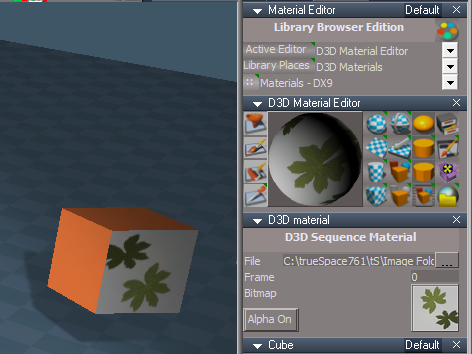
tS76 D3D Sequence Material
Keyframe the Frame attribute