How many whatsits are in my thing?
For tS 7, try this tool. or see below.For tS.6/Model, here is a link to a quick tut on finding out how many are in your scene
-or-
In your object:
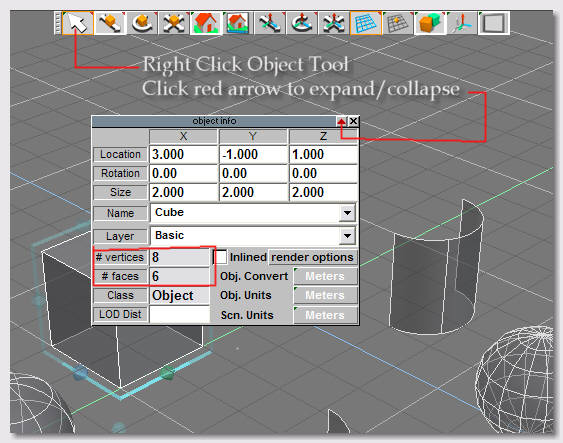
Look at the Model side 'Object Info' panel.
With your object selected, right click on the Object Tool ( the cursor)
This panel will display the # of polygons, vertices, name, type, etc.
NURBS based objects will have a name like 'NoName,2'
You can usually tell what sort of object you have by what type of tools pop up when you right-click the object.
You'll get the appropriate set of tools for that type of object.
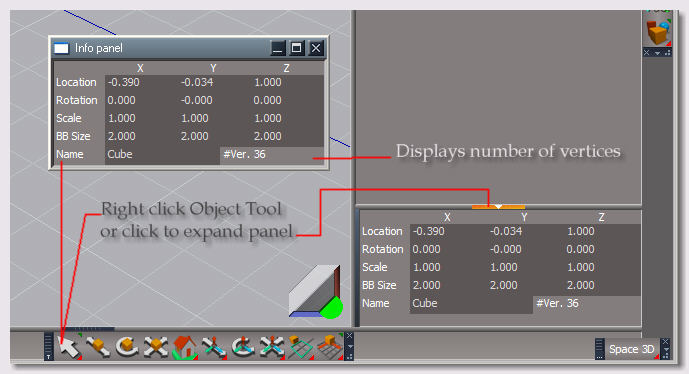
For tS7 Workspace, it's a similar procedure- right-click the Object Tool, or open the stack and click the bottom edge to expand the object info panel. WS obj-info panel displays the number of vertices, but not the number of polygons: (for polygons, see the first tool listed above)